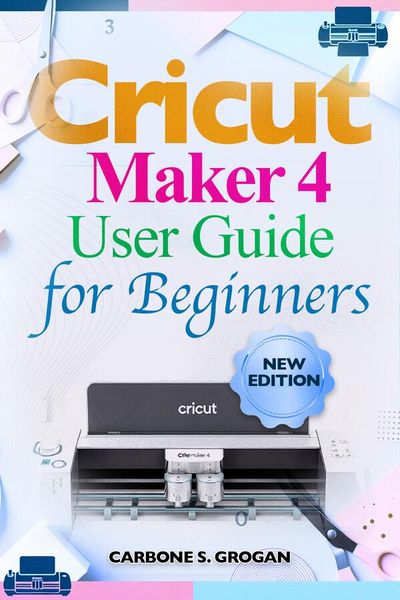
Cricut Maker 4 User Guide for Beginners A Step-by-Step Manual to Master Design Space, Stop Wasting Materials, and Create Unique Personalized Projects with Confidence
-
- Einzelkauf Download ausgewählt
-
Sprache:Englisch
10,49 €
inkl. gesetzl. MwSt.Beschreibung
Produktdetails
Format
ePUB
Kopierschutz
Nein
Family Sharing
Ja
Text-to-Speech
Ja
Erscheinungsdatum
20.03.2026
Verlag
Carbone S. GroganSeitenzahl
(Printausgabe)
Dateigröße
1931 KB
Sprache
Englisch
EAN
9791224441205
Disclaimer
This book is an independent user guide created for educational and informational purposes only. It is not affiliated with, endorsed by, sponsored by, or officially connected to Cricut, Inc. or any of its products or services. "Cricut," "Cricut Maker," and "Design Space" are registered trademarks of Cricut, Inc., and are used strictly for identification and instructional purposes.
You didn't buy the Cricut Maker 4 to feel confused.
You bought it because you saw what was possible-clean vinyl decals, flawless custom shirts, layered cards that look professionally made.
But right now?
The machine feels unpredictable.
Design Space feels overwhelming.
And every mistake costs you time… and materials.
One wrong setting.
One misaligned cut.
One forgotten step-and the whole project is ruined.
That frustration builds quickly.
Because deep down, you know this machine is powerful…you just haven't been shown how to control it.
This guide changes that-immediately.
The Cricut Maker 4 User Guide for Beginners is built for one purpose:
to take you from uncertainty to precision, as quickly and clearly as possible.
No filler. No guesswork. No vague explanations.
Every page is designed to help you do the right thing the first time.
You'll start by setting up your machine properly-so you avoid the hidden errors that cause most beginner problems. Then, step by step, you'll move into real creation with clarity and control.
Inside this user guide, you'll learn how to:
• Get your machine connected, calibrated, and working flawlessly
• Navigate Design Space without hesitation or confusion
• Choose the exact blade, mat, and settings for every material
• Cut vinyl, cardstock, and HTV with sharp, consistent results
• Weed designs cleanly-without tearing or distortion
• Apply transfer tape and heat designs with smooth, bubble-free finishes
• Complete real projects like stickers, greeting cards, and custom apparel
• Fix mistakes fast-before they cost you more materials
• Work efficiently so your projects feel easy, not exhausting
Something shifts when you follow a clear system.
You stop hoping your project will turn out right…
and start expecting it to.
Your cuts become cleaner.
Your designs look sharper.
Your workflow becomes faster and more controlled.
And suddenly, the machine that once felt frustrating becomes predictable, reliable, and genuinely fun to use.
This is where most people either give up-or finally break through.
You don't need more tutorials.
You need the right guidance, in the right order, with no gaps.
That's exactly what this user guide delivers.
If you're ready to stop wasting materials, eliminate costly mistakes, and finally create projects that look as good as you imagined.
Order now and take full control of your Cricut Maker 4 today.
This book is an independent user guide created for educational and informational purposes only. It is not affiliated with, endorsed by, sponsored by, or officially connected to Cricut, Inc. or any of its products or services. "Cricut," "Cricut Maker," and "Design Space" are registered trademarks of Cricut, Inc., and are used strictly for identification and instructional purposes.
You didn't buy the Cricut Maker 4 to feel confused.
You bought it because you saw what was possible-clean vinyl decals, flawless custom shirts, layered cards that look professionally made.
But right now?
The machine feels unpredictable.
Design Space feels overwhelming.
And every mistake costs you time… and materials.
One wrong setting.
One misaligned cut.
One forgotten step-and the whole project is ruined.
That frustration builds quickly.
Because deep down, you know this machine is powerful…you just haven't been shown how to control it.
This guide changes that-immediately.
The Cricut Maker 4 User Guide for Beginners is built for one purpose:
to take you from uncertainty to precision, as quickly and clearly as possible.
No filler. No guesswork. No vague explanations.
Every page is designed to help you do the right thing the first time.
You'll start by setting up your machine properly-so you avoid the hidden errors that cause most beginner problems. Then, step by step, you'll move into real creation with clarity and control.
Inside this user guide, you'll learn how to:
• Get your machine connected, calibrated, and working flawlessly
• Navigate Design Space without hesitation or confusion
• Choose the exact blade, mat, and settings for every material
• Cut vinyl, cardstock, and HTV with sharp, consistent results
• Weed designs cleanly-without tearing or distortion
• Apply transfer tape and heat designs with smooth, bubble-free finishes
• Complete real projects like stickers, greeting cards, and custom apparel
• Fix mistakes fast-before they cost you more materials
• Work efficiently so your projects feel easy, not exhausting
Something shifts when you follow a clear system.
You stop hoping your project will turn out right…
and start expecting it to.
Your cuts become cleaner.
Your designs look sharper.
Your workflow becomes faster and more controlled.
And suddenly, the machine that once felt frustrating becomes predictable, reliable, and genuinely fun to use.
This is where most people either give up-or finally break through.
You don't need more tutorials.
You need the right guidance, in the right order, with no gaps.
That's exactly what this user guide delivers.
If you're ready to stop wasting materials, eliminate costly mistakes, and finally create projects that look as good as you imagined.
Order now and take full control of your Cricut Maker 4 today.
Noch keine Bewertungen vorhanden
Verfassen Sie die erste Bewertung zu diesem Artikel
Helfen Sie anderen Kundinnen und Kunden durch Ihre Meinung.
Kurze Frage zu unserer Seite
Vielen Dank für dein Feedback
Wir nutzen dein Feedback, um unsere Produktseiten zu verbessern. Bitte habe Verständnis, dass wir dir keine Rückmeldung geben können. Falls du Kontakt mit uns aufnehmen möchtest, kannst du dich aber gerne an unseren Kund*innenservice wenden.
zum Kundenservice