Gutscheinbedingungen

**Gültig bis 10.06.2026 / Gültig für gebrauchte Bücher / Mindestbestellwert 20,00 € / Einzelne Artikel können ausgeschlossen sein / Online auf www.bücher.de.de / Nicht kombinierbar mit anderen Gutscheinen oder Preisaktionen / Nur einmal pro Einkauf einlösbar / Gutschein wird auf max. 500€ Bestellwert angerechnet / Keine Barauszahlung / Nicht gültig für Versandkosten und Services

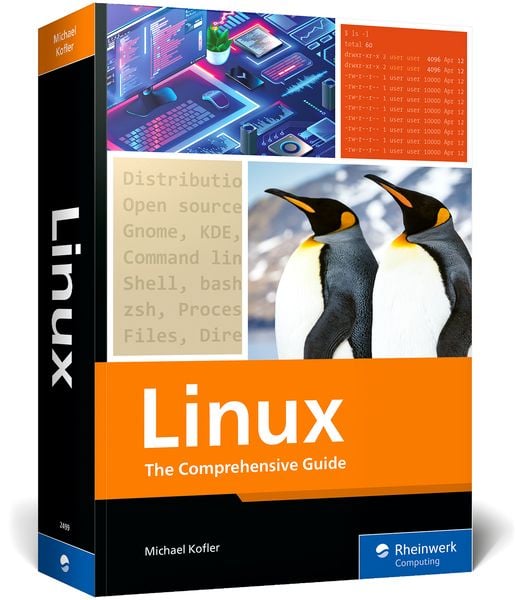
Produktbild: Linux

Linux The Comprehensive Guide

Aus der Reihe Rheinwerk Computing

59,95 €

inkl. gesetzl. MwSt., Versandkostenfrei

Lieferung nach Hause

Beschreibung

Produktdetails

Einband

Taschenbuch

Erscheinungsdatum

06.06.2024

Verlag

Rheinwerk Publishing

Seitenzahl

1178

Maße (L/B/H)

25,5/17,7/5 cm

Gewicht

2038 g

Farbe

Dunkellila / Cool Grey

Auflage

1

Sprache

Englisch

ISBN

978-1-4932-2499-9

Beschreibung

Produktdetails

Einband

Taschenbuch

Erscheinungsdatum

06.06.2024

Verlag

Rheinwerk Publishing

Seitenzahl

1178

Maße (L/B/H)

25,5/17,7/5 cm

Gewicht

2038 g

Farbe

Dunkellila / Cool Grey

Auflage

1

Sprache

Englisch

ISBN

978-1-4932-2499-9

Herstelleradresse

Rheinwerk Verlag GmbH
Rheinwerkallee 4
53227 Bonn
DE

Email: [email protected]

Kundinnen und Kunden meinen

0 Bewertungen

Informationen zu Bewertungen

Zur Abgabe einer Bewertung ist eine Anmeldung im Konto notwendig. Die Authentizität der Bewertungen wird von uns nicht überprüft. Wir behalten uns vor, Bewertungstexte, die unseren Richtlinien widersprechen, entsprechend zu kürzen oder zu löschen.

Die Bewertungen sind nach Format, Anzahl Sterne und Datum sortiert.

Verfassen Sie die erste Bewertung zu diesem Artikel

Helfen Sie anderen Kund*innen durch Ihre Meinung

Kundinnen und Kunden meinen

0 Bewertungen filtern

  • Produktbild: Linux
  • ... Preface ... 31

    ... What This Book Can Do—and What It Can't ... 31

    ... How This Book Is Organized ... 32

    ... Formal Aspects ... 33

    Part I ... Installation ... 35

    1 ... What Is Linux? ... 37

    1.1 ... Introduction ... 37

    1.2 ... Hardware Support ... 38

    1.3 ... Distributions ... 39

    1.4 ... Open-Source Licenses (GPL and Company) ... 44

    1.5 ... The History of Linux ... 46

    2 ... Installation Basics ... 49

    2.1 ... Requirements ... 49

    2.2 ... BIOS and EFI ... 50

    2.3 ... Installation Variants ... 53

    2.4 ... Overview of the Installation Process ... 56

    2.5 ... Partitioning Basics ... 58

    2.6 ... LVM and Encryption ... 61

    2.7 ... Creating Linux Partitions ... 64

    2.8 ... Setting the Scope of the Installation ... 68

    2.9 ... Basic Configuration ... 68

    2.10 ... System Changes, Extensions, and Updates ... 70

    3 ... Installation Instructions ... 75

    3.1 ... Debian ... 76

    3.2 ... Fedora ... 84

    3.3 ... Linux Mint ... 92

    3.4 ... Manjaro Linux ... 95

    3.5 ... openSUSE ... 98

    3.6 ... Pop!_OS ... 104

    3.7 ... Ubuntu ... 108

    Part II ... Using Linux ... 117

    4 ... GNOME ... 119

    4.1 ... Personal Assessment ... 120

    4.2 ... Getting Started ... 121

    4.3 ... File Manager ... 128

    4.4 ... System Configuration ... 138

    4.5 ... Fonts ... 148

    4.6 ... GNOME Tweak Tool ... 150

    4.7 ... GNOME Shell Extensions ... 152

    4.8 ... GNOME Shell Themes ... 156

    4.9 ... Internal Details of GNOME ... 156

    4.10 ... GNOME Classic ... 159

    5 ... KDE ... 161

    5.1 ... Basic Principles ... 161

    5.2 ... Operation ... 163

    5.3 ... File Manager ... 167

    5.4 ... KDE Configuration ... 170

    Part III ... Linux Basics ... 177

    6 ... Using the Terminal ... 179

    6.1 ... Text Consoles and Terminal Windows ... 179

    6.2 ... Displaying and Editing Text Files ... 185

    6.3 ... man and info ... 189

    7 ... Bash (Shell) ... 193

    7.1 ... What Is a Shell? ... 193

    7.2 ... Configuration ... 195

    7.3 ... Command Input ... 198

    7.4 ... Input and Output Redirection ... 202

    7.5 ... Executing Commands ... 205

    7.6 ... Globbing and Substitution/Expansion ... 208

    7.7 ... Variables ... 213

    7.8 ... Bash Scripts ... 217

    7.9 ... Basic Rules for Bash Scripts ... 223

    7.10 ... Variables in Bash Scripts ... 225

    7.11 ... Branches, Loops, and Functions ... 230

    7.12 ... Important Special Characters in Bash: Quick Reference ... 237

    8 ... Zsh (Shell) ... 241

    8.1 ... Installation and Configuration ... 242

    8.2 ... Usage ... 247

    8.3 ... Oh My Zsh ... 250

    9 ... Files and Directories ... 253

    9.1 ... Handling Files and Directories ... 253

    9.2 ... Links ... 264

    9.3 ... Finding Files (find, grep, and locate Commands) ... 266

    9.4 ... Greater Convenience with Modern Commands ... 271

    9.5 ... Access Rights, Users, and Group Membership ... 273

    9.6 ... Special Bits and the umask Setting ... 279

    9.7 ... Access Control Lists and Extended Attributes ... 285

    9.8 ... The Linux Directory Structure ... 289

    9.9 ... Device Files ... 293

    10 ... Process Management ... 297

    10.1 ... Starting, Managing, and Stopping Processes ... 297

    10.2 ... Running Processes under a Different Identity (su) ... 305

    10.3 ... Running Processes under a Different Identity (sudo) ... 307

    10.4 ... Running Processes under a Different Identity (PolicyKit) ... 312

    10.5 ... System Processes (Daemons) ... 315

    10.6 ... Starting Processes Automatically (Cron) ... 318

    10.7 ... Starting Processes Automatically (systemd Timer) ... 323

    11 ... Network Tools ... 329

    11.1 ... Determining the Network Status ... 329

    11.2 ... Working on Other Computers (SSH) ... 334

    11.3 ... Transferring Files (FTP and Others) ... 341

    11.4 ... Lynx ... 346

    11.5 ... Mutt ... 346

    Part IV ... Text and Code Editors ... 349

    12 ... Vim ... 351

    12.1 ... Quick Start ... 352

    12.2 ... Cursor Movement ... 355

    12.3 ... Editing Text ... 356

    12.4 ... Search and Replace ... 360

    12.5 ... Editing Multiple Files Simultaneously ... 361

    12.6 ... Internal Details ... 363

    12.7 ... Tips and Tricks ... 366

    13 ... Emacs ... 369

    13.1 ... Quick Start ... 369

    13.2 ... Cursor Movement ... 373

    13.3 ... Editing Text ... 374

    13.4 ... Search and Replace ... 379

    13.5 ... Buffers and Windows ... 382

    13.6 ... Special Editing Modes ... 384

    13.7 ... Configuration ... 386

    Part V ... System Configuration and Administration ... 389

    14 ... Basic Configuration ... 391

    14.1 ... Introduction ... 391

    14.2 ... Configuration of the Text Consoles ... 395

    14.3 ... Date and Time ... 397

    14.4 ... Synchronizing Date and Time via NTP ... 399

    14.5 ... Users, Groups, and Passwords ... 401

    14.6 ... PAM, NSS, and Nscd ... 412

    14.7 ... Language Setting, Internationalization, and Unicode ... 418

    14.8 ... Hardware Reference ... 423

    14.9 ... CPU Tuning ... 434

    14.10 ... Notebook Optimization ... 438

    14.11 ... Printing System (CUPS) ... 444

    14.12 ... Logging (Syslog) ... 452

    14.13 ... Logging (Journal) ... 460

    14.14 ... Cockpit ... 463

    15 ... Network Configuration ... 469

    15.1 ... NetworkManager ... 469

    15.2 ... Manual LAN and Wi-Fi Configuration ... 478

    15.3 ... LAN Configuration Files ... 487

    15.4 ... Distribution-Specific Configuration Files ... 491

    15.5 ... Zeroconf and Avahi ... 502

    16 ... Software and Package Management ... 505

    16.1 ... Introduction ... 505

    16.2 ... RPM Package Management ... 509

    16.3 ... DNF ... 513

    16.4 ... ZYpp ... 521

    16.5 ... Debian Package Management (dpkg) ... 524

    16.6 ... APT ... 527

    16.7 ... Pacman ... 537

    16.8 ... PackageKit ... 540

    16.9 ... Firmware, BIOS, and EFI Updates ... 541

    16.10 ... Managing Parallel Installations (Alternatives) ... 545

    16.11 ... Flatpak and Snap ... 547

    16.12 ... Distribution-Specific Characteristics ... 554

    17 ... Graphics System ... 567

    17.1 ... Basic Principles ... 567

    17.2 ... Graphics Drivers ... 572

    17.3 ... NVIDIA Driver Installation ... 576

    17.4 ... Determining the Status of the Graphics System ... 582

    17.5 ... Starting the Graphics System ... 586

    18 ... File System Administration ... 591

    18.1 ... How Everything Is Connected ... 593

    18.2 ... Formatting and Using USB Media ... 594

    18.3 ... Device Names for Hard Disks and Other Data Media ... 598

    18.4 ... Partitioning the Hard Disk or SSD ... 603

    18.5 ... The parted Command ... 605

    18.6 ... Partitioning Tools with a Graphical User Interface ... 610

    18.7 ... File System Types ... 611

    18.8 ... mount, umount, and /etc/fstab ... 616

    18.9 ... Basic Principles of File Systems ... 625

    18.10 ... The ext File System (ext2, ext3, and ext4) ... 627

    18.11 ... The btrfs File System ... 630

    18.12 ... The xfs File System ... 646

    18.13 ... Windows File Systems (vfat and ntfs) ... 647

    18.14 ... Swap Partitions and Files ... 651

    18.15 ... RAID ... 654

    18.16 ... Logical Volume Manager ... 665

    18.17 ... Self-Monitoring, Analysis, and Reporting Technology ... 670

    18.18 ... SSD TRIM ... 675

    18.19 ... Encryption ... 676

    19 ... Grand Unified Bootloader ... 687

    19.1 ... Basic Principles of GRUB ... 687

    19.2 ... Operating GRUB (User View) ... 695

    19.3 ... GRUB Configuration ... 696

    19.4 ... Manual GRUB Installation and First Aid ... 704

    19.5 ... systemd-boot ... 707

    20 ... The Init System ... 711

    20.1 ... systemd ... 711

    20.2 ... Custom systemd Services ... 721

    20.3 ... Shutdown, Reboot, and Halt ... 725

    20.4 ... The Traditional Init-V System ... 726

    20.5 ... System Startup on Fedora and RHEL ... 729

    20.6 ... System Startup on Debian, Raspberry Pi OS, and Ubuntu ... 730

    20.7 ... System Startup on SUSE/openSUSE ... 732

    21 ... Kernel and Modules ... 735

    21.1 ... Kernel Modules ... 736

    21.2 ... Compiling Kernel Modules Yourself ... 742

    21.3 ... Configuring and Compiling the Kernel Yourself ... 745

    21.4 ... Kernel Live Patches ... 755

    21.5 ... The /proc and /sys Directories ... 759

    21.6 ... Kernel Boot Options ... 760

    21.7 ... Changing Kernel Parameters ... 765

    21.8 ... Spectre, Meltdown, and Others ... 765

    Part VI ... Server Configuration ... 769

    22 ... Server Installation ... 771

    22.1 ... Basic Principles ... 771

    22.2 ... Red Hat Enterprise Linux ... 779

    22.3 ... Ubuntu Server ... 790

    22.4 ... Debian Server Installation ... 793

    22.5 ... Elastic Compute Cloud ... 795

    23 ... Secure Shell (SSH) ... 809

    23.1 ... Installation ... 809

    23.2 ... Configuration and Security ... 810

    23.3 ... Fail2Ban ... 812

    23.4 ... Authentication with Keys ... 814

    23.5 ... Two-Factor Authentication ... 818

    23.6 ... Additional Tools ... 824

    24 ... Apache ... 829

    24.1 ... Apache ... 829

    24.2 ... Encrypted Connections (HTTPS) ... 836

    24.3 ... Let's Encrypt ... 844

    24.4 ... Setting Up and Securing Web Directories ... 851

    24.5 ... Virtual Hosts ... 859

    24.6 ... Web Access Statistics ... 861

    24.7 ... PHP ... 865

    24.8 ... NGINX ... 869

    25 ... MySQL and MariaDB ... 873

    25.1 ... Installation and Commissioning ... 874

    25.2 ... Administration Tools ... 883

    25.3 ... Backups ... 888

    25.4 ... Installing WordPress ... 891

    26 ... Postfix and Dovecot ... 895

    26.1 ... Introduction and Basic Principles ... 895

    26.2 ... Postfix (MTA) ... 906

    26.3 ... Postfix Encryption (TLS/STARTTLS) ... 915

    26.4 ... Postfix Accounts ... 921

    26.5 ... Dovecot (POP and IMAP Server) ... 931

    26.6 ... Client Configuration ... 939

    26.7 ... SpamAssassin ... 941

    26.8 ... ClamAV (Virus Protection) ... 947

    26.9 ... SPF, DKIM, and DMARC ... 949

    26.10 ... Configuration Test and Troubleshooting ... 961

    27 ... Samba ... 963

    27.1 ... Basic Principles and Terminology ... 963

    27.2 ... Basic Configuration and Commissioning ... 969

    27.3 ... Password Management ... 976

    27.4 ... Network Directories ... 982

    27.5 ... Example: Home and Media Server ... 990

    27.6 ... Example: Company Server ... 993

    27.7 ... SMB Client Access ... 996

    Part VII ... Security ... 1005

    28 ... Backups ... 1007

    28.1 ... Déjà Dup ... 1007

    28.2 ... Back In Time ... 1010

    28.3 ... Grsync ... 1013

    28.4 ... Borg Backup ... 1015

    28.5 ... Compressing and Archiving Files ... 1019

    28.6 ... Synchronizing Directories (rsync) ... 1022

    28.7 ... Incremental Backups (rdiff-backup) ... 1025

    28.8 ... Incremental Backups (rsnapshot) ... 1027

    28.9 ... Backup Scripts ... 1030

    28.10 ... Backups to S3 Storage ... 1032

    29 ... Firewalls ... 1039

    29.1 ... Network Fundamentals and Analysis ... 1039

    29.2 ... Basic Protection of Network Services ... 1045

    29.3 ... Basic Firewall Principles ... 1049

    29.4 ... Firewall Configuration Tools ... 1050

    29.5 ... Custom Firewall Built Using nft ... 1057

    30 ... SELinux and AppArmor ... 1069

    30.1 ... SELinux ... 1069

    30.2 ... AppArmor ... 1077

    Part VIII ... Virtualization ... 1085

    31 ... VirtualBox ... 1087

    31.1 ... Installing VirtualBox ... 1087

    31.2 ... Setting Up VirtualBox Machines ... 1091

    31.3 ... Working Techniques and Configuration Tips ... 1096

    32 ... QEMU and Kernel-Based Virtual Machine ... 1105

    32.1 ... Basic Principles ... 1106

    32.2 ... Virtual Machine Manager ... 1113

    32.3 ... libvirt Commands ... 1119

    32.4 ... Integrating Virtual Machines into the LAN (Network Bridge) ... 1125

    32.5 ... Direct Access to the Contents of an Image File ... 1130

    33 ... Windows Subsystem for Linux ... 1137

    33.1 ... Checking Out WSL ... 1138

    33.2 ... WSL Network Integration ... 1145

    33.3 ... The wsl Command and WSL Configuration ... 1146

    ... The Author ... 1151

    ... Index ... 1153