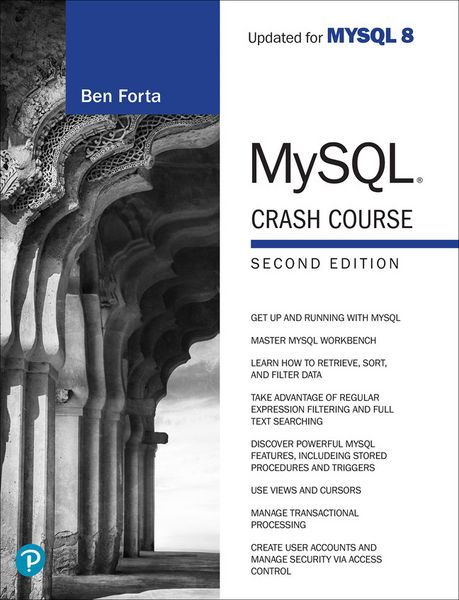
Produktbild: MySQL Crash Course
- 12%

MySQL Crash Course

12% sparen

32,99 € UVP 37,49 €

inkl. gesetzl. MwSt., Versandkostenfrei


Beschreibung

Produktdetails

Einband

Taschenbuch

Erscheinungsdatum

31.10.2023

Verlag

Pearson Education Limited

Seitenzahl

304

Maße (L/B/H)

23,5/17,8/1,7 cm

Gewicht

550 g

Auflage

2

Sprache

Englisch

ISBN

978-0-13-822302-1

Beschreibung

Produktdetails

Einband

Taschenbuch

Erscheinungsdatum

31.10.2023

Verlag

Pearson Education Limited

Seitenzahl

304

Maße (L/B/H)

23,5/17,8/1,7 cm

Gewicht

550 g

Auflage

2

Sprache

Englisch

ISBN

978-0-13-822302-1

Herstelleradresse

Pearson
St.-Martin-Straße 82
81541 München
DE

Email: salesde@pearson.com

Noch keine Bewertungen vorhanden

Verfassen Sie die erste Bewertung zu diesem Artikel

Helfen Sie anderen Kundinnen und Kunden durch Ihre Meinung.

Kundinnen und Kunden meinen

Bewertungen (0)

Die Leseprobe wird geladen.
  • Produktbild: MySQL Crash Course

  • Chapter 1
    Understanding SQL 1


    Database Basics 1


    What Is a Database? 2


    Tables 2


    Columns and Datatypes 3


    Rows 4


    Primary Keys 4


    What Is SQL? 6


    Try It Yourself 6


    Summary 7


    Chapter 2
    Introducing MySQL 9


    What Is MySQL? 9


    Client/Server Software 9


    MySQL Versions 10


    MySQL Tools 11


    mysql Command-Line Utility 11


    MySQL Workbench 12


    Other Tools 13


    Summary 13


    Chapter 3
    Working with MySQL 15


    Using the Command-Line Tool 15


    Selecting a Database 16


    Learning About Databases and Tables 17


    Using MySQL Workbench 20


    Getting Started 20


    Using MySQL Workbench 21


    Selecting a Database 22


    Learning About Databases and Tables 22


    Executing SQL Statements 23


    Next Steps 23


    Summary 24


    Chapter 4
    Retrieving Data 25


    The SELECT Statement 25


    Retrieving Individual Columns 25


    Retrieving Multiple Columns 27


    Retrieving All Columns 29


    Retrieving Distinct Rows 29


    Limiting Results 31


    Using Fully Qualified Table Names 32


    Using Comments 33


    Summary 34


    Challenges 34


    Chapter 5
    Sorting Retrieved Data 35


    Sorting Data 35


    Sorting by Multiple Columns 37


    Sorting by Column Position 38


    Specifying Sort Direction 39


    Summary 41


    Challenges 42


    Chapter 6
    Filtering Data 43


    Using the WHERE Clause 43


    WHERE Clause Operators 44


    Checking Against a Single Value 45


    Checking for Nonmatches 46


    Checking for a Range of Values 47


    Checking for No Value 48


    Summary 49


    Challenges 49


    Chapter 7
    Advanced Data Filtering 51


    Combining WHERE Clauses 51


    Using the AND Operator 51


    Using the OR Operator 52


    Understanding the Order of


    Evaluation 53


    Using the IN Operator 54


    Using the NOT Operator 56


    Summary 58


    Challenges 58


    Chapter 8
    Using Wildcard Filtering 59


    Using the LIKE Operator 59


    The Percent Sign (%) Wildcard 60


    The Underscore (_) Wildcard 61


    Tips for Using Wildcards 63


    Summary 63


    Challenges 63


    Chapter 9
    Searching Using Regular Expressions 65


    Understanding Regular Expressions 65


    Using MySQL Regular Expressions 66


    Basic Character Matching 66


    Performing OR Matches 68


    Matching One of Several Characters 68


    Matching Ranges 70


    Matching Special Characters 70


    Matching Character Classes 72


    Matching Multiple Instances 72


    Anchors 74


    Summary 75


    Challenges 76


    Chapter 10
    Creating Calculated Fields 77


    Understanding Calculated Fields 77


    Concatenating Fields 78


    Using Aliases 80


    Performing Mathematical Calculations 81


    Summary 83


    Challenges 83


    Chapter 11
    Using Data Manipulation Functions 85


    Understanding Functions 85


    Using Functions 86


    Text Manipulation Functions 86


    Date and Time Manipulation Functions 88


    Numeric Manipulation Functions 91


    Summary 92


    Challenges 92


    Chapter 12
    Summarizing Data 93


    Using Aggregate Functions 93


    The Avg() Function 94


    The Count() Function 95


    The Max() Function 96


    The Min() Function 97


    The Sum() Function 98


    Aggregates on Distinct Values 99


    Combining Aggregate Functions 100


    Summary 101


    Challenges 101


    Chapter 13
    Grouping Data 103


    Understanding Data Grouping 103


    Creating Groups 104


    Filtering Groups 105


    Grouping and Sorting 107


    Combining Grouping and Data Summarization 109


    SELECT Clause Ordering 110


    Summary 110


    Challenges 110


    Chapter 14
    Working with Subqueries 113


    Understanding Subqueries 113


    Filtering by Subquery 113


    Using Subqueries As Calculated Fields 117


    Summary 119


    Challenges 119


    Chapter 15
    Joining Tables 121


    Understanding Joins 121


    Understanding Relational Tables 121


    Why Use Joins? 122


    Creating a Join 123


    The Importance of the WHERE Clause 124


    Inner Joins 127


    Joining Multiple Tables 128


    Summary 130


    Challenges 130


    Chapter 16
    Creating Advanced Joins 133


    Using Table Aliases 133


    Using Different Join Types 134


    Self-Joins 134


    Natural Joins 136


    Outer Joins 137


    Using Joins with Aggregate Functions 138


    Using Joins and Join Conditions 139


    Summary 140


    Challenges 140


    Chapter 17
    Combining Queries 141


    Understanding Combined Queries 141


    Creating Combined Queries 141


    Using UNION 141


    UNION Rules 143


    Including or Eliminating Duplicate Rows 144


    Sorting Combined Query Results 145


    Summary 146


    Challenges 146


    Chapter 18
    Full-Text Searching 147


    Understanding Full-Text Searching 147


    Using Full-Text Searching 148


    Performing Full-Text Searches 148


    Using Query Expansion 151


    Boolean Text Searches 153


    Full-Text Searching Notes 156


    Summary 157


    Challenges 157


    Chapter 19
    Inserting Data 159


    Understanding Data Insertion 159


    Inserting Complete Rows 159


    Inserting Multiple Rows 163


    Inserting Retrieved Data 164


    Summary 166


    Challenges 166


    Chapter 20
    Updating and Deleting Data 167


    Updating Data 167


    Deleting Data 169


    Guidelines for Updating and Deleting Data 170


    Summary 171


    Challenges 171


    Chapter 21
    Creating and Manipulating Tables 173


    Creating Tables 173


    Basic Table Creation 173


    Working with NULL Values 175


    Primary Keys Revisited 176


    Using AUTO_INCREMENT 177


    Specifying Default Values 178


    Engine Types 179


    Updating Tables 180


    Deleting Tables 182


    Renaming Tables 182


    Summary 182


    Challenges 182


    Chapter 22
    Using Views 183


    Understanding Views 183


    Why Use Views 184


    View Rules and Restrictions 185


    Using Views 185


    Using Views to Simplify Complex Joins 185


    Using Views to Reformat


    Retrieved Data 186


    Using Views to Filter Unwanted Data 188


    Using Views with Calculated Fields 188


    Updating Views 189


    Summary 190


    Challenges 190


    Chapter 23
    Working with Stored Procedures 191


    Understanding Stored Procedures 191


    Why Use Stored Procedures 192


    Using Stored Procedures 193


    Executing Stored Procedures 193


    Creating Stored Procedures 193


    The DELIMITER Challenge 194


    Dropping Stored Procedures 195


    Working with Parameters 195


    Building Intelligent Stored Procedures 199


    Inspecting Stored Procedures 201


    Summary 202


    Challenges 202


    Chapter 24
    Using Cursors 203


    Understanding Cursors 203


    Working with Cursors 204


    Creating Cursors 204


    Opening and Closing Cursors 205


    Using Cursor Data 206


    Summary 210


    Chapter 25
    Using Triggers 211


    Understanding Triggers 211


    Creating Triggers 212


    Dropping Triggers 213


    Using Triggers 213


    INSERT Triggers 213


    DELETE Triggers 214


    UPDATE Triggers 215


    More on Triggers 216


    Summary 216


    Chapter 26
    Managing Transaction Processing 217


    Understanding Transaction Processing 217


    Controlling Transactions 219


    Using ROLLBACK 219


    Using COMMIT 220


    Using Savepoints 220


    Changing the Default Commit Behavior 221


    Summary 222


    Chapter 27
    Globalization and Localization 223


    Understanding Character Sets and Collation Sequences 223


    Working with Character Sets and Collation Sequences 224


    Summary 226


    Chapter 28
    Managing Security 227


    Understanding Access Control 227


    Managing Users 228


    Creating User Accounts 229


    Deleting User Accounts 230


    Setting Access Rights 230


    Changing Passwords 233


    Summary 234


    Chapter 29
    Database Maintenance 235


    Backing Up Data 235


    Performing Database Maintenance 235


    Diagnosing Startup Problems 237


    Reviewing Log Files 237


    Summary 238


    Chapter 30
    Improving Performance 239


    Improving Performance 239


    Summary 240


    Appendix A
    Getting Started with MySQL 241


    What You Need 241


    Obtaining the Software 242


    Installing the Software 242


    Preparing to Read This Book 242


    Appendix B
    The Example Tables 243


    Understanding the Example Tables 243


    Table Descriptions 244


    The vendors Table 244


    The products Table 244


    The customers Table 245


    The orders Table 245


    The orderitems Table 246


    The productnotes Table 246


    Creating the Sample Tables 247


    Using Data Import 247


    Using SQL Scripts 248


    Appendix C
    MySQL Statement Syntax 249


    ALTER TABLE 249


    COMMIT 249


    CREATE INDEX 250


    CREATE PROCEDURE 250


    CREATE TABLE 250


    CREATE USER 250


    CREATE VIEW 251


    DELETE 251


    DROP 251


    INSERT 251


    INSERT SELECT 251


    ROLLBACK 252


    SAVEPOINT 252


    SELECT 252


    START TRANSACTION 252


    UPDATE 252


    Appendix D
    MySQL Datatypes 253


    String Datatypes 253


    Numeric Datatypes 255


    Date and Time Datatypes 256


    Binary Datatypes 256


    Appendix E
    MySQL Reserved Words 257


    9780138223021 TOC 10/2/2023