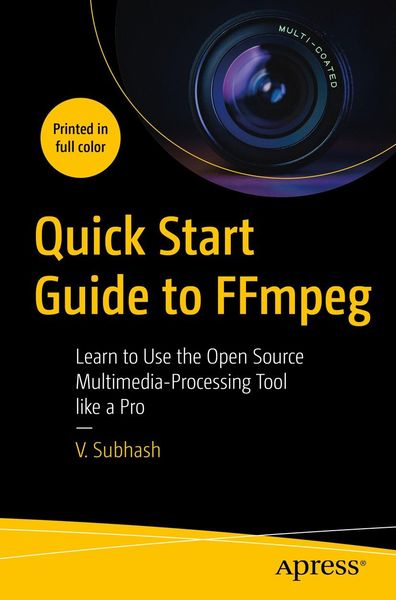
Quick Start Guide to FFmpeg Learn to Use the Open Source Multimedia-Processing Tool like a Pro
-
- Taschenbuch
- eBook ausgewählt
-
Form:Einzelkauf Download
-
Sprache:Englisch
56,99 €
inkl. gesetzl. MwSt.Beschreibung
Produktdetails
Format
Kopierschutz
Nein
Family Sharing
Nein
Text-to-Speech
Nein
Erscheinungsdatum
02.02.2023
Verlag
ApressSeitenzahl
280 (Printausgabe)
Dateigröße
14246 KB
Sprache
Englisch
EAN
9781484287019
Create, edit, modify and convert multimedia files using FFmpeg, the most versatile open source audio and video processing tool available for Linux, Mac and Windows users. After reading this book, you will be able to work with video and audio files, images, text, animations, fonts, subtitles and metadata like a pro.
It begins with a simple introduction to FFmpeg executables - ffmpeg, ffprobe and ffplay, and explains how you can use them to process multimedia containers, streams, audio channels, maps and metadata. It then describes how you can easily edit, enhance and convert audio, video, image and text files. There are dedicated chapters for filters, audio, subtitles and metadata, as well as FFmpeg tips and tricks. Sample lists of FFmpeg filters, encoders, decoders, formats and codecs are also available as appendices.
Quick Start Guide to FFmpeg is for anyone who needs to edit or process multimedia files including studio professionals, broadcast personnel, content creators, podcasters, librarians, archivists and webmasters. It will be indispensable for those wanting to process a variety of multimedia files from the command line and inside shell scripts or custom-built software.
You Will Learn To:
- Convert from one format to another e.g. video-to-video, video-to-audio, video-to-image, image-to-video, video-to-animation, animation-to-video, text-to-audio, text-to-video
- Edit video files by cutting them with and without re-encoding, appending, resizing, changing frame rate and aspect ratio, mixing in audio
- Use filters to rotate, flip, crop, overlay (side-by-side or inset), remove logos, blur, smooth and sharpen, apply transitions as well as speed up or down playback
- Edit audio files by changing, normalizing or compressing volume, mixing and splitting channels and detecting silence. Also, learn to generate waveforms as video or images
- Add subtitles, place them anywhere on the screen, use custom fonts and colors, and use different languages
- Learn how to import, export and remove metadata, add MP3 tags (including album art), set global and stream-specific metadata, export and remove metadata
Kundinnen und Kunden meinen
Verfassen Sie die erste Bewertung zu diesem Artikel
Helfen Sie anderen Kund*innen durch Ihre Meinung
Kurze Frage zu unserer Seite
Vielen Dank für dein Feedback
Wir nutzen dein Feedback, um unsere Produktseiten zu verbessern. Bitte habe Verständnis, dass wir dir keine Rückmeldung geben können. Falls du Kontakt mit uns aufnehmen möchtest, kannst du dich aber gerne an unseren Kund*innenservice wenden.
zum Kundenservice