KI-Beratung Beta

Produktbild: Git

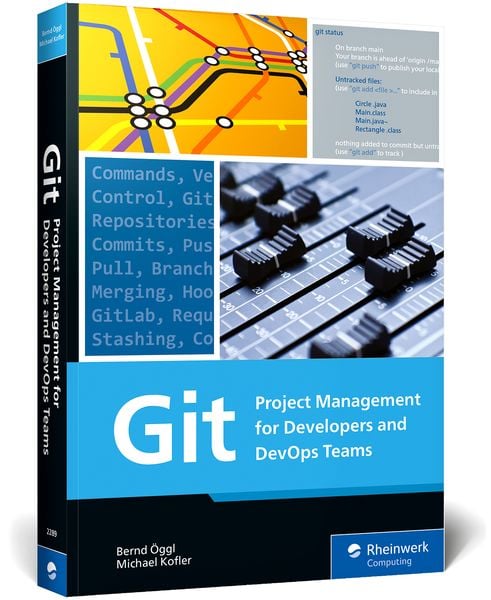
Git Project Management for Developers and DevOps Teams

Aus der Reihe Rheinwerk Computing

49,95 €

inkl. gesetzl. MwSt., Versandkostenfrei


Beschreibung

Get started with Git—today! Walk through installation and explore the variety of development environments available. Understand the concepts that underpin Git’s workflows, from branching to commits, and see how to use major platforms, like GitHub. Learn the ins and outs of working with Git for day-to-day...

Beschreibung

Get started with Git—today! Walk through installation and explore the variety of development environments available. Understand the concepts that underpin Git’s workflows, from branching to commits, and see how to use major platforms, like GitHub. Learn the ins and outs of working with Git for day-to-day development. Get your versioning under control!·Get hands-on practical experience with Git·Understand branches, commands, commits, workflows, and more·Learn to use GitHub, GitLab, and alternative Git platformsInstallation and SetupInstall Git on your machine and explore the interfaces and development environments available: IntelliJ, VS Code, Atom, and more. Understand the interactions between Git and the command line.Key FunctionalityWalk through the core functionality of Git and GitHub: repositories, commits, pushes and pulls, branches, merging, hooks, and the importance of properly-written commit messages.Best Practices and TroubleshootingGet the most out of Git using best practices for managing Unix dotfiles, switching a project from SVN to Git, and more. Explore common error messages and learn how to avoid and rectify them.Git: Everyone knows it—with this book you’ll learn to master it!Git is a version control system widely used amongst developers to manage project code. It is an indispensable tool, whether you want to track changes in your own files, work on open source projects, or collaborate on complex application development with a software development team.As useful as Git is, mastering it is no easy task. You know the feeling: the Git command line returns an incomprehensible error message and you break out into a cold sweat. Did you just destroy the repository for the entire team? Will your code ever be the same again? Git: Project Management for Developers and DevOps Teams is here to put your mind at ease! The more you know about Git and its internal mechanisms, the better equipped you will be to use Git commands to your advantage. Before long, you’ll be able to resolve errors, avoid merge conflicts, and manage even the largest projects with ease. In this hands-on manual, expert authors Michael Kofler and Bernd Öggl provide you with step-by-step Git guidance. You’ll learn to install Git, use its interfaces and environments, work with the command line, and more. Brimming with tips and tricks, best practices, and key techniques for versioning and project management, this is your resource for all things Git.Highlights:InstallationDevelopment environmentsRepositoriesCommitsBranchesMergingHooksGitHubGitLabWorkflowsBest practicesCommand reference

Produktdetails

Einband

Taschenbuch

Erscheinungsdatum

10.11.2022

Verlag Rheinwerk Publishing
Seitenzahl

407

Produktdetails

Einband

Taschenbuch

Erscheinungsdatum

10.11.2022

Verlag Rheinwerk Publishing
Seitenzahl

407

Maße (L/B/H)

25,3/17,3/2,5 cm

Gewicht

856 g

Auflage

1

Sprache

Englisch

ISBN

978-1-4932-2289-6

Herstelleradresse

Rheinwerk Verlag GmbH
Rheinwerkallee 4
53227 Bonn
DE

Email: service@rheinwerk-verlag.de

Noch keine Bewertungen vorhanden

Verfassen Sie die erste Bewertung zu diesem Artikel

Helfen Sie anderen Kundinnen und Kunden durch Ihre Meinung.

Kundinnen und Kunden meinen

Bewertungen (0)

Die Leseprobe wird geladen.
  • Produktbild: Git

  • ... Preface ... 19


    ... The Story of Git ... 19


    ... Everyone Uses It, but No One Understands It ... 20


    ... About This Book ... 20


    ... A Note to Readers ... 22


    1 ... Git in Ten Minutes ... 23


    1.1 ... What Is Git? ... 23


    1.2 ... Downloading Software from GitHub ... 25


    1.3 ... Learning to Program with Git Support ... 27


    2 ... Learning by Doing ... 31


    2.1 ... Installing the git Command ... 31


    2.2 ... Setting Up a GitHub Account and Repositories ... 38


    2.3 ... Using the git Command ... 43


    2.4 ... Authentication ... 56


    2.5 ... Learning Git in a Playful Way (Githug) ... 66


    2.6 ... IDEs and Editors ... 68


    2.7 ... Contributing to a Third-Party GitHub Project ... 76


    2.8 ... Synchronization and Backups ... 78


    3 ... Basic Principles of Git ... 81


    3.1 ... Terminology ... 81


    3.2 ... The Git Database ... 85


    3.3 ... Commits ... 89


    3.4 ... Commit-Undo ... 96


    3.5 ... Branches ... 104


    3.6 ... Merging ... 110


    3.7 ... Stashing ... 117


    3.8 ... Remote Repositories ... 118


    3.9 ... Resolving Merge Conflicts ... 129


    3.10 ... Rebasing ... 135


    3.11 ... Tags ... 141


    3.12 ... References to Commits ... 145


    3.13 ... Internal Details of Git ... 150


    4 ... Data Analysis in the Git Repository ... 153


    4.1 ... Searching Commits (git log) ... 153


    4.2 ... Searching Files ... 163


    4.3 ... Searching for Errors (git bisect) ... 169


    4.4 ... Statistics and Visualization ... 170


    5 ... GitHub ... 175


    5.1 ... Pull Requests ... 176


    5.2 ... Actions ... 180


    5.3 ... Package Manager (GitHub Packages) ... 188


    5.4 ... Automatic Security Scans ... 193


    5.5 ... Other GitHub Features ... 197


    5.6 ... GitHub Command-Line Interface ... 202


    5.7 ... Codespaces ... 206


    6 ... GitLab ... 209


    6.1 ... On-Premise versus Cloud ... 210


    6.2 ... Installation ... 211


    6.3 ... The First Project ... 218


    6.4 ... Pipelines ... 220


    6.5 ... Merge Requests ... 229


    6.6 ... Web IDE ... 232


    6.7 ... Gitpod ... 233


    7 ... Azure DevOps, Bitbucket, Gitea, and Gitolite ... 237


    7.1 ... Azure DevOps ... 237


    7.2 ... Bitbucket ... 242


    7.3 ... Gitea ... 244


    7.4 ... Gitolite ... 255


    8 ... Workflows ... 259


    8.1 ... Instructions for the Team ... 259


    8.2 ... Solo Development ... 260


    8.3 ... Feature Branches for Teams ... 262


    8.4 ... Merge/Pull Requests ... 269


    8.5 ... Long-Running Branches: Gitflow ... 272


    8.6 ... Trunk-Based Development ... 277


    8.7 ... Which Workflow Is the Right One? ... 280


    9 ... Working Techniques ... 283


    9.1 ... Hooks ... 283


    9.2 ... Concise Commit Messages ... 288


    9.3 ... Submodules and Subtrees ... 295


    9.4 ... Bash and Zsh ... 305


    9.5 ... Two-Factor Authentication ... 307


    10 ... Git in Real Life ... 313


    10.1 ... Etckeeper ... 313


    10.2 ... Managing Dotfiles with Git ... 316


    10.3 ... Accessing Apache Subversion (git-svn) ... 323


    10.4 ... Migrating from Apache Subversion to Git ... 327


    10.5 ... Blog with Git and Hugo ... 331


    11 ... Git Problems and Their Solutions ... 343


    11.1 ... Git Error Messages (Root Cause and Solution) ... 343


    11.2 ... Saving Empty Directories ... 350


    11.3 ... Merge for a Single File ... 350


    11.4 ... Deleting Files Permanently from Git ... 351


    11.5 ... Splitting a Project ... 359


    11.6 ... Moving Commits to a Different Branch ... 359


    12 ... Command Reference ... 363


    12.1 ... The git Command ... 363


    12.2 ... Revision Syntax ... 392


    12.3 ... git Configuration ... 393


    ... The Authors ... 399


    ... Index ... 401