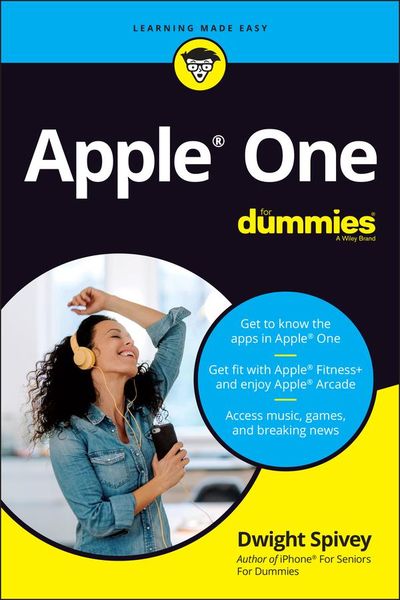
Apple One For Dummies
-
- Taschenbuch ausgewählt
- eBook
-
Sprache:Englisch
16,89 €
inkl. gesetzl. MwSt.,
Lieferung nach Hause
Beschreibung
Produktdetails
Einband
Taschenbuch
Erscheinungsdatum
14.05.2021
Verlag
John Wiley & SonsSeitenzahl
224
Maße (L/B/H)
22,3/14,9/1,3 cm
Gewicht
320 g
Auflage
1. Auflage
Sprache
Englisch
ISBN
978-1-119-80094-1
A bundle of Apple services, all in one place
All your favorite Apple services are available in one convenient bundle, and Apple One For Dummies helps you get the full value out of your subscription. What's in this Apple barrel? Everything you need to stream music and TV, keep up with the news, play games, store files online, and even stay in shape. This book gives you a bundle of insight on how to choose the subscription level that's right for you, access and link all the services across your Apple and non-Apple devices, and use all the fun features of each service.
This book takes you inside Apple Music, Apple TV+, Apple News+, Apple Arcade, iCloud, and Apple Fitness+, showing you how to make the most of each one. Apple One For Dummies also shows you how to make changes at any time, so you get all the juice out of your subscription!
* Get access to 50 million songs on Apple Plus
* Discover how the all-new Apple Fitness+ can transform your workout routine
* Use iCloud to store your photos and videos
* Understand Apple One's subscription options and get the biggest bang for your buck
For Dummies welcomes you to the Apple One-stop-shop that will make your digital life that much simpler.
All your favorite Apple services are available in one convenient bundle, and Apple One For Dummies helps you get the full value out of your subscription. What's in this Apple barrel? Everything you need to stream music and TV, keep up with the news, play games, store files online, and even stay in shape. This book gives you a bundle of insight on how to choose the subscription level that's right for you, access and link all the services across your Apple and non-Apple devices, and use all the fun features of each service.
This book takes you inside Apple Music, Apple TV+, Apple News+, Apple Arcade, iCloud, and Apple Fitness+, showing you how to make the most of each one. Apple One For Dummies also shows you how to make changes at any time, so you get all the juice out of your subscription!
* Get access to 50 million songs on Apple Plus
* Discover how the all-new Apple Fitness+ can transform your workout routine
* Use iCloud to store your photos and videos
* Understand Apple One's subscription options and get the biggest bang for your buck
For Dummies welcomes you to the Apple One-stop-shop that will make your digital life that much simpler.
Kundinnen und Kunden meinen
Verfassen Sie die erste Bewertung zu diesem Artikel
Helfen Sie anderen Kund*innen durch Ihre Meinung
Kurze Frage zu unserer Seite
Vielen Dank für dein Feedback
Wir nutzen dein Feedback, um unsere Produktseiten zu verbessern. Bitte habe Verständnis, dass wir dir keine Rückmeldung geben können. Falls du Kontakt mit uns aufnehmen möchtest, kannst du dich aber gerne an unseren Kund*innenservice wenden.
zum Kundenservice