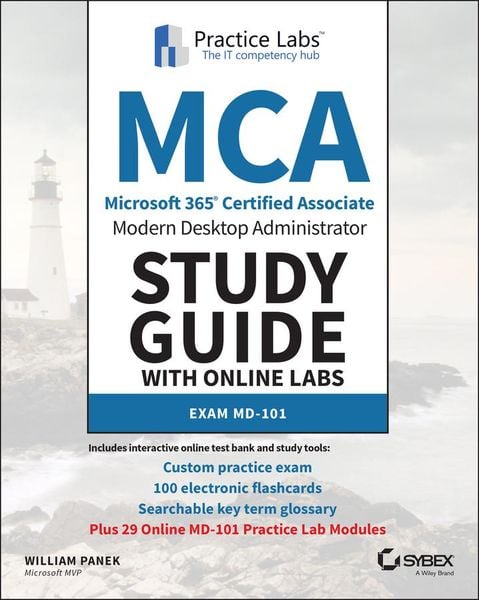
MCA Modern Desktop Administrator Study Guide with Online Labs Exam MD-101
-
- Englisch ausgewählt
131,99 €
inkl. gesetzl. MwSt.,
Lieferung nach Hause
Beschreibung
Produktdetails
Einband
Taschenbuch
Erscheinungsdatum
27.10.2020
Verlag
John Wiley & SonsSeitenzahl
384
Maße (L/B/H)
18,5/23,1/2,3 cm
Gewicht
635 g
Auflage
1. Auflage
Sprache
Englisch
ISBN
978-1-119-78432-6
Microsoft's Modern Desktop integrates Windows 10, Office 365, and advanced security capabilities. Microsoft 365 Certified Associate (MCA) Modern Desktop certification candidates need to be familiar with Microsoft 365 workloads and demonstrate proficiency in deploying, configuring, and maintaining Windows 10 and non-Windows devices and technologies. The new Exam MD-101: Managing Modern Desktops measures candidate's ability to deploy and update operating systems, manage policies and profiles, manage and protect devices, and manage apps and data. Candidates are required to know how to perform a range of tasks to pass the exam and earn certification.
The MCA Modern Desktop Administrator Study Guide: Exam MD-101 provides in-depth examination of the complexities of Microsoft 365. Focusing on the job role of IT administrators, this clear, authoritative guide covers 100% of the new exam objectives. Real-world examples, detailed explanations, practical exercises, and challenging review questions help readers fully prepare for the exam. Sybex's comprehensive online learning environment--in which candidates can access an assessment test, electronic flash cards, a searchable glossary, and bonus practice exams--is included to provide comprehensive exam preparation. Topics include:
* Planning and implementing Windows 10 using dynamic deployment and Windows Autopilot
* Upgrading devices to Windows 10 and managing updates and device authentication
* Managing access polices, compliance policies, and device and user profiles
* Implementing and managing Windows Defender and Intune device enrollment
* Deploying and updating applications and implementing Mobile Application Management (MAM)
The move to Windows 10 has greatly increased the demand for qualified and certified desktop administrators in corporate and enterprise settings. MCA Modern Desktop Administrator Study Guide: Exam MD-101: Managing Modern Desktops is an invaluable resource for IT professionals seeking MCA certification.
And with this edition you also get Practice Labs virtual labs that run from your browser. The registration code is included with the book and gives you 6 months unlimited access to Practice Labs Exam MD-101: Managing Modern Desktops Labs with 29 unique lab modules to practice your skills.
NOTE: The title requires an active Microsoft 365 subscription. This subscription will be needed to complete specific tasks in the labs. A free 30-day trial account can be created at the Microsoft 365 website.
Noch keine Bewertungen vorhanden
Verfassen Sie die erste Bewertung zu diesem Artikel
Helfen Sie anderen Kundinnen und Kunden durch Ihre Meinung.
Kurze Frage zu unserer Seite
Vielen Dank für dein Feedback
Wir nutzen dein Feedback, um unsere Produktseiten zu verbessern. Bitte habe Verständnis, dass wir dir keine Rückmeldung geben können. Falls du Kontakt mit uns aufnehmen möchtest, kannst du dich aber gerne an unseren Kund*innenservice wenden.
zum Kundenservice