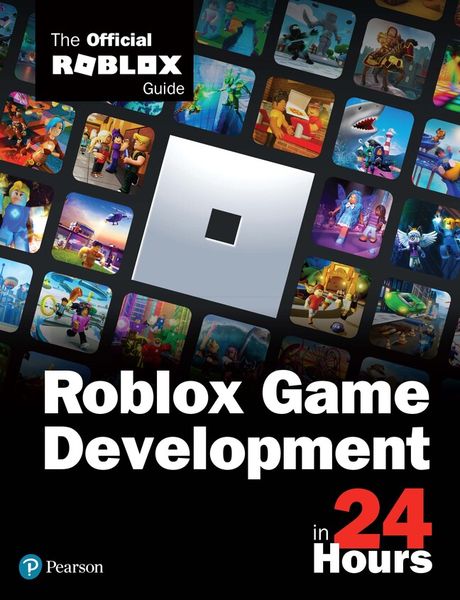
Produktbild: Roblox Game Development in 24 Hours: The Official Roblox Guide

Roblox Game Development in 24 Hours: The Official Roblox Guide

36,99 €

inkl. gesetzl. MwSt., Versandkostenfrei


Beschreibung

Produktdetails

Einband

Taschenbuch

Erscheinungsdatum

12.04.2021

Verlag

Pearson

Seitenzahl

472

Maße (L/B/H)

17,5/22,8/2 cm

Gewicht

680 g

Auflage

1

Sprache

Englisch

ISBN

978-0-13-682973-7

Beschreibung

Produktdetails

Einband

Taschenbuch

Erscheinungsdatum

12.04.2021

Verlag

Pearson

Seitenzahl

472

Maße (L/B/H)

17,5/22,8/2 cm

Gewicht

680 g

Auflage

1

Sprache

Englisch

ISBN

978-0-13-682973-7

Herstelleradresse

Libri GmbH
Europaallee 1
36244 Bad Hersfeld
DE

Email: GPSR Kontakt

Noch keine Bewertungen vorhanden

Verfassen Sie die erste Bewertung zu diesem Artikel

Helfen Sie anderen Kundinnen und Kunden durch Ihre Meinung.

Kundinnen und Kunden meinen

Bewertungen (0)

Die Leseprobe wird geladen.
  • Produktbild: Roblox Game Development in 24 Hours: The Official Roblox Guide

  • HOUR 1: What Makes Roblox Special?

    Roblox Empowers Social Connectivity

    Roblox Manages User Content

    Roblox Enables Fast Prototyping and Iteration

    Conceptualize with Ease

    What’s Inside Roblox’s Engine

    Free, Free, Free

    Unlimited Possibilities

    Express Your Own Aesthetic


    HOUR 2: Using Studio

    Installing Roblox Studio

    Using Studio Templates

    Working with the Game Editor

    Translating, Scaling, and Orienting Objects

    Snapping

    Collisions

    Anchoring

    Saving and Publishing Your Project

    Playtesting


    HOUR 3: Building with Parts

    Creating a Part

    Changing a Part’s Appearance

    Creating Decals and Textures


    HOUR 4: Building with Physics

    Working with Attachments and Constraints

    Building a Door

    Disabling CanCollide to Move a Player Through the Door

    Adding Hinges and Springs

    Using a Motor


    HOUR 5: Building Terrain

    Using Terrain Tools to Generate Landscapes

    Using the Edit Tab

    Working with the Region Tab

    Using Height Maps and Color Maps


    HOUR 6: Lighting Environment

    Properties of World Lighting

    Using Lighting Effects

    Using SpotLight, PointLight, and SurfaceLight


    HOUR 7: Atmosphere Environment

    Using Atmosphere Properties

    Customizing Skybox


    HOUR 8: Effects Environment

    Using Particles

    Using Beams


    HOUR 9: Importing Assets

    Inserting and Uploading Free Models

    Importing with MeshParts and Asset Manager

    Importing Textures

    Importing Sounds


    HOUR 10: Game Structure and Collaboration

    Adding Places in a Game

    Collaborating in Roblox Studio

    Creating and Accessing Roblox Packages in Roblox Studio


    HOUR 11: Lua Overview

    Using the Coding Workspace

    Using Variables to Modify Properties

    Adding Comments to Your Code

    Using Functions and Events

    Working with Conditional Statements

    Understanding Arrays and Dictionaries

    Using Loops

    Working with Scope

    Creating Custom Events

    Debugging Code


    HOUR 12: Collisions, Humanoids, Score

    Introduction to Collisions

    Detecting Collisions

    Introduction to Humanoids


    HOUR 13: Interacting with GUIs

    Creating GUIs

    Basic GUI Elements

    Coding Interactive GUIs

    Tweening

    Layouts

    Making a GUI Countdown


    HOUR 14: Coding Animation

    Working with Position and Rotation

    Moving Objects Smoothly with Tween

    Moving an Entire Model


    HOUR 15: Sounds and Music

    Creating a Soundtrack

    Importing Music and Sound Assets

    Creating Ambient Sounds

    Triggering Sounds Using Code

    Grouping Sounds


    HOUR 16: Using the Animation Editor

    Introduction to the Animation Editor

    Creating Poses

    Saving and Exporting Animations

    Easing

    Working with Inverse Kinematics

    Animation Settings

    Working with Animation Events


    HOUR 17: Combat, Teleporting, Data Stores

    Introduction to Tools

    Teleportation

    TeleportService

    Using Persistent Data Stores

    Data Store Functions

    Protecting and Responding to Errors


    HOUR 18: Multiplayer Code and the Client-Server Model

    The Client-Server Model

    What Are RemoteFunctions and RemoteEvents?

    Server-Side Validation

    Teams

    Network Ownership


    HOUR 19: Module Scripts

    Getting to Know the Module Script

    Understanding Client-Side Versus Server-Side Module Scripts

    Using Module Scripts: Game Loop


    HOUR 20: Coding Camera Movements

    Introduction to Cameras

    Coding a Camera Move

    Using the Render Step

    Offsetting the Camera


    HOUR 21: Cross-Platform Building

    Improving Game Performance

    Improving Your Scripts

    Making Your Game Mobile-Friendly

    Console and VR


    HOUR 22: Global Community Building

    Introduction to Localization

    Global Compliance

    Privacy Policies: GDPR, CCPA, and You


    HOUR 23: Monetization

    Game Passes: One-Time Purchases

    Selling Your Game Pass in Game

    Developer Products: Consumables

    Roblox Premium

    Developer Exchange: Earn Real Money from Your Game


    HOUR 24: Attracting Players

    Game Icons, Thumbnails, and Trailers

    Updates

    Advertising and Notifications

    Analytics


    APPENDIX A: Lua Scripting References

    Modifying Properties That Are Data Type and Enumerations

    Conditional Structures

    Expanding Lua Knowledge


    APPENDIX B: Properties and Functions of Humanoid

    9780136829737 TOC 4/5/2021