Beschreibung
Produktdetails
Einband
Taschenbuch
Erscheinungsdatum
23.07.2020
Verlag
Pearson AcademicSeitenzahl
416
Maße (L/B/H)
22,9/17,8/2 cm
Gewicht
776 g
Auflage
3rd edition
Sprache
Englisch
ISBN
978-0-13-679109-6
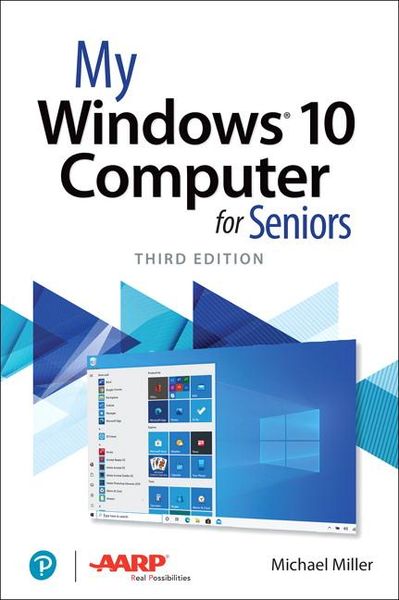
My Microsoft Windows 10 Computer for Seniors is an easy, full-color tutorial on the latest operating system from Microsoft.
Veteran author Michael Miller is known for his ability to explain complex topics to everyday readers. Michael wrote this book from the 50+ point of view, using step-by-step instructions and large, full-color photos to cover all the most popular tasks. Miller will help you learn to:
• Get started with Windows 10, whether you’re experienced with computers or not
• Configure Windows 10 to work better for those with vision and physical challenges
• Explore the web with Microsoft’s Edge browser and Google Search
• Find, install, and use the best Windows apps
• Reliably connect to the Internet, both at home and away
• Shop safely online and avoid online scams
• Make and receive video and voice calls with Skype
• Connect your phone to your PC to text and make calls
• Stay connected with friends and family on Facebook, Pinterest, and Twitter
• Store, touch up, and share your pictures
• Send and receive email with Windows 10’s Email app
• Keep track of all your files, and back them up safely
• Watch streaming video on your PC with Disney+, Netflix, YouTube, and more
• Discover great new music with Spotify and Pandora
• Fix common PC problems, and manage Windows updates
Noch keine Bewertungen vorhanden
Verfassen Sie die erste Bewertung zu diesem Artikel
Helfen Sie anderen Kundinnen und Kunden durch Ihre Meinung.
Kurze Frage zu unserer Seite
Vielen Dank für dein Feedback
Wir nutzen dein Feedback, um unsere Produktseiten zu verbessern. Bitte habe Verständnis, dass wir dir keine Rückmeldung geben können. Falls du Kontakt mit uns aufnehmen möchtest, kannst du dich aber gerne an unseren Kund*innenservice wenden.
zum Kundenservice