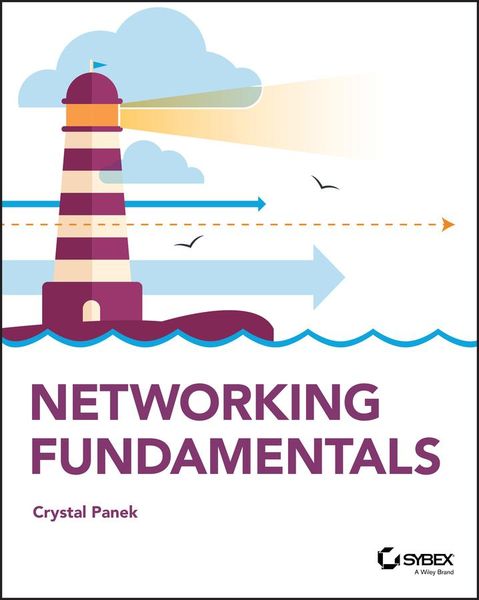
Produktbild: Networking Fundamentals

Networking Fundamentals

37,99 €

inkl. gesetzl. MwSt., Versandkostenfrei

Lieferung nach Hause

Produktdetails

Einband

Taschenbuch

Erscheinungsdatum

12.11.2019

Verlag

Wiley

Seitenzahl

336

Maße (L/B/H)

23,4/18,8/1,8 cm

Gewicht

454 g

Sprache

Englisch

ISBN

978-1-119-65074-4

Produktdetails

Einband

Taschenbuch

Erscheinungsdatum

12.11.2019

Verlag

Wiley

Seitenzahl

336

Maße (L/B/H)

23,4/18,8/1,8 cm

Gewicht

454 g

Sprache

Englisch

ISBN

978-1-119-65074-4

Herstelleradresse

Libri GmbH
Europaallee 1
36244 Bad Hersfeld
DE

Email: gpsr@libri.de

Kundinnen und Kunden meinen

0 Bewertungen

Informationen zu Bewertungen

Zur Abgabe einer Bewertung ist eine Anmeldung im Konto notwendig. Die Authentizität der Bewertungen wird von uns nicht überprüft. Wir behalten uns vor, Bewertungstexte, die unseren Richtlinien widersprechen, entsprechend zu kürzen oder zu löschen.

Die Bewertungen sind nach Format, Anzahl Sterne und Datum sortiert.

Verfassen Sie die erste Bewertung zu diesem Artikel

Helfen Sie anderen Kund*innen durch Ihre Meinung

Kundinnen und Kunden meinen

0 Bewertungen filtern

Die Leseprobe wird geladen.
  • Produktbild: Networking Fundamentals
  • Introduction xv

    Lesson 1 Understanding Local Area Networking 1

    Examining Local Area Networks, Devices, and Data Transfer 3

    Defining the LAN 3

    Identifying Types of LANs 20

    Getting to Know Perimeter Networks 23

    Identifying Network Topologies and Standards 25

    Identifying Network Topologies 25

    Defining Ethernet Standards 29

    Identifying the Differences Between Client/Server and Peer-to-Peer 32

    Skill Summary 36

    Knowledge Assessment 38

    Multiple Choice 38

    Fill in the Blank 40

    Business Case Scenarios 41

    Scenario 1-1: Planning and Documenting a Basic LAN 41

    Scenario 1-2: Selecting the Correct Networking Model 41

    Scenario 1-3: Selecting Network Adapters for Your LAN Computers 41

    Scenario 1-4: Configuring the Correct Subnet Mask 41

    Solutions to Business Case Scenarios 42

    Lesson 2 Defining Networks with the OSI Model 43

    Understanding OSI Basics 45

    Defining the OSI Model Layers 46

    Defining the Communications Subnetwork 48

    Define the Physical Layer 49

    Define the Data Link Layer 51

    Understanding Layer 2 Switching 52

    Understanding Layer 3 Switching 56

    Understanding Characteristics of Switches 56

    Defining the Upper OSI Layers 58

    Defining the Transport Layer 59

    Defining the Session Layer 62

    Defining the Presentation Layer 63

    Defining the Application Layer 64

    Reviewing the OSI Layers 65

    Defining the TCP/IP Model 67

    Skill Summary 68

    Knowledge Assessment 69

    Multiple Choice 69

    Fill in the Blank 71

    Business Case Scenarios 71

    Scenario 2-1: Installing the Appropriate Switch 71

    Scenario 2-2: Defining the IP Address and Ports Used by Destination Servers 72

    Scenario 2-3: Ensuring a Newly Created Email Account's Logon is Encrypted 72

    Scenario 2-4: Creating a Permanent ARP Table Entry 72

    Lesson 3 Understanding Wired and Wireless Networks 75

    Recognizing Wired Networks and Media Types 77

    Identifying and Working with Twisted-Pair Cables 77

    Identifying and Working with Fiber-Optic Cable 86

    Understanding Wireless Networks 89

    Identifying Wireless Devices 89

    Identifying Wireless Networking Standards 91

    Skill Summary 97

    Knowledge Assessment 98

    Multiple Choice 98

    Fill in the Blank 100

    Business Case Scenarios 100

    Scenario 3-1: Selecting Channels for a WLAN 100

    Scenario 3-2: Running Cable Drops Properly 100

    Scenario 3-3: Selecting Network Adapters for Your WLAN Computers 101

    Scenario 3-4: Securing a WLAN 101

    Lesson 4 Understanding Internet Protocol 103

    Working with IPV4 105

    Categorizing IPv4 Addresses 105

    Default Gateways and DNS Servers 114

    Defining Advanced IPv4 Concepts 117

    Working with IPV6 129

    Understanding IPv6 130

    Configuring IPv6 133

    Skill Summary 140

    Knowledge Assessment 142

    Multiple Choice 142

    Fill in the Blank 144

    Business Case Scenarios 145

    Scenario 4-1: Defining a Private Class C IP Network 145

    Scenario 4-2: Specifying the Correct Device 145

    Scenario 4-3: Implementing the Correct Class Network 145

    Scenario 4-4: Implementing the Correct Subnet Mask 145

    Lesson 5 Implementing TCP/IP in the Command Line 147

    Using Basic TCP/IP Commands 149

    Working with the Command Prompt Window 149

    Using ipconfig and ping 152

    Working with Advanced TCP/IP Commands 162

    Using netstat and nbtstat 162

    Using tracert and pathping 167

    Using nslookup 170

    Using ftp and telnet 171

    Using Windows PowerShell 173

    Using net 180

    Skill Summary 188

    Knowledge Assessment 189

    Multiple Choice 189

    Fill in the Blank 192

    Business Case Scenarios 195

    Scenario 5-1: Connecting to an FTP Server 195

    Scenario 5-2: Troubleshooting TCP/IP Results 195

    Scenario 5-3: Documenting a Basic Wide Area Network 196

    Scenario 5-4: Using Advanced Ping 196

    Lesson 6 Working with Networking Services 199

    Setting Up Common Networking Services 201

    Working with the Dynamic Host Configuration Protocol (DHCP) 202

    Introducing Remote Administration 208

    Enable Remote Desktop 210

    Access Remote Desktop 210

    Defining More Networking Services 213

    Defining RRAS 213

    Defining IPsec 217

    Defining Name Resolution Techniques 218

    Defining DNS 218

    Defining WINS 222

    Skill Summary 223

    Knowledge Assessment 225

    Multiple Choice 225

    Fill in the Blank 227

    Business Case Scenarios 227

    Scenario 6-1: Selecting the Appropriate Services 227

    Scenario 6-2: Selecting the Appropriate Services 228

    Scenario 6-3: Setting Up a DHCP Server 228

    Scenario 6-4: Setting Up a New DHCP and Migrating Old Computers 228

    Scenario 6-5: Managing Remote Connections 228

    Lesson 7 Understanding Wide Area Networks 231

    Understanding Routing 233

    Identifying Static and Dynamic Routing 233

    Understanding Quality of Service (QOS) 237

    Defining Common WAN Technologies and Connections 239

    Defining Packet Switching 239

    Defining T-Carriers 249

    Defining Other WAN Technologies and Internet Connectivity 250

    Skill Summary 252

    Knowledge Assessment 254

    Multiple Choice 254

    Fill in the Blank 256

    Business Case Scenarios 256

    Scenario 7-1: Selecting the Appropriate Service and Protocol 256

    Scenario 7-2: Selecting the Appropriate WAN Technology 256

    Scenario 7-3: Recommending the Right Service 257

    Scenario 7-4: Setting Up Routes to Other Networks 257

    Lesson 8 Defining Network Infrastructures and Network Security 259

    Understanding Networks Outside the LAN 261

    Defining the Internet 261

    Defining Intranets and Extranets 262

    Configuring VPN Connections and Authentication 264

    Selecting Types of VPN Protocols 265

    Selecting Authentication for VPN Connections 267

    Creating a VPN Connection Using the Create a VPN Connection Wizard 268

    Creating a VPN Connection Using Windows 10 Settings 270

    Using Connection Manager (CM) and the Connection Manager Administration Kit (CMAK) 272

    Understanding Security Devices and Zones 273

    Defining Firewalls and Other Perimeter Security Devices 273

    Redefining the DMZ 277

    Putting It All Together 278

    Skill Summary 281

    Knowledge Assessment 282

    Multiple Choice 282

    Fill in the Blank 284

    Business Case Scenarios 285

    Scenario 8-1: Setting Up a DMZ 285

    Scenario 8-2: Selecting the Appropriate Solution 285

    Scenario 8-3: Setting Up a PPTP Server 285

    Scenario 8-4: Creating a WAN with VPN 286

    Appendix Answer Key 289

    Lesson 1: Understanding Local Area Networking 290

    Answers to Knowledge Assessment 290

    Answers to Business Case Scenarios 291

    Lesson 2: Defining Networks with the OSI Model 292

    Answers to Knowledge Assessment 292

    Answers to Business Case Scenarios 293

    Lesson 3: Understanding Wired and Wireless Networks 293

    Answers to Knowledge Assessment 293

    Answers to Business Case Scenarios 294

    Lesson 4: Understanding Internet Protocol 295

    Answers to Knowledge Assessment 295

    Answers to Business Case Scenarios 296

    Lesson 5: Implementing TCP/IP in the Command Line 297

    Answers to Knowledge Assessment 297

    Answers to Business Case Scenarios 298

    Lesson 6: Working with Networking Services 298

    Answers to Knowledge Assessment 298

    Answers to Business Case Scenarios 299

    Lesson 7: Understanding Wide Area Networks 301

    Answers to Knowledge Assessment 301

    Answers to Business Case Scenarios 302

    Lesson 8: Defining Network Infrastructure and Network Security 302

    Answers to Knowledge Assessment 302

    Answers to Business Case Scenarios 303

    Index 305