Android Studio 3.2 Development Essentials - Kotlin Edition Developing Android 9 Apps Using Android Studio 3.2, Kotlin and Android Jetpack
-
- Taschenbuch ausgewählt
- eBook
-
Sprache:Englisch
52,99 €
inkl. gesetzl. MwSt.,
Beschreibung
Produktdetails
Einband
Taschenbuch
Erscheinungsdatum
10.12.2018
Verlag
Payload Media, Inc.Seitenzahl
810
Maße (L/B/H)
23,5/19,1/4,4 cm
Gewicht
1482 g
Sprache
Englisch
ISBN
978-0-9600109-3-6
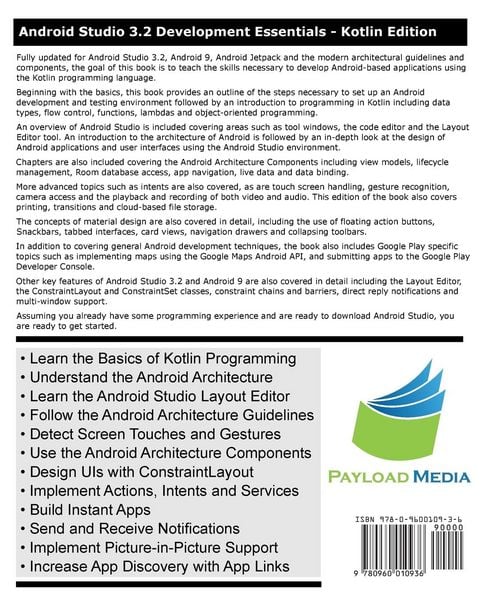
Fully updated for Android Studio 3.2, Android 9, Android Jetpack and the modern architectural guidelines and components, the goal of this book is to teach the skills necessary to develop Android-based applications using the Kotlin programming language. Beginning with the basics, this book provides an outline of the steps necessary to set up an Android development and testing environment followed by an introduction to programming in Kotlin including data types, flow control, functions, lambdas and object-oriented programming. An overview of Android Studio is included covering areas such as tool windows, the code editor and the Layout Editor tool. An introduction to the architecture of Android is followed by an in-depth look at the design of Android applications and user interfaces using the Android Studio environment. Chapters are also included covering the Android Architecture Components including view models, lifecycle management, Room databases, app navigation, live data and data binding. More advanced topics such as intents are also covered, as are touch screen handling, gesture recognition, camera access and the playback and recording of both video and audio. This edition of the book also covers printing, transitions and cloud-based file storage. The concepts of material design are also covered in detail, including the use of floating action buttons, Snackbars, tabbed interfaces, card views, navigation drawers and collapsing toolbars. In addition to covering general Android development techniques, the book also includes Google Play specific topics such as implementing maps using the Google Maps Android API, and submitting apps to the Google Play Developer Console. Other key features of Android Studio 3.2 and Android 9 are also covered in detail including the Layout Editor, the ConstraintLayout and ConstraintSet classes, constraint chains and barriers, direct reply notifications and multi-window support. Chapters also cover advanced features of Android Studio such as App Links, Instant Apps, the Android Studio Profiler and Gradle build configuration. Assuming you already have some programming experience, are ready to download Android Studio and the Android SDK, have access to a Windows, Mac or Linux system and ideas for some apps to develop, you are ready to get started.
Noch keine Bewertungen vorhanden
Verfassen Sie die erste Bewertung zu diesem Artikel
Helfen Sie anderen Kundinnen und Kunden durch Ihre Meinung.
Kurze Frage zu unserer Seite
Vielen Dank für dein Feedback
Wir nutzen dein Feedback, um unsere Produktseiten zu verbessern. Bitte habe Verständnis, dass wir dir keine Rückmeldung geben können. Falls du Kontakt mit uns aufnehmen möchtest, kannst du dich aber gerne an unseren Kund*innenservice wenden.
zum Kundenservice