KI-Beratung Beta

Gutscheinbedingungen

**Gültig vom 23.11. bis 30.11.2026 | Gültig für nicht preisgebundene fremdsprachige Bücher | Einzelne Artikel können ausgeschlossen sein | Online auf www.bücher.de einlösbar | Click & Collect nur mit Online-Zahlung (Paypal/Kreditkarte) vorab | Nicht kombinierbar mit anderen Gutscheinen oder Preisaktionen | Nur einmal pro Einkauf einlösbar | Gutschein wird auf max. 500€ Bestellwert angerechnet | Keine Barauszahlung | Nicht gültig für Versandkosten und Services

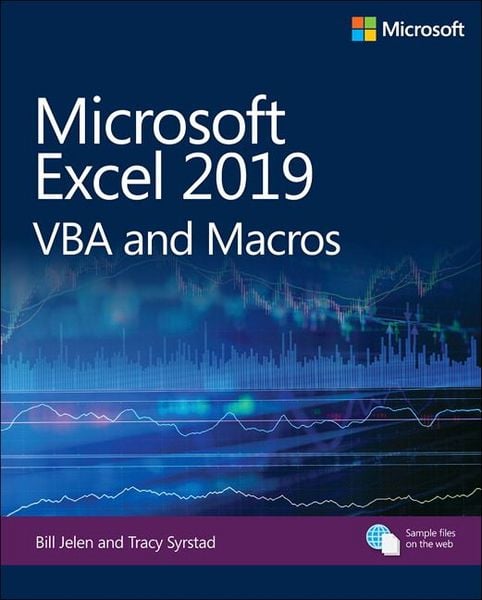
Produktbild: Microsoft Excel 2019 VBA and Macros

Microsoft Excel 2019 VBA and Macros

34,99 €

inkl. gesetzl. MwSt., Versandkostenfrei


Beschreibung

Renowned Excel experts Bill Jelen (MrExcel) and Tracy Syrstad explain how to build more powerful, reliable, and efficient Excel spreadsheets.


Use this guide to automate virtually any routine Excel task: save yourself hours, days, maybe even weeks. Make Excel do things you thought were impossible, discover...

Beschreibung

Renowned Excel experts Bill Jelen (MrExcel) and Tracy Syrstad explain how to build more powerful, reliable, and efficient Excel spreadsheets.


Use this guide to automate virtually any routine Excel task: save yourself hours, days, maybe even weeks. Make Excel do things you thought were impossible, discover macro techniques you won’t find anywhere else, and create automated reports that are amazingly powerful. Bill Jelen and Tracy Syrstad help you instantly visualize information to make it actionable; capture data from anywhere, and use it anywhere; and automate the best new features in Excel 2019 and Excel in Office 365. You’ll find simple, step-by-step instructions, real-world case studies, and 50 workbooks packed with examples and complete, easy-to-adapt solutions.


By reading this book, you will:

  • Quickly master Excel macro development
  • Work more efficiently with ranges, cells, and formulas
  • Generate automated reports and quickly adapt them for new requirements
  • Learn to automate pivot tables to summarize, analyze, explore, and present data
  • Use custom dialog boxes to collect data from others using Excel
  • Improve the reliability and resiliency of your macros
  • Integrate data from the internet, Access databases, and other sources
  • Automatically generate charts, visualizations, sparklines, and Word documents
  • Create powerful solutions with classes, collections, and custom functions
  • Solve sophisticated business analysis problems more rapidly


About This Book

  • For everyone who wants to get more done with Microsoft Excel in less time
  • For business and financial professionals, entrepreneurs, students, and others who need to efficiently manage and analyze data

Produktdetails

Einband

Taschenbuch

Erscheinungsdatum

31.01.2019

Verlag Pearson
Seitenzahl

624

Produktdetails

Einband

Taschenbuch

Erscheinungsdatum

31.01.2019

Verlag Pearson
Seitenzahl

624

Maße (L/B/H)

23,5/19,5/3,4 cm

Gewicht

1171 g

Auflage

1

Sprache

Englisch

ISBN

978-1-5093-0611-4

Herstelleradresse

Pearson
St.-Martin-Straße 82
81541 München
DE

Email: salesde@pearson.com

Noch keine Bewertungen vorhanden

Verfassen Sie die erste Bewertung zu diesem Artikel

Helfen Sie anderen Kundinnen und Kunden durch Ihre Meinung.

Kundinnen und Kunden meinen

Bewertungen (0)

Die Leseprobe wird geladen.
  • Produktbild: Microsoft Excel 2019 VBA and Macros
  • Introduction
    1. Unleash the Power of Excel with VBA
    2. This Sounds Like BASIC, So Why Doesn't It Look Familiar?
    3. Referring to Ranges
    4. Looping and Flow Control
    5. R1C1-style Formulas
    6. Creating and manipulating Names in VBA
    7. Event Programming
    8. Arrays
    9. Creating Classes and Collections
    10. Userforms: An Introduction
    11. Data Mining with Advanced Filter
    12. Using VBA to Create Pivot Tables
    13. Excel Power
    14. Sample User-Defined Functions
    15. Creating Charts
    16. Data Visualizations and Conditional Formatting
    17. Dashboarding with Sparklines
    18. Reading from and Writing to the Web
    19. Text File Processing
    20. Automating Word
    21. Using Access as a Back End to Enhance Multiuser Access to Data
    22. Advanced Userform Techniques
    23. Windows Application Programming Interface (API)
    24. Handling Errors
    25. Customizing the Ribbon to Run Macros
    26. Creating Add-Ins
    27. An Introduction to Creating Office Add-ins
    28. What's New in Excel 2019 and What's Changed