KI-Beratung Beta

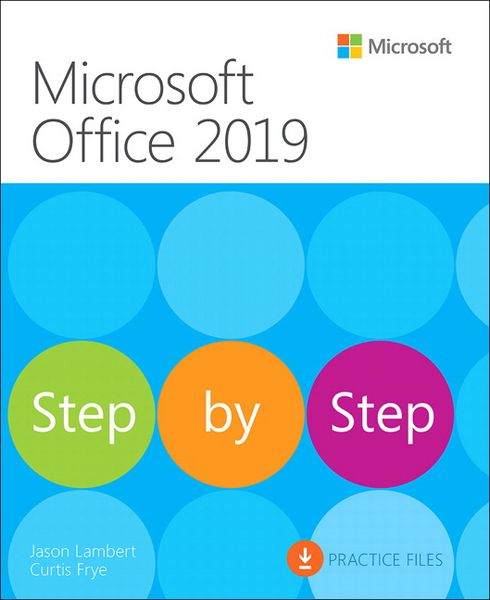
Produktbild: Microsoft Office 2019 Step by Step
- 11%

Microsoft Office 2019 Step by Step

11% sparen

36,99 € UVP 41,99 €

inkl. gesetzl. MwSt., Versandkostenfrei


Beschreibung

This is learning made easy. Get more done quickly with Office 2019. Jump in wherever you need answers - brisk lessons and colorful screenshots show you exactly what to do, step by step.

  • Covers Word, Excel, PowerPoint and Outlook
  • Format Word documents for maximum visual impact
  • Build powerful, reliable...

Beschreibung

This is learning made easy. Get more done quickly with Office 2019. Jump in wherever you need answers - brisk lessons and colorful screenshots show you exactly what to do, step by step.

  • Covers Word, Excel, PowerPoint and Outlook
  • Format Word documents for maximum visual impact
  • Build powerful, reliable Excel workbooks for analysis and reporting
  • Prepare highly effective PowerPoint presentations
  • Use Outlook to organize your email, calendar, and contacts
  • Includes downloadable practice files

Produktdetails

Einband

Taschenbuch

Erscheinungsdatum

28.09.2024

Verlag Pearson Education Limited
Seitenzahl

560

Produktdetails

Einband

Taschenbuch

Erscheinungsdatum

28.09.2024

Verlag Pearson Education Limited
Seitenzahl

560

Maße (L/B/H)

23,5/19,5/3 cm

Gewicht

1054 g

Auflage

1

Sprache

Englisch

ISBN

978-1-5093-0768-5

Herstelleradresse

Pearson
St.-Martin-Straße 82
81541 München
DE

Email: salesde@pearson.com

Noch keine Bewertungen vorhanden

Verfassen Sie die erste Bewertung zu diesem Artikel

Helfen Sie anderen Kundinnen und Kunden durch Ihre Meinung.

Kundinnen und Kunden meinen

Bewertungen (0)

Die Leseprobe wird geladen.
  • Produktbild: Microsoft Office 2019 Step by Step
  • Introduction 


    Part 1: Microsoft Office 2019

    Chapter 1: Explore Office 2019

    Chapter 2: Create and manage files


    Part 2: Microsoft Word 2019

    Chapter 3: Modify the structure and appearance of text

    Chapter 4: Collaborate on documents

    Chapter 5: Merge data with documents and labels


    Part 3: Microsoft Excel 2019

    Chapter 6: Perform calculations on data

    Chapter 7: Manage worksheet data

    Chapter 8: Reorder and summarize data

    Chapter 9: Analyze alternative data sets


    Part 4: Microsoft PowerPoint 2019

    Chapter 10: Create and manage slides

    Chapter 11: Insert and manage simple graphics

    Chapter 12: Add sound and movement to slides


    Part 5: Microsoft Outlook 2019

    Chapter 13: Send and receive email messages

    Chapter 14: Organize your Inbox

    Chapter 15: Manage scheduling