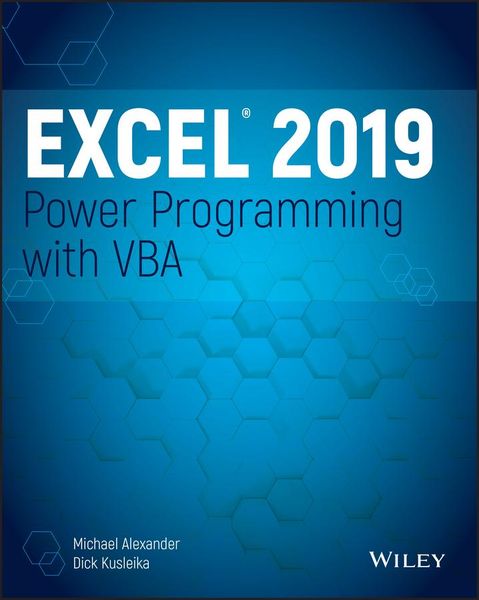
Produktbild: Excel 2019 Power Programming with VBA

Excel 2019 Power Programming with VBA

53,99 €

inkl. gesetzl. MwSt., Versandkostenfrei


Beschreibung

Produktdetails

Einband

Taschenbuch

Erscheinungsdatum

14.06.2019

Verlag

John Wiley & Sons Inc

Seitenzahl

784

Maße (L/B/H)

23,8/18,9/4,2 cm

Gewicht

1054 g

Auflage

1. Auflage

Sprache

Englisch

ISBN

978-1-119-51492-3

Beschreibung

Produktdetails

Einband

Taschenbuch

Erscheinungsdatum

14.06.2019

Verlag

John Wiley & Sons Inc

Seitenzahl

784

Maße (L/B/H)

23,8/18,9/4,2 cm

Gewicht

1054 g

Auflage

1. Auflage

Sprache

Englisch

ISBN

978-1-119-51492-3

Herstelleradresse

Libri GmbH
Europaallee 1
36244 Bad Hersfeld
DE

Email: gpsr@libri.de

Noch keine Bewertungen vorhanden

Verfassen Sie die erste Bewertung zu diesem Artikel

Helfen Sie anderen Kundinnen und Kunden durch Ihre Meinung.

Kundinnen und Kunden meinen

Bewertungen (0)

Die Leseprobe wird geladen.
  • Produktbild: Excel 2019 Power Programming with VBA
  • Introduction xxxiii
     
    Part I: Introduction to Excel VBA 1
     
    Chapter 1: Essentials of Spreadsheet Application Development 3
     
    What Is a Spreadsheet Application? 3
     
    Steps for Application Development 4
     
    Determining User Needs 5
     
    Planning an Application That Meets User Needs 6
     
    Determining the Most Appropriate User Interface 7
     
    Concerning Yourself with the End User 12
     
    Other Development Issues 17
     
    Chapter 2: Introducing Visual Basic for Applications 19
     
    Getting a Head Start with the Macro Recorder 19
     
    Working with the Visual Basic Editor 32
     
    VBA Fundamentals 43
     
    Deep Dive: Working with Range Objects 48
     
    Essential Concepts to Remember 52
     
    Don't Panic-You Are Not Alone 54
     
    Chapter 3: VBA Programming Fundamentals 61
     
    VBA Language Elements: An Overview 61
     
    Comments 63
     
    Variables, Data Types, and Constants 65
     
    Assignment Statements 76
     
    Arrays 78
     
    Declaring Arrays 78
     
    Object Variables 80
     
    User-Defined Data Types 81
     
    Built-in Functions 82
     
    Manipulating Objects and Collections 85
     
    Controlling Code Execution 88
     
    Chapter 4: Working with VBA Sub Procedures 105
     
    About Procedures 105
     
    Executing Sub Procedures 108
     
    Passing Arguments to Procedures 119
     
    Error-Handling Techniques 123
     
    A Realistic Example That Uses Sub Procedures 127
     
    Utility Availability 140
     
    Evaluating the Project 141
     
    Chapter 5: Creating Function Procedures 143
     
    Sub Procedures vs. Function Procedures 143
     
    Why Create Custom Functions? 144
     
    An Introductory Function Example 144
     
    Function Procedures 148
     
    Function Arguments 153
     
    Function Examples 153
     
    Emulating Excel's SUM Function 167
     
    Extended Date Functions 170
     
    Debugging Functions 172
     
    Dealing with the Insert Function Dialog Box 173
     
    Using Add-Ins to Store Custom Functions 178
     
    Using the Windows API 178
     
    Chapter 6: Understanding Excel's Events 183
     
    What You Should Know About Events 183
     
    Getting Acquainted with Workbook-Level Events 189
     
    Examining Worksheet Events 197
     
    Monitoring with Application Events 206
     
    Chapter 7: VBA Programming Examples and Techniques 217
     
    Learning by Example 217
     
    Working with Ranges 218
     
    Working with Workbooks and Sheets 246
     
    VBA Techniques 251
     
    Some Useful Functions for Use in Your Code 258
     
    Some Useful Worksheet Functions 263
     
    Windows API Calls 278
     
    Part II: Advanced VBA Techniques 287
     
    Chapter 8: Working with Pivot Tables 289
     
    An Introductory Pivot Table Example 289
     
    Creating a More Complex Pivot Table 295
     
    Creating Multiple Pivot Tables 299
     
    Creating a Reverse Pivot Table 302
     
    Chapter 9: Working with Charts 305
     
    Getting the Inside Scoop on Charts 305
     
    Creating an Embedded Chart 308
     
    Creating a Chart on a Chart Sheet 309
     
    Modifying Charts 309
     
    Using VBA to Activate a Chart 310
     
    Moving a Chart 311
     
    Using VBA to Deactivate a Chart 312
     
    Determining Whether a Chart Is Activated 313
     
    Deleting from the ChartObjects or Charts Collection 313
     
    Looping Through All Charts 314
     
    Sizing and Aligning ChartObjects 317
     
    Creating Lots of Charts 318
     
    Exporting a Chart 321
     
    Changing the Data Used in a Chart 322
     
    Using VBA to Display Cust