Gutscheinbedingungen

**Gültig vom 15.06.2026 bis 17.06.2026 | Gültig für nicht preisgebundene fremdsprachige Bücher | Einzelne Artikel können ausgeschlossen sein | Maximaler rabattfähiger Warenkorbwert 500 € | Nicht kombinierbar mit weiteren Aktionen | Nur einmal pro Person einlösbar | Nur solange der Vorrat reicht

  • Produktbild: A Tester's Guide to .NET Programming
  • Produktbild: A Tester's Guide to .NET Programming

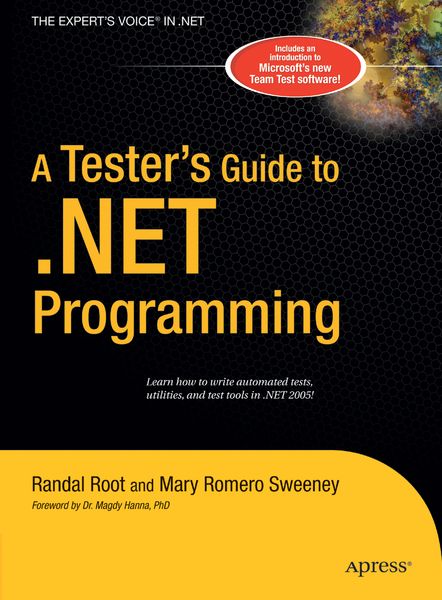
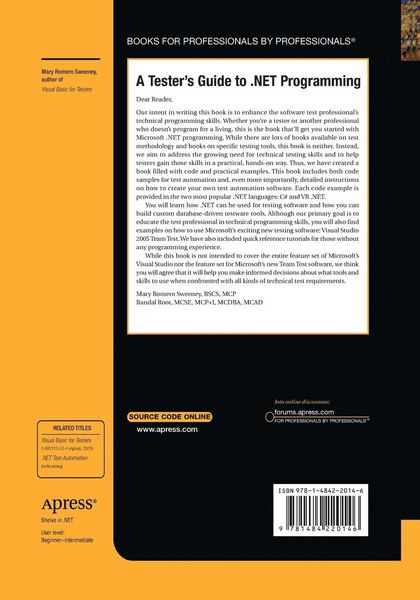
A Tester's Guide to .NET Programming

44,99 €

inkl. gesetzl. MwSt., Versandkostenfrei

Lieferung nach Hause

Beschreibung

Produktdetails

Einband

Taschenbuch

Erscheinungsdatum

23.08.2016

Verlag

APress

Seitenzahl

606

Maße (L/B/H)

25,4/17,8/3,3 cm

Gewicht

1193 g

Auflage

Softcover reprint of the original 1st ed.

Sprache

Englisch

ISBN

978-1-4842-2014-6

Beschreibung

Produktdetails

Einband

Taschenbuch

Erscheinungsdatum

23.08.2016

Verlag

APress

Seitenzahl

606

Maße (L/B/H)

25,4/17,8/3,3 cm

Gewicht

1193 g

Auflage

Softcover reprint of the original 1st ed.

Sprache

Englisch

ISBN

978-1-4842-2014-6

Herstelleradresse

Libri GmbH
Europaallee 1
36244 Bad Hersfeld
DE

Email: Libri GmbH

Kundinnen und Kunden meinen

0 Bewertungen

Informationen zu Bewertungen

Zur Abgabe einer Bewertung ist eine Anmeldung im Konto notwendig. Die Authentizität der Bewertungen wird von uns nicht überprüft. Wir behalten uns vor, Bewertungstexte, die unseren Richtlinien widersprechen, entsprechend zu kürzen oder zu löschen.

Die Bewertungen sind nach Format, Anzahl Sterne und Datum sortiert.

Verfassen Sie die erste Bewertung zu diesem Artikel

Helfen Sie anderen Kund*innen durch Ihre Meinung

Kundinnen und Kunden meinen

0 Bewertungen filtern

  • Produktbild: A Tester's Guide to .NET Programming
  • Produktbild: A Tester's Guide to .NET Programming
  • Understanding .Net Testing choices.- Outlines the 3 types of .Net Apps(Console, Web(ASP.Net),and Windows) and how they are used for testing.- Choosing a .Net language (Point them to the Tutorials in the back if they need them).- Overview of Testing Terms (Whitebox, BlackBox, Regression, etc.).- Discuss 'When to Automate' Topic.- Lab: Create 3 simple Apps(Console, Web, and Windows).- Storing Test Data (a simple overview).- Documenting your Tests.- Text Files.- Lab: Create a Simple Console App that writes to a text file.- The Registry.- Lab: Create a Simple Windows App that writes to the Registry.- Databases.- Lab: Create a Simple Web App that writes to a Access database.- Overview of the .Net Error handling.- Syntax, Run-time, and Logic errors.- How Try-Catch blocks work.- Using Debug and trace to get debugging information.- The Debugging windows.- Breakpoints.- The Exception Class.- Throwing Exceptions.- Lab: Using the VS.Net debugging tools.- Creating Test Utilities in a Windows Application.- Building a simple test application using procedures.- Describing the purpose of scope within procedures.- Logging an Automated testing project.- The SendKeys.- Adding timing to your test scripts.- Lab: Creating an automation application.- Objects and Classes in Net.- Unit, Component, and Integration testing.- Why Testers need to know about software components.- How applications are broken into Components.- White-Box and Black-Box testing.- What Classes and Objects are?- The difference between properties and methods.- DLL and EXE.- Some of the differences between COM and .Net. -What is N-Tier Architecture? - How the Object Browser is used to examine Classes.- Creating the 'Bug Reporter' application with components.- Testing with the Windows Registry.- Introduction to the Windows Registry.- Lab: Create the 'Registry Management' Utility.- Testing with the Windows API.- Introduction to the Windows API.- Lab: Create a 'Collecting OS information' Utility and write it data to a database.- Database Testing with ADO.Net.- Database Testing Overview.- Common ADO.Net classes.- Writing to an Access DB.- Writing to an SQL DB.- Writing to an XML File.- Lab: Create a Windows App that reads data from last labs Database and Writes to an XML file.- Creating Setup Automation Utilities with a Console Application.- File System Management (review).- Installation automation with Console Apps.- Lab: Automate an Xcopy Installation Script for the 'Registry management' Utility we made.- Using Database Scripts with SQL Server.- Lab: Automating Database Setup for the 'Collecting OS information' Utility.- Creating Test Utilities in a Web Application (ASP.Net).- Using Common Web Controls (Text, Combo, Radio, List).- Client Side vs. Server Side Code.- Using Trace features.- Web.config and Machine.config file settings.- Lab: Using Trace Utilities.- Logging User and Web Server Data to a Database.- Lab: Capture Web App Data.- Creating Testing Reports.- Importing Log files (using csv files).- Creating Web and Windows Reports.- Using Office Pivot Tables and Charts.- Lab: Create a Multi-Form Report using the DataGrid, Office Pivot Tables, and Office Charts.