Gutscheinbedingungen

**Gültig vom 07.09.2026 bis 09.09.2026 | Gültig für nicht preisgebundene fremdsprachige Bücher | Einzelne Artikel können ausgeschlossen sein | Online auf www.bücher.de einlösbar | Click & Collect nur mit Online-Zahlung (Paypal/Kreditkarte) vorab | Nicht kombinierbar mit anderen Gutscheinen oder Preisaktionen | Nur einmal pro Einkauf einlösbar | Gutschein wird auf max. 500€ Bestellwert angerechnet | Keine Barauszahlung | Nicht gültig für Versandkosten und Services

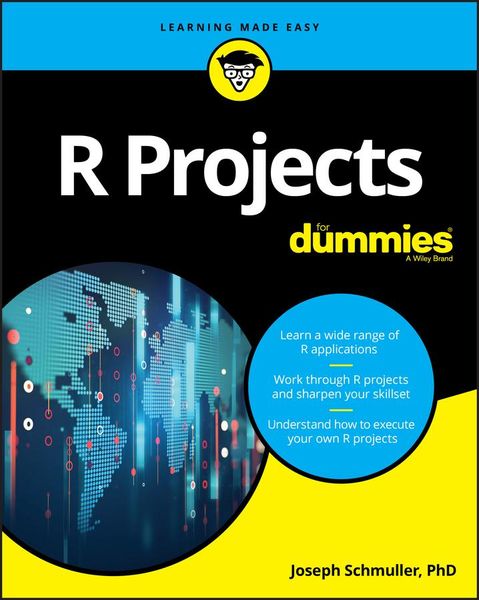
Produktbild: R Projects for Dummies

R Projects for Dummies

Aus der Reihe For Dummies

26,99 €

inkl. gesetzl. MwSt., Versandkostenfrei


Beschreibung

Produktdetails

Einband

Taschenbuch

Erscheinungsdatum

13.02.2018

Verlag

John Wiley & Sons

Seitenzahl

368

Maße (L/B/H)

23,3/18,7/2,2 cm

Gewicht

487 g

Auflage

1. Auflage

Sprache

Englisch

ISBN

978-1-119-44618-7

Beschreibung

Produktdetails

Einband

Taschenbuch

Erscheinungsdatum

13.02.2018

Verlag

John Wiley & Sons

Seitenzahl

368

Maße (L/B/H)

23,3/18,7/2,2 cm

Gewicht

487 g

Auflage

1. Auflage

Sprache

Englisch

ISBN

978-1-119-44618-7

Herstelleradresse

Libri GmbH
Europaallee 1
36244 Bad Hersfeld
DE

Email: gpsr@libri.de

Noch keine Bewertungen vorhanden

Verfassen Sie die erste Bewertung zu diesem Artikel

Helfen Sie anderen Kundinnen und Kunden durch Ihre Meinung.

Kundinnen und Kunden meinen

Bewertungen (0)

Die Leseprobe wird geladen.
  • Produktbild: R Projects for Dummies
  • Introduction 1

    About This Book 2

    Part 1: The Tools of the Trade 2

    Part 2: Interacting with a User 2

    Part 3: Machine Learning 2

    Part 4: Large(ish) Data Sets 2

    Part 5: Maps and Images 2

    Part 6: The Part of Tens 3

    What You Can Safely Skip 3

    Foolish Assumptions 3

    Icons Used in This Book 3

    Beyond the Book 4

    Where to Go from Here 4

    Part 1: the Tools of the Trade 5

    Chapter 1: R: What It Does and How It Does It 7

    Getting R 7

    Getting RStudio 8

    A Session with R 11

    The working directory 11

    Getting started 12

    R Functions 15

    User-Defined Functions 16

    Comments 18

    R Structures 18

    Vectors 18

    Numerical vectors 19

    Matrices 21

    Lists 24

    Data frames 25

    Of for Loops and if Statements 28

    Chapter 2: Working with Packages 31

    Installing Packages 31

    Examining Data 33

    Heads and tails 33

    Missing data 33

    Subsets 34

    R Formulas 35

    More Packages 36

    Exploring the tidyverse 37

    Chapter 3: Getting Graphic 43

    Touching Base 43

    Histograms 44

    Density plots 45

    Bar plots 47

    Grouping the bars 49

    Quick Suggested Project 51

    Pie graphs 53

    Scatterplots 53

    Scatterplot matrix 55

    Box plots 56

    Graduating to ggplot2 57

    How it works 58

    Histograms 59

    Bar plots 61

    Grouped bar plots 62

    Grouping yet again 64

    Scatterplots 67

    The plot thickens 68

    Scatterplot matrix 72

    Box plots 73

    Part 2: Interacting with a User 77

    Chapter 4: Working with a Browser 79

    Getting Your Shine On 79

    Creating Your First shiny Project 80

    The user interface 83

    The server 84

    Final steps 85

    Getting reactive 86

    Working with ggplot 89

    Changing the server 90

    A few more changes 92

    Getting reactive with ggplot 94

    Another shiny Project 96

    The base R version 97

    The ggplot version 104

    Suggested Project 106

    Chapter 5: Dashboards - How Dashing! 107

    The shinydashboard Package 107

    Exploring Dashboard Layouts 108

    Getting started with the user interface 109

    Building the user interface: Boxes, boxes, boxes 110

    Lining up in columns 117

    A nice trick: Keeping tabs 121

    Suggested project: Add statistics 125

    Suggested project: Place valueBoxes in tabPanels 126

    Working with the Sidebar 126

    The user interface 128

    The server 131

    Suggested project: Relocate the slider 133

    Interacting with Graphics 135

    Clicks, double-clicks, and brushes - oh, my! 135

    Why bother with all this? 138

    Suggested project: Experiment with airquality 141

    Part 3: Machine Learning 143

    Chapter 6: Tools and Data for Machine Learning Projects 145

    The UCI (University of California-Irvine) ML Repository 146

    Downloading a UCI dataset 146

    Cleaning up the data 148

    Exploring the data 150

    Exploring relationships in the data 152

    Introducing the Rattle package 157

    Using Rattle with iris 159

    Getting and (further) exploring the data 159

    Finding clusters in the data 162

    Chapter 7: Decisions, Decisions, Decisions 167

    Decision Tree Components 167

    Roots and leaves 168

    Tree construction 168

    Decision Trees in R 169

    Growing the tree in R 169

    Drawing the tree in R 171

    Decision Trees in Rattle 173

    Creating the tree 174

    Drawing the tree 175

    Evaluating the tree 176

    Project: A More Complex Decision Tree 177

    The data: Car evaluation 177

    Data exploration 179

    Building and drawing the tree 180

    Evalua