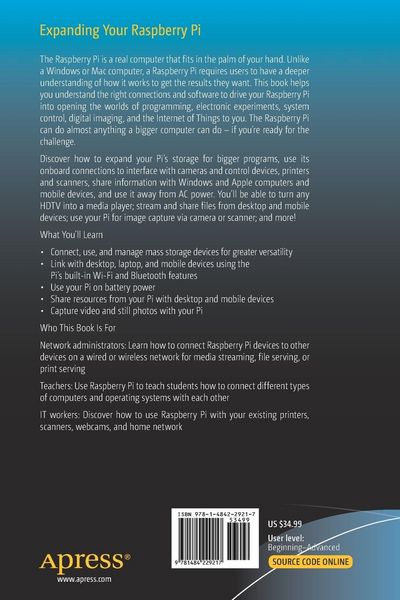
• Produktbild: Expanding Your Raspberry Pi
  • Produktbild: Expanding Your Raspberry Pi

Expanding Your Raspberry Pi Storage, printing, peripherals, and network connections for your Raspberry Pi

43,99 €

inkl. gesetzl. MwSt., Versandkostenfrei

Lieferung nach Hause

Beschreibung

Produktdetails

Einband

Taschenbuch

Erscheinungsdatum

05.09.2017

Abbildungen

XV, 164 illus., 163 illus. in color., schwarz-weiss Illustrationen, farbige Illustrationen

Verlag

Apress

Seitenzahl

204

Maße (L/B/H)

23,5/15,5/1,3 cm

Gewicht

347 g

Auflage

1st edition

Sprache

Englisch

ISBN

978-1-4842-2921-7

Beschreibung

Rezension

“It covers a range of topics integral to configuring the Raspberry Pi, from installing an operating system to accessing a home network, mass storage, networked printers, and shared internet connections. … Each chapter gives a range of options for tackling a challenge using different software solutions and operating systems. The instructions are clearly written and easy to follow … . Summing Up: Recommended. All readers.” (J. M. Smith, Choice, Vol. 55 (10), June, 2018)

Produktdetails

Einband

Taschenbuch

Erscheinungsdatum

05.09.2017

Abbildungen

XV, 164 illus., 163 illus. in color., schwarz-weiss Illustrationen, farbige Illustrationen

Verlag

Apress

Seitenzahl

204

Maße (L/B/H)

23,5/15,5/1,3 cm

Gewicht

347 g

Auflage

1st edition

Sprache

Englisch

ISBN

978-1-4842-2921-7

Herstelleradresse

Springer-Verlag GmbH
Tiergartenstr. 17
69121 Heidelberg
DE

Email: GPSR Kontakt

Noch keine Bewertungen vorhanden

Verfassen Sie die erste Bewertung zu diesem Artikel

Helfen Sie anderen Kundinnen und Kunden durch Ihre Meinung.

Kundinnen und Kunden meinen

Bewertungen (0)

  • Produktbild: Expanding Your Raspberry Pi
  • Produktbild: Expanding Your Raspberry Pi
  • Chapter 1 title:  Raspberry Pi System Anatomy

    ·      Chapter Goal:          Choosing the best Pi for your appetite

    ·      Model overview

    ·      CPU and RAM

    ·      Ports

    ·      Board-level connectors

    ·      Integrated network features


    Chapter 2 title:  The Distro Bunch

    Chapter Goal:           Choosing the right OS for your expansion purpose

    ·      Raspbian

    ·      Other Linux distros

    ·      Windows 10 IoT Core

    ·      Choosing the best distro for the task

    ·      Creating your media


    Chapter 3 title:  Adding Mass Storage

    Chapter Goal:           Connect, use, and manage flash memory cards, USB flash drives, and hard drives

    ·      Hardware used in this chapter

    ·      Adding and using an external hard drive

    ·      Partitioning a flash memory card

    ·      USB flash drive issues and solutions

    ·      Installing apps to external storage

    ·      Troubleshooting


    Chapter 4 title:  Connecting to a Workgroup Network

    Chapter Goal:           How to connect to a SOHO network so that information can be shared between other network clients and the Raspberry Pi

    ·      Hardware used in this chapter

    ·      Distro and Raspberry Pi configuration 

    ·      Windows configuration

    ·      OS X configuration

    ·      Android

    ·      iOS

    ·      File transfers

    ·      Printing to a network printer

    ·      Scanning with a network scanner

    ·      Troubleshooting


    Chapter 5 title:  Sharing an Internet connection

    Chapter Goal:           Sharing the Raspberry Pi’s Internet connection with mobile devices

    ·      Hardware used in this chapter

    ·      Configuring the Pi for sharing

    ·      Connecting to the Pi with Android

    ·      Connecting to the Pi with iOS

    ·      Troubleshooting


    Chapter 6 title:  Setting up a print and scan server

    Chapter Goal:           How to use a Raspberry Pi as a print server

    ·      Hardware used in this chapter

    ·      Connecting via USB

    ·      Configuring CUPS

    ·      Configuring SANE (scanner) and SNAC (scanner for OS X)

    ·      Setting up users

    ·      Troubleshooting


    Chapter 7 title:  Imaging and Video

    Chapter Goal:           How to capture still images and video that can be used with other devices

    ·      Hardware used in this chapter

    ·      Raspberry Pi camera

    ·      Webcam

    ·      Time lapse and motion triggers

    ·      Image scanners

    ·      Troubleshooting


    Chapter 8 title:  Media Serving

    Chapter Goal:           Using your Raspberry Pi for media serving across a network

    ·      Hardware used in this chapter

    ·      Selecting a distro

    ·      Storage requirements

    ·      Configuration

    ·      Troubleshooting


    Chapter 9 title:  GPIO Anatomy and Applications

    Chapter Goal:           Understanding the Raspberry PI’s GPIO Interface and its uses

    ·      Hardware used in this chapter

    ·      Pinouts

    ·      Typical applications

    ·      Using a Gertboard

    ·      Troubleshooting


    Chapter 10 title:  Taking Your Raspberry Pi on the Road

    Chapter Goal:           Running Your Raspberry Pi on Battery Power

    ·      Choosing a power source

    ·      Configuring the Raspberry Pi for minimal power consumption

    ·      Choosing low-power peripherals

    ·      Low-power warnings

    ·      Troubleshooting