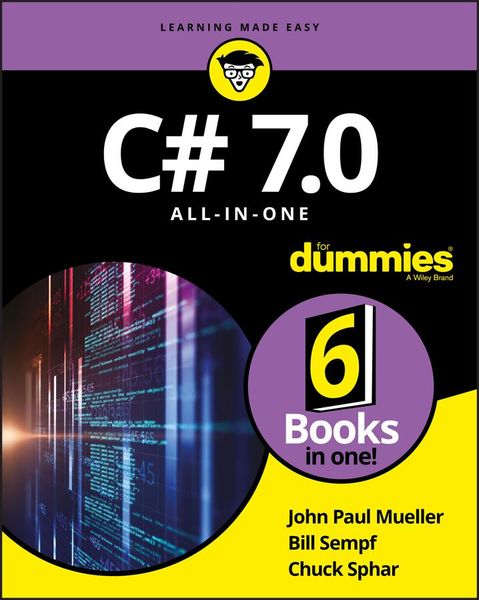
Produktbild: C# 7.0 All-in-One For Dummies
- 12%

C# 7.0 All-in-One For Dummies

12% sparen

39,99 € UVP 45,90 €

inkl. gesetzl. MwSt., Versandkostenfrei

Lieferung nach Hause

Beschreibung

Produktdetails

Einband

Taschenbuch

Erscheinungsdatum

26.12.2017

Verlag

John Wiley & Sons Inc

Seitenzahl

864

Maße (L/B/H)

23,7/18,9/4,6 cm

Gewicht

1122 g

Auflage

1. Auflage

Sprache

Englisch

ISBN

978-1-119-42811-4

Beschreibung

Produktdetails

Einband

Taschenbuch

Erscheinungsdatum

26.12.2017

Verlag

John Wiley & Sons Inc

Seitenzahl

864

Maße (L/B/H)

23,7/18,9/4,6 cm

Gewicht

1122 g

Auflage

1. Auflage

Sprache

Englisch

ISBN

978-1-119-42811-4

Herstelleradresse

Libri GmbH
Europaallee 1
36244 Bad Hersfeld
DE

Email: [email protected]

Kundinnen und Kunden meinen

0 Bewertungen

Informationen zu Bewertungen

Zur Abgabe einer Bewertung ist eine Anmeldung im Konto notwendig. Die Authentizität der Bewertungen wird von uns nicht überprüft. Wir behalten uns vor, Bewertungstexte, die unseren Richtlinien widersprechen, entsprechend zu kürzen oder zu löschen.

Die Bewertungen sind nach Format, Anzahl Sterne und Datum sortiert.

Verfassen Sie die erste Bewertung zu diesem Artikel

Helfen Sie anderen Kund*innen durch Ihre Meinung

Kundinnen und Kunden meinen

0 Bewertungen filtern

Die Leseprobe wird geladen.
  • Produktbild: C# 7.0 All-in-One For Dummies
  • Introduction 1

    About This Book 1

    Foolish Assumptions 2

    Icons Used in This Book 2

    Beyond the Book 3

    Where to Go from Here 4

    Book 1: The Basics of C# Programming 5

    Chapter 1: Creating Your First C# Console Application 7

    Getting a Handle on Computer Languages, C#, and .NET 7

    Creating Your First Console Application 11

    Making Your Console App Do Something 17

    Reviewing Your Console Application 18

    Introducing the Toolbox Trick 21

    Chapter 2: Living with Variability - Declaring Value-Type Variables 23

    Declaring a Variable 24

    What's an int? 25

    Representing Fractions 27

    Handling Floating-Point Variables 28

    Using the Decimal Type: Is it an Integer or a Float? 31

    Examining the bool Type: Is it Logical? 33

    Checking Out Character Types 33

    What's a Value Type? 36

    Comparing string and char 37

    Calculating Leap Years: DateTime 38

    Declaring Numeric Constants 40

    Changing Types: The Cast 41

    Letting the C# Compiler Infer Data Types 42

    Chapter 3: Pulling Strings 45

    The Union is Indivisible, and So are Strings 46

    Performing Common Operations on a String 48

    Comparing Strings 48

    What If I Want to Switch Case? 53

    Looping through a String 54

    Searching Strings 55

    Getting Input from the Command Line 57

    Controlling Output Manually 62

    Formatting Your Strings Precisely 68

    StringBuilder: Manipulating Strings More Efficiently 73

    Chapter 4: Smooth Operators 75

    Performing Arithmetic 75

    Performing Logical Comparisons - Is That Logical? 79

    Matching Expression Types at TrackDownAMate.com 83

    Chapter 5: Getting into the Program Flow 89

    Branching Out with if and switch 90

    Here We Go Loop-the-Loop 101

    Looping a Specified Number of Times with for 112

    Nesting Loops 115

    Don't goto Pieces 116

    Chapter 6: Lining Up Your Ducks with Collections 119

    The C# Array 120

    Processing Arrays by Using foreach 126

    Sorting Arrays of Data 128

    Using var for Arrays 132

    Loosening Up with C# Collections 133

    Understanding Collection Syntax 134

    Using Lists 136

    Using Dictionaries 139

    Array and Collection Initializers 141

    Using Sets 142

    On Not Using Old-Fashioned Collections 147

    Chapter 7: Stepping through Collections 149

    Iterating through a Directory of Files 149

    Iterating foreach Collections: Iterators 157

    Accessing Collections the Array Way: Indexers 160

    Looping Around the Iterator Block 165

    Chapter 8: Buying Generic 177

    Writing a New Prescription: Generics 178

    Classy Generics: Writing Your Own 179

    Revising Generics 197

    Chapter 9: Some Exceptional Exceptions 201

    Using an Exceptional Error-Reporting Mechanism 202

    Throwing Exceptions Yourself 207

    Knowing What Exceptions are for 207

    Can I Get an Exceptional Example? 208

    Assigning Multiple catch Blocks 211

    Planning Your Exception-Handling Strategy 214

    Grabbing Your Last Chance to Catch an Exception 219

    Throwing Expressions 220

    Chapter 10: Creating Lists of Items with Enumerations 223

    Seeing Enumerations in the Real World 224

    Working with Enumerations 225

    Creating Enumerated Flags 228

    Defining Enumerated Switches 230

    Book 2: Object-Oriented C# Programming 233

    Chapter 1: Object-Oriented Programming - What's it All About? 235

    Object-Oriented Concept #1: Abstraction 235

    Object-Oriented Concept #2: Classification 238

    Why Classify? 238

    Object-Oriented Concept #3: Usable Interfaces 239

    Object-Oriented Concept #4: Access Control 240

    How C# Supports Object-Oriented Concepts 241

    Chapter 2: Showing Some Class 243

    Defining a Class and an Object 244

    Accessing the Members of an Object 246

    An Object-Based Program Example 247

    Discriminating between Objects 249

    Can You Give Me References? 249

    Classes That Contain Classes are the Happiest Classes in the World 252

    Generating Static in Class Members 253

    Defining const and readonly Data Members 255

    Chapter 3: We Have Our Methods 257

    Defining and Using a Method 257

    A Method Example for Your Files 259

    Having Arguments with Methods 267

    Returning Values after Christmas 275

    Returning Multiple Values Using Tuples 279

    Chapter 4: Let Me Say This about this 283

    Passing an Object to a Method 283

    Defining Methods 285

    Accessing the Current Object 290

    Using Local Functions 298

    Chapter 5: Holding a Class Responsible 301

    Restricting Access to Class Members 301

    Why You Should Worry about Access Control 306

    Defining Class Properties 312

    Getting Your Objects Off to a Good Start - Constructors 315

    The C#-Provided Constructor 316

    Replacing the Default Constructor 317

    Using Expression-Bodied Members 324

    Chapter 6: Inheritance: Is That All I Get? 329

    Class Inheritance 330

    Why You Need Inheritance 332

    Inheriting from a BankAccount Class (a More Complex Example) 333

    IS_A versus HAS_A - I'm So Confused_A 336

    When to IS_A and When to HAS_A 340

    Other Features That Support Inheritance 340

    The object Class 344

    Inheritance and the Constructor 345

    The Updated BankAccount Class 350

    Chapter 7: Poly-what-ism? 357

    Overloading an Inherited Method 358

    Polymorphism 366

    The Class Business Card: ToString() 374

    C# During Its Abstract Period 374

    Sealing a Class 383

    Chapter 8: Interfacing with the Interface 385

    Introducing CAN_BE_USED_AS 385

    Knowing What an Interface is 387

    Using an Interface 391

    Using the C# Predefined Interface Types 392

    Looking at a Program That CAN_BE_USED_AS an Example 393

    Unifying Class Hierarchies 401

    Hiding Behind an Interface 403

    Inheriting an Interface 406

    Using Interfaces to Manage Change in Object-Oriented Programs 407

    Chapter 9: Delegating Those Important Events 411

    E.T., Phone Home - The Callback Problem 412

    Defining a Delegate 412

    Pass Me the Code, Please - Examples 414

    A More Real-World Example 417

    Shh! Keep it Quiet - Anonymous Methods 426

    Stuff Happens - C# Events 427

    Chapter 10: Can I Use Your Namespace in the Library? 435

    Dividing a Single Program into Multiple Source Files 436

    Dividing a Single Program into Multiple Assemblies 437

    Putting Your Classes into Class Libraries 440

    Going Beyond Public and Private: More Access Keywords 446

    Putting Classes into Namespaces 452

    Chapter 11: Improving Productivity with Named and Optional Parameters 459

    Exploring Optional Parameters 460

    Looking at Named Parameters 464

    Dealing with Overload Resolution 465

    Using Alternative Methods to Return Values 466

    Chapter 12: Interacting with Structures 469

    Comparing Structures to Classes 470

    Creating Structures 472

    Using Structures as Records 479

    Book 3: Designing for C# 483

    Chapter 1: Writing Secure Code 485

    Designing Secure Software 486

    Building Secure Windows Applications 488

    Building Secure Web Forms Applications 493

    Using System.Security 498

    Chapter 2: Accessing Data 499

    Getting to Know System.Data 500

    How the Data Classes Fit into the Framework 502

    Getting to Your Data 502

    Using the System.Data Namespace 503

    Chapter 3: Fishing the File Stream 521

    Going Where the Fish are: The File Stream 521

    StreamWriting for Old Walter 524

    Pulling Them Out of the Stream: Using StreamReader 536

    More Readers and Writers 540

    Exploring More Streams than Lewis and Clark 542

    Chapter 4: Accessing the Internet 543

    Getting to Know System.Net 544

    How Net Classes Fit into the Framework 545

    Using the System.Net Namespace 547

    Chapter 5: Creating Images 559

    Getting to Know System.Drawing 560

    How the Drawing Classes Fit into the Framework 563

    Using the System.Drawing Namespace 564

    Chapter 6: Programming Dynamically! 571

    Shifting C# Toward Dynamic Typing 572

    Employing Dynamic Programming Techniques 574

    Putting Dynamic to Use 576

    Running with the Dynamic Language Runtime 579

    Book 4: A Tour of Visual Studio 583

    Chapter 1: Getting Started with Visual Studio 585

    Versioning the Versions 586

    Installing Visual Studio 590

    Breaking Down the Projects 592

    Chapter 2: Using the Interface 597

    Designing in the Designer 597

    Paneling the Studio 605

    Coding in the Code Editor 612

    Using the Tools of the Trade 616

    Using the Debugger as an Aid to Learning 618

    Chapter 3: Customizing Visual Studio 623

    Setting Options 624

    Using Snippets 628

    Hacking the Project Types 634

    Book 5: Windows Development with WPF 641

    Chapter 1: Introducing WPF 643

    Understanding What WPF Can Do 643

    Introducing XAML 645

    Diving In! Creating Your First WPF Application 646

    Chapter 2: Understanding the Basics of WPF 653

    Using WPF to Lay Out Your Application 654

    Arranging Elements with Layout Panels 655

    Exploring Common XAML Controls 671

    Chapter 3: Data Binding in WPF 681

    Getting to Know Dependency Properties 681

    Exploring the Binding Modes 682

    Investigating the Binding Object 683

    Editing, Validating, Converting, and Visualizing Your Data 687

    Finding Out More about WPF Data Binding 704

    Chapter 4: Practical WPF 705

    Commanding Attention 705

    Using Built-In Commands 708

    Using Custom Commands 711

    Using Routed Commands 716

    Book 6: Web Development with ASP.NET 721

    Chapter 1: Looking at How ASP.NET Works with C# 723

    Breaking Down Web Applications 724

    Questioning the Client 726

    Dealing with Web Servers 730

    Chapter 2: Building Web Applications 735

    Working in Visual Studio 736

    Developing with Style 749

    Chapter 3: Controlling Your Development Experience 753

    Showing Stuff to the User 754

    Getting Some Input from the User 760

    Data Binding 767

    Styling Your Controls 775

    Making Sure the Site is Accessible 777

    Constructing User Controls 779

    Chapter 4: Leveraging the .NET Framework 783

    Surfing Web Streams 784

    Securing ASP.NET 789

    Managing Files 791

    Baking Cookies 792

    Tracing with TraceContext 796

    Navigating with Site Maps 798

    Index 801