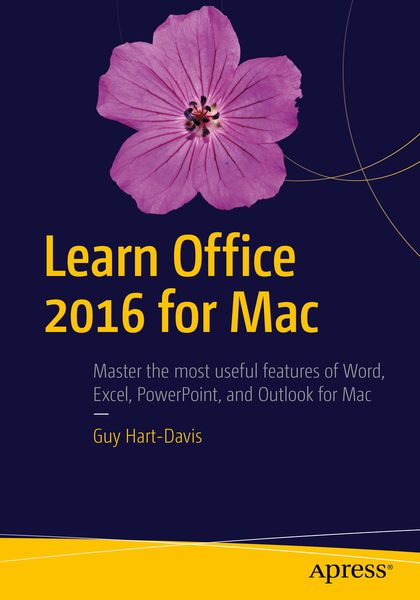
Learn Office 2016 for Mac
-
- Taschenbuch ausgewählt
- eBook
-
Sprache:Englisch
69,99 €
UVP
80,24 €
inkl. gesetzl. MwSt.,
Lieferung nach Hause
Beschreibung
Produktdetails
Einband
Taschenbuch
Erscheinungsdatum
27.07.2016
Verlag
ApressSeitenzahl
711
Maße (L/B/H)
25,4/17,8/3,9 cm
Gewicht
1454 g
Auflage
2nd ed.
Sprache
Englisch
ISBN
978-1-4842-2001-6
A practical, hands-on approach to using Office 2016 applications to create and edit documents and get work done efficiently. You'll learn how to customize Office, design, create, and share documents, manipulate data in a spreadsheet, and create lively presentations. You'll also discover how to organize your email, contacts, and tasks with the new Outlook for Mac. Conveying information quickly and concisely, the book brings you from beginner or intermediate to an experienced and confident user.
Office for Mac remains the leading productivity suite for Mac, with Apple’s iWork and the free OpenOffice.org trailing far behind. Now, it's been updated with a cleaner interface and more compatibility with Exchange and SharePoint.
This book provides the best combination of accessible and focused coverage of the Office 2016 applications. Rather than cover every seldom-used feature, the book covers real-world usage, putting emphasis on practical tasks andtroubleshooting common problems, such as sharing documents with Windows users and older versions of Office.
What You Will Learn
- Create professional documents for home and business using Word
- Edit documents collaboratively in real time with your colleagues
- Record and manipulate data using spreadsheets
- Use your data to create powerful and convincing charts
- Build persuasive multimedia presentations in PowerPoint
- Deliver presentations like an expert
- Keep your e-mail under control with Outlook
- Stay on top of your schedule and your tasks
Any Mac user who needs to work with Word, Excel, PowerPoint, or Outlook either for business or for pleasure. Professionals, students, and home user alike will benefit from straightforward explanations, step-by-step instructions, and effective workarounds for everyday problems.
Kundinnen und Kunden meinen
Verfassen Sie die erste Bewertung zu diesem Artikel
Helfen Sie anderen Kund*innen durch Ihre Meinung
Kurze Frage zu unserer Seite
Vielen Dank für dein Feedback
Wir nutzen dein Feedback, um unsere Produktseiten zu verbessern. Bitte habe Verständnis, dass wir dir keine Rückmeldung geben können. Falls du Kontakt mit uns aufnehmen möchtest, kannst du dich aber gerne an unseren Kund*innenservice wenden.
zum Kundenservice