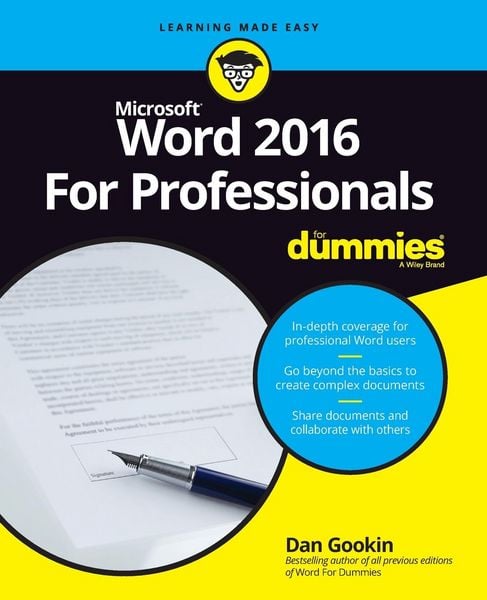
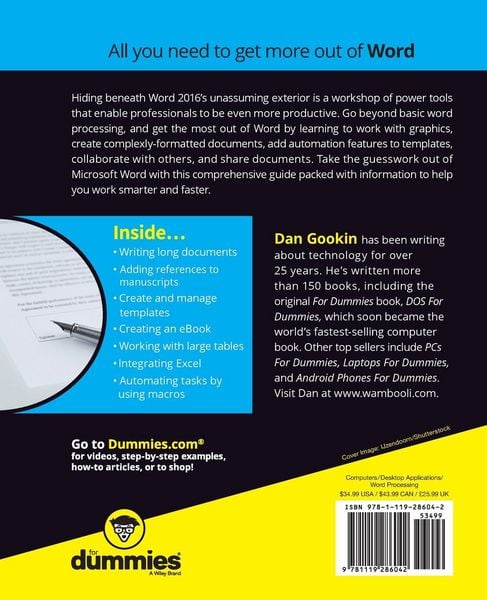
• Produktbild: Word 2016 for Professionals for Dummies
  • Produktbild: Word 2016 for Professionals for Dummies

Word 2016 for Professionals for Dummies

32,99 €

inkl. gesetzl. MwSt., Versandkostenfrei

Lieferung nach Hause

Beschreibung

Produktdetails

Einband

Taschenbuch

Erscheinungsdatum

15.08.2016

Verlag

John Wiley & Sons Inc

Seitenzahl

656

Maße (L/B/H)

23,5/19,1/3,5 cm

Gewicht

1194 g

Auflage

1. Auflage

Sprache

Englisch

ISBN

978-1-119-28604-2

Beschreibung

Produktdetails

Einband

Taschenbuch

Erscheinungsdatum

15.08.2016

Verlag

John Wiley & Sons Inc

Seitenzahl

656

Maße (L/B/H)

23,5/19,1/3,5 cm

Gewicht

1194 g

Auflage

1. Auflage

Sprache

Englisch

ISBN

978-1-119-28604-2

Herstelleradresse

Libri GmbH
Europaallee 1
36244 Bad Hersfeld
DE

Email: GPSR Kontakt

Noch keine Bewertungen vorhanden

Verfassen Sie die erste Bewertung zu diesem Artikel

Helfen Sie anderen Kundinnen und Kunden durch Ihre Meinung.

Kundinnen und Kunden meinen

Bewertungen (0)

Die Leseprobe wird geladen.
  • Produktbild: Word 2016 for Professionals for Dummies
  • Produktbild: Word 2016 for Professionals for Dummies
  • INTRODUCTION 1
     
    About This Book 1
     
    How to Use This Book 2
     
    Foolish Assumptions 3
     
    Icons Used in This Book 4
     
    Beyond the Book 5
     
    Where to Go from Here 5
     
    PART 1: FANCY FORMATTING AND FROUFROU 7
     
    CHAPTER 1: Font Fun 9
     
    A Knowledge of Fonts 9
     
    Describing text 10
     
    Understanding text attributes 12
     
    Selecting the proper typeface 14
     
    Font Control 15
     
    Exploring the Font group 15
     
    Using the Font dialog box 16
     
    Choosing fonts with a theme 17
     
    Changing the default font 18
     
    Typography Control 19
     
    Changing text scale 19
     
    Setting character spacing 20
     
    Adding kerning and ligatures 21
     
    Adjusting text position 22
     
    Text Effects Strange and Wonderful 23
     
    Accessing the Format Text Effects pane 24
     
    Changing text fill 25
     
    Setting a text outline 26
     
    Adding a text shadow 28
     
    Configuring text reflection and glow 29
     
    Creating hidden text 29
     
    Find and Replace Text Formatting 31
     
    CHAPTER 2: Paragraph Layout 35
     
    A Typical Paragraph 35
     
    Understanding paragraph formatting 36
     
    Finding paragraph control in Word 38
     
    Working with the Ruler 39
     
    Pure Paragraph Formatting 40
     
    Using justification 41
     
    Working with paragraph indents 42
     
    Setting a first-line indent 43
     
    Creating a hanging indent 44
     
    Increasing space before or after a paragraph 45
     
    Adjusting line spacing 46
     
    Adding some shade 48
     
    Hyphenation 49
     
    Adding a manual hyphen 50
     
    Automatically hyphenating text 51
     
    Inserting an unbreakable hyphen 52
     
    Of Widows and Orphans 52
     
    CHAPTER 3: Tabs and Lists 55
     
    The Whole Tab Thing 56
     
    Understanding tab stops 56
     
    Setting tab stops on the Ruler 58
     
    Using the Tabs dialog box 60
     
    Viewing tab characters 62
     
    Tab Cookbook 62
     
    Building a hanging-indent list 63
     
    Building a double-tab hanging-indent list 64
     
    Creating a tabbed list 65
     
    Setting a Center tab stop 66
     
    Building a left-justified, right-justified list 66
     
    Building a back-to-back list 68
     
    Lining up values with a decimal tab 69
     
    Creating a leader tab list 70
     
    Adding a leader tab to an existing tab stop 72
     
    Building fill-in-the-blanks underlines 72
     
    Finding an excuse to use the Bar tab 74
     
    Numbered Lists 75
     
    Numbering paragraphs 75
     
    Adjusting numbering indents 76
     
    Skipping paragraph numbers 77
     
    Restarting numbered paragraphs 78
     
    Numbering paragraphs starting at a specific value 79
     
    Creating custom paragraph numbers 79
     
    Bulleted Lists 80
     
    The Multilevel List 81
     
    CHAPTER 4: Custom Tables 85
     
    Let's Build a Table 85
     
    Creating a table the original way 86
     
    Inserting a fresh, new table 88
     
    Converting tabs to a table 89
     
    Drawing a table 90
     
    Adding a quick table 91
     
    Table Editing 92
     
    Filling the table 92
     
    Selecting stuff in a table 93
     
    Inserting rows or columns 94
     
    Merging and splitting cells 95
     
    Setting the table size 97
     
    Adjusting row and column size 97
     
    Make the Table Less Obnoxious 99
     
    Adding a table heading 99
     
    Aligning text 99
     
    Setting text direction 100
     
    Setting gridlines 101
     
    Applying instant table forma