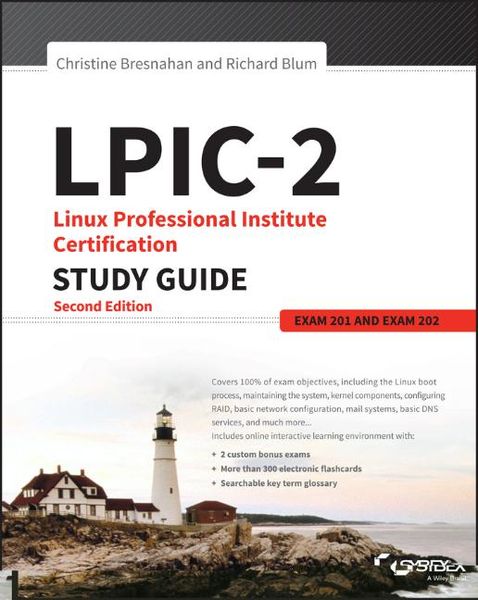
Produktbild: LPIC-2: Linux Professional Institute Certification Study Guide

LPIC-2: Linux Professional Institute Certification Study Guide Exam 201 and Exam 202

65,99 €

inkl. gesetzl. MwSt., Versandkostenfrei

Lieferung nach Hause

Beschreibung

Produktdetails

Einband

Taschenbuch

Erscheinungsdatum

17.10.2016

Verlag

John Wiley & Sons Inc

Seitenzahl

768

Maße (L/B/H)

23,5/19,1/4,1 cm

Gewicht

1410 g

Auflage

2nd edition

Sprache

Englisch

ISBN

978-1-119-15079-4

Beschreibung

Produktdetails

Einband

Taschenbuch

Erscheinungsdatum

17.10.2016

Verlag

John Wiley & Sons Inc

Seitenzahl

768

Maße (L/B/H)

23,5/19,1/4,1 cm

Gewicht

1410 g

Auflage

2nd edition

Sprache

Englisch

ISBN

978-1-119-15079-4

Herstelleradresse

Libri GmbH
Europaallee 1
36244 Bad Hersfeld
DE

Email: gpsr@libri.de

Kundinnen und Kunden meinen

0 Bewertungen

Informationen zu Bewertungen

Zur Abgabe einer Bewertung ist eine Anmeldung im Konto notwendig. Die Authentizität der Bewertungen wird von uns nicht überprüft. Wir behalten uns vor, Bewertungstexte, die unseren Richtlinien widersprechen, entsprechend zu kürzen oder zu löschen.

Die Bewertungen sind nach Format, Anzahl Sterne und Datum sortiert.

Verfassen Sie die erste Bewertung zu diesem Artikel

Helfen Sie anderen Kund*innen durch Ihre Meinung

Kundinnen und Kunden meinen

0 Bewertungen filtern

Die Leseprobe wird geladen.
  • Produktbild: LPIC-2: Linux Professional Institute Certification Study Guide
  • Introduction xxiii

    Assessment Test xliii

    Part I The LPI 201 Exam 1

    Chapter 1 Starting a System 3

    The Linux Boot Process 4

    Following the Boot Process 4

    Viewing the Boot Process 5

    The Firmware Startup 6

    The BIOS Startup 6

    The UEFI Startup 7

    Linux Bootloaders 8

    GRUB Legacy 9

    GRUB 2 12

    Alternative Bootloaders 14

    Secure Bootloaders 15

    Process Initialization 16

    The SysV Method 17

    The systemd Method 21

    The Upstart Method 26

    System Recovery 27

    Kernel Failures 27

    Root Drive Failure 29

    Summary 31

    Exam Essentials 31

    Review Questions 33

    Chapter 2 Maintaining the System 37

    Keeping Users Informed 38

    Looking at Fluid Messaging 39

    Looking at Static Messaging 47

    Backing Up the System 51

    Developing a Backup Strategy 51

    Performing Backups 61

    Installing Programs from Source 72

    Obtaining the Installation Files 73

    Unpacking the Installation Files 73

    Reading Installation Documentation 74

    Compiling Preparation 75

    Compiling the Program 76

    Completing the Installation 76

    Managing Resource Usage 79

    Measuring Resource Usage 79

    Predicting Resource Usage 83

    Troubleshooting Resource Usage 85

    Summary 87

    Exam Essentials 87

    Review Questions 89

    Chapter 3 Mastering the Kernel 93

    What Is the Kernel? 94

    The Kernel Features 94

    Parts of the Kernel 104

    Kernel Versions 107

    Compiling a Kernel 108

    Obtaining Source Code 109

    Creating the Configuration File 110

    Compiling and Installing the Kernel 114

    Compiling and Installing Modules 116

    Creating an Initial RAM Disk 116

    Booting the New Kernel 118

    Creating a Kernel Package 119

    Maintaining the Kernel 120

    Working with Module Files 120

    Module Commands 120

    Working with Hardware 125

    Automatically Detecting Hardware 128

    Troubleshooting the Kernel 129

    Summary 132

    Exam Essentials 133

    Review Questions 135

    Chapter 4 Managing the Filesystem 139

    Operating the Linux Filesystem 140

    Understanding Filesystem Structures 140

    Understanding Filesystem Types 141

    Making a Filesystem 144

    Attaching a Filesystem 146

    Exploring Additional Filesystem Topics 162

    Looking at Memory-Based Linux Filesystems 162

    Looking at the Btrfs Filesystem 163

    Exploring Btrfs Subvolumes 165

    Exploring Btrfs Snapshots 169

    Looking at Optical Filesystems 171

    Looking at Swap Filesystems 177

    Looking at Network-Based Filesystems 180

    Understanding Auto-Mounting 180

    Looking at Encrypted Filesystems 183

    Maintaining Linux Filesystems 185

    Adjusting a Filesystem 185

    Checking and Repairing a Filesystem 187

    Using SMART 189

    Summary 192

    Exam Essentials 192

    Review Questions 195

    Chapter 5 Administering Advanced Storage Devices 199

    Configuring RAID 200

    Understanding RAID 200

    Implementing RAID on Linux 204

    Managing a RAID Array 216

    Adjusting Storage Devices 221

    Looking at Drive Interface Concepts 221

    Testing and Tuning Drives 223

    Implementing iSCSI 234

    Managing Logical Volumes 245

    Understanding LVM 245

    Creating Logical Volumes 246

    Supporting Logical Volumes 254

    Understanding the Device Mapper 263

    Summary 264

    Exam Essentials 264

    Review Questions 267

    Chapter 6 Navigating Network Services 271

    Networking Basics 272

    The Physical Layer 272

    The Network Layer 274

    The Transport Layer 278

    The Application Layer 279

    Configuring Network Features 279

    Network Configuration Files 280

    Graphical Tools 282

    Command-Line Tools 284

    Basic Network Troubleshooting 288

    Checking the Log Files 288

    Viewing the ARP Cache 289

    Sending Test Packets 290

    Testing Network Routes 291

    Testing Client/Server Connectivity 293

    Finding Host Information 295

    Network Security 297

    Advanced Network Troubleshooting 297

    Viewing Open Network Connections 297

    Viewing Network Statistics 300

    Scanning the Network 302

    Capturing Network Traffic 303

    Summary 308

    Exam Essentials 308

    Review Questions 310

    Part II The LPI 202 Exam 315

    Chapter 7 Organizing Email Services 317

    The Linux Mail System 318

    Mail Transfer Agent 319

    Mail Delivery Agent 321

    Mail User Agent 323

    Email Protocols 325

    Simple Mail Transfer Protocol 326

    Post Office Protocol 332

    Internet Message Access Protocol 334

    Using Email Servers 338

    Using Sendmail 338

    Using Postfix 342

    Local Email Delivery 351

    Procmail Basics 351

    Sieve 356

    Remote Email Delivery 359

    Using Courier 359

    Using Dovecot 360

    Summary 363

    Exam Essentials 364

    Review Questions 366

    Chapter 8 Directing DNS 371

    Configuring a DNS Server 372

    Understanding DNS and BIND 372

    Configuring DNS on Linux 379

    Starting, Stopping, and Reloading BIND 395

    Configuring BIND Logging 398

    Creating and Maintaining DNS Zones 403

    Exploring BIND Zone Files 403

    Managing BIND Zones on Linux 417

    Securing a DNS Server 427

    Setting Up Basic Security 427

    Jailing BIND 431

    Using DNSSEC 434

    Connecting via TSIG 440

    Employing DANE 442

    Summary 445

    Exam Essentials 445

    Review Questions 447

    Chapter 9 Offering Web Services 451

    What Is a Web Server? 452

    Web Server Basics 452

    The HTTP Standard 453

    Linux Web Servers 459

    The Apache Web Server 461

    Installing an Apache Server 462

    Configuring the Apache Server 464

    Hosting Dynamic Web Applications 472

    Creating a Secure Web Server 474

    Using a Proxy Server 482

    Installing Squid 482

    Configuring Squid 483

    Configuring Clients 486

    The Nginx Server 487

    Installing Nginx 487

    Configuring Nginx 488

    Summary 490

    Exam Essentials 491

    Review Questions 493

    Chapter 10 Sharing Files 497

    Looking at Samba 498

    Understanding Samba 498

    Configuring Samba 500

    Troubleshooting Samba 527

    Looking at NFS 530

    Understanding NFS 530

    Configuring NFS 533

    Securing NFS 549

    Troubleshooting NFS 552

    Looking at FTP Servers 553

    Understanding FTP 554

    Configuring vsftpd 556

    Configuring Pure-FTPd 568

    Summary 575

    Exam Essentials 575

    Review Questions 577

    Chapter 11 Managing Network Clients 581

    Assigning Network Addresses 582

    The DHCP Standard 583

    Linux DHCP Software 584

    Installing a Linux DHCP Server 585

    Configuring a DHCP Server 585

    Configuring Clients 590

    Authentication Service 591

    PAM Basics 591

    Configuring PAM 594

    Using PAM Application Files 595

    Network Directories 597

    LDAP Basics 597

    The OpenLDAP Server 601

    Implementing LDAP Clients 607

    Summary 613

    Exam Essentials 613

    Review Questions 615

    Chapter 12 Setting Up System Security 619

    Server Network Security 620

    Port Scanning 620

    Intrusion Detection Systems 628

    External Network Security 631

    Using iptables 634

    Routing in Linux 639

    Connecting Securely to a Server 639

    OpenSSH 640

    OpenVPN 643

    Security Resources 646

    US-CERT 646

    SANS Institute 647

    Bugtraq 647

    Summary 648

    Exam Essentials 649

    Review Questions 651

    Appendix Answers to Review Questions 655

    Chapter 1: Starting a System 656

    Chapter 2: Maintaining the System 659

    Chapter 3: Mastering the Kernel 662

    Chapter 4: Managing the Filesystem 664

    Chapter 5: Administering Advanced Storage Devices 667

    Chapter 6: Navigating Network Services 670

    Chapter 7: Organizing Email Services 673

    Chapter 8: Directing DNS 676

    Chapter 9: Offering Web Services 678

    Chapter 10: Sharing Files 681

    Chapter 11: Managing Network Clients 684

    Chapter 12: Setting Up System Security 687

    Index 691