KI-Beratung Beta

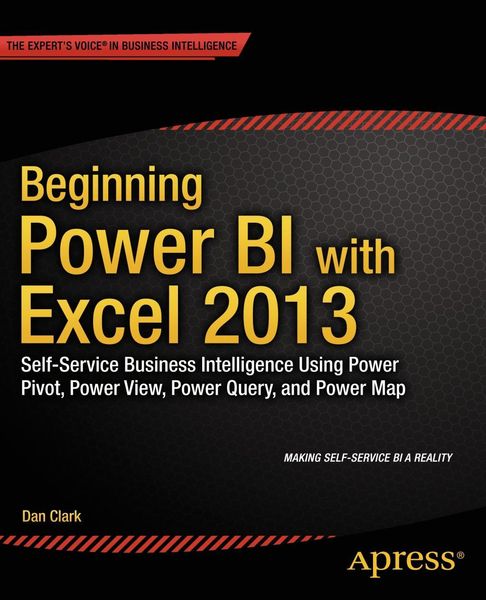
Produktbild: Beginning Power BI with Excel 2013

Beginning Power BI with Excel 2013 Self-Service Business Intelligence Using Power Pivot, Power View, Power Query, and Power Map

29,99 €

inkl. gesetzl. MwSt.

Beschreibung

Understanding your company's data has never been easier than with Microsoft's new Power BI package for Excel 2013. Consisting of four powerful tools-Power Pivot, Power View, Power Query and Power Maps-Power BI makes self-service business intelligence a reality for a wide range of users, bridging the...

Beschreibung

Understanding your company's data has never been easier than with Microsoft's new Power BI package for Excel 2013. Consisting of four powerful tools-Power Pivot, Power View, Power Query and Power Maps-Power BI makes self-service business intelligence a reality for a wide range of users, bridging the traditional gap between Excel users, business analysts and IT experts and making it easier for everyone to work together to build the data models that can give you game-changing insights into your business.

Beginning Power BI with Excel 2013 guides you step by step through the process of analyzing and visualizing your data. Daniel R. Clark, an expert in BI training and a regular speaker on these topics, takes you through each tool in turn, using hands-on activities to consolidate what you've learned in each chapter.

Starting with Power Pivot, you will create robust scalable data models which will serve as the foundation of your data analysis. Once you have mastered creating suitable data models, you will use them to build compelling interactive visualizations in Power View. It's often necessary to combine data from disparate sources into a data model. Power Query allows you to easily discover, combine, and refine data from a variety of sources, so you can make accurate judgments with all the available information. Geographical awareness is another common requirement of data analysis. Using Power Maps you will create captivating visualizations that map your data in space and time.

Beginning Power BI with Excel 2013 is your practical guide to getting maximum insight from your data, and presenting it with impact.

Produktdetails

Format

PDF

Kopierschutz

Nein

Family Sharing

Nein

Text-to-Speech

Nein

Produktdetails

Format

PDF

Format

eBooks im PDF-Format haben eine festgelegte Seitengröße und eignen sich daher nur bedingt zum Lesen auf einem tolino eReader oder Smartphone. Für den vollen Lesegenuss empfehlen wir Ihnen bei PDF-eBooks die Verwendung eines Tablets oder Computers.

Kopierschutz

Nein

Kopierschutz

Dieses eBook können Sie uneingeschränkt auf allen Geräten der tolino Familie, allen sonstigen eReadern und am PC lesen. Das eBook ist nicht kopiergeschützt und kann ein personalisiertes Wasserzeichen enthalten. Weitere Hinweise zum Lesen von eBooks mit einem personalisierten Wasserzeichen finden Sie unter Hilfe/Downloads.

Family Sharing

Nein

Family Sharing

Mit Family Sharing können Sie eBooks innerhalb Ihrer Familie (max. sechs Mitglieder im gleichen Haushalt) teilen. Sie entscheiden selbst, welches Buch Sie mit welchem Familienmitglied teilen möchten. Auch das parallele Lesen durch verschiedene Familienmitglieder ist durch Family Sharing möglich. Um eBooks zu teilen oder geteilt zu bekommen, muss jedes Familienmitglied ein Konto bei Thalia oder einem anderen tolino-Buchhändler haben. Weitere Informationen finden Sie unter Hilfe/Family-Sharing.

Text-to-Speech

Nein

Text-to-Speech

Bedeutet Ihnen Stimme mehr als Text? Mit der Funktion Text-to-Speech können Sie sich im tolino webReader und in der aktuellen Thalia – Lesen & Hören App das eBook vorlesen lassen. Weitere Informationen finden Sie unter Hilfe/Text-to-Speech.

Erscheinungsdatum

09.10.2014

Verlag APress
Seitenzahl

324 (Printausgabe)

Dateigröße

27996 KB

Auflage

1st ed

Sprache

Englisch

EAN

9781430264460

Barrierefreiheit
  • keine Information zur Barrierefreiheit bekannt

Noch keine Bewertungen vorhanden

Verfassen Sie die erste Bewertung zu diesem Artikel

Helfen Sie anderen Kundinnen und Kunden durch Ihre Meinung.

Kundinnen und Kunden meinen

Bewertungen (0)

Weitere Artikel findest du in

  • Produktbild: Beginning Power BI with Excel 2013