Gutscheinbedingungen

**Gültig vom 20.07.2026 bis 22.07.2026 | Gültig für nicht preisgebundene fremdsprachige Bücher | Einzelne Artikel können ausgeschlossen sein | Nicht kombinierbar mit anderen Gutscheinen oder Preisaktionen | Nur einmal pro Einkauf einlösbar | Gutschein wird auf max. 500€ Bestellwert angerechnet | Keine Barauszahlung | Nicht gültig für Versandkosten und Services

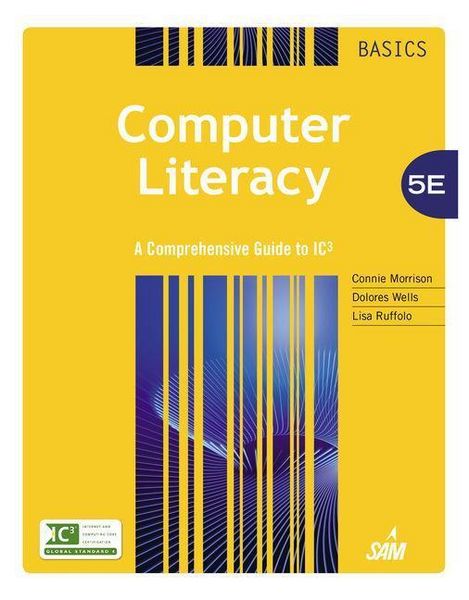
Produktbild: Computer Literacy Basics

Computer Literacy Basics A Comprehensive Guide to IC3

285,99 €

inkl. gesetzl. MwSt., Versandkostenfrei

Lieferung nach Hause

Beschreibung

Produktdetails

Einband

Gebundene Ausgabe

Erscheinungsdatum

26.03.2014

Verlag

Cengage Learning

Seitenzahl

912

Maße (L/B/H)

27,7/22,6/4,6 cm

Gewicht

2430 g

Auflage

5th edition

Sprache

Englisch

ISBN

978-1-285-75995-1

Beschreibung

Produktdetails

Einband

Gebundene Ausgabe

Erscheinungsdatum

26.03.2014

Verlag

Cengage Learning

Seitenzahl

912

Maße (L/B/H)

27,7/22,6/4,6 cm

Gewicht

2430 g

Auflage

5th edition

Sprache

Englisch

ISBN

978-1-285-75995-1

Herstelleradresse

Libri GmbH
Europaallee 1
36244 Bad Hersfeld
DE

Email: gpsr@libri.de

Noch keine Bewertungen vorhanden

Verfassen Sie die erste Bewertung zu diesem Artikel

Helfen Sie anderen Kundinnen und Kunden durch Ihre Meinung.

Kundinnen und Kunden meinen

Bewertungen (0)

  • Produktbild: Computer Literacy Basics
  • MODULE 1 Computing Fundamentals.
    LESSON 1: Computers and Operating Systems.
    LESSON 2: Software and Hardware Interaction.
    LESSON 3: Windows File Management.
    LESSON 4: Operating System Customization.
    LESSON 5: Computer Hardware.
    LESSON 6: Classifying and Evaluating Computers.
    LESSON 7: Software Management.
    LESSON 8: Software Usage.
    LESSON 9: Computer Troubleshooting.
    LESSON 10: Data and Hardware Protection.
    Computing Fundamentals IC3 Pretest.
    MODULE 2 KEY APPLICATIONS.
    LESSON 11: Exploring Microsoft Office 2013.
    LESSON 12: Getting Started with Word essentials.
    LESSON 13: Editing and Formatting Documents.
    LESSON 14: Sharing Documents.
    LESSON 15: Working with tables.
    LESSON 16: Enhancing Documents.
    LESSON 17: Working with Graphics.
    LESSON 18: Getting Started with Excel Essentials.
    LESSON 19: Organizing and Enhancing Worksheets.
    LESSON 20: Creating Formulas and Charting Data.
    LESSON 21: Getting Started with PowerPoint Essentials.
    LESSON 22: Enhancing Presentations with Multimedia Effects.
    LESSON 23: Getting Started with Access essentials.
    LESSON 24: Managing and Reporting Database Information.
    Key Applications IC3 Pretest.
    MODULE 3 LIVING ONLINE.
    LESSON 25: Network Fundamentals.
    LESSON 26: Communication Services.
    LESSON 27: Communications and Collaboration.
    LESSON 28: Using the Internet and the World Wide Web.
    LESSON 29: Web Content.
    LESSON 30: Technology and Society.
    LESSON 31: Computer Safety and Ethics.
    Living Online IC3 Pretest.
    APPENDIX A: Using Windows 7.
    APPENDIX B: A Comprehensive Guide to IC3.
    GLOSSARY.
    INDEX.