Beschreibung
Produktdetails
Einband
Taschenbuch
Erscheinungsdatum
02.10.2012
Verlag
John Wiley & Sons IncSeitenzahl
432
Maße (L/B/H)
23,5/19,1/2,3 cm
Gewicht
805 g
Auflage
1. Auflage
Sprache
Englisch
ISBN
978-1-118-13461-0
The bestselling tech book of all time, now updated for Windows 8
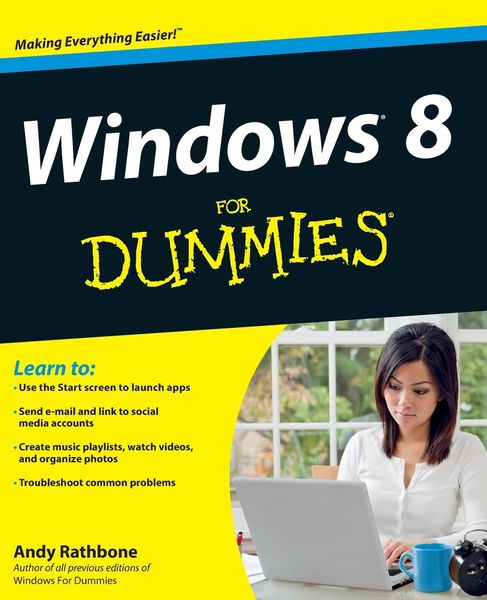
Microsoft Windows is the operating system that runs nearly 90 percent of the world's computers. Windows 8 will offer new interface updates, cloud-based services, and much more. This update of Andy Rathbone's bestselling Windows guide covers all the basics, plus the enhancements unique to Windows 8. Whether you're meeting Windows for the first time or upgrading from an earlier version, this book shows you how to navigate the interface, work with files, browse the Internet, set up e-mail, manage media, and more.
* Combined editions of this book, all by Microsoft MVP Andy Rathbone, have sold more than 15 million copies worldwide, making Windows For Dummies the #1 bestselling technology book of all time
* Covers all the basics of using Windows 8--core desktop components, managing files and folders, saving files, using Windows search, printing, and working in the cloud
* Shows how to get online, set up and use e-mail, use the latest version of Internet Explorer, set up security and virus protection, add music to the media player, organize photos, and edit media
* Includes coverage on using Windows 8's new start screen on both a desktop computer and a touchscreen device
Windows 8 For Dummies has what all Windows newbies need to know as well as complete coverage of the new version's bells and whistles.
Microsoft Windows is the operating system that runs nearly 90 percent of the world's computers. Windows 8 will offer new interface updates, cloud-based services, and much more. This update of Andy Rathbone's bestselling Windows guide covers all the basics, plus the enhancements unique to Windows 8. Whether you're meeting Windows for the first time or upgrading from an earlier version, this book shows you how to navigate the interface, work with files, browse the Internet, set up e-mail, manage media, and more.
* Combined editions of this book, all by Microsoft MVP Andy Rathbone, have sold more than 15 million copies worldwide, making Windows For Dummies the #1 bestselling technology book of all time
* Covers all the basics of using Windows 8--core desktop components, managing files and folders, saving files, using Windows search, printing, and working in the cloud
* Shows how to get online, set up and use e-mail, use the latest version of Internet Explorer, set up security and virus protection, add music to the media player, organize photos, and edit media
* Includes coverage on using Windows 8's new start screen on both a desktop computer and a touchscreen device
Windows 8 For Dummies has what all Windows newbies need to know as well as complete coverage of the new version's bells and whistles.
Noch keine Bewertungen vorhanden
Verfassen Sie die erste Bewertung zu diesem Artikel
Helfen Sie anderen Kundinnen und Kunden durch Ihre Meinung.
Kurze Frage zu unserer Seite
Vielen Dank für dein Feedback
Wir nutzen dein Feedback, um unsere Produktseiten zu verbessern. Bitte habe Verständnis, dass wir dir keine Rückmeldung geben können. Falls du Kontakt mit uns aufnehmen möchtest, kannst du dich aber gerne an unseren Kund*innenservice wenden.
zum Kundenservice