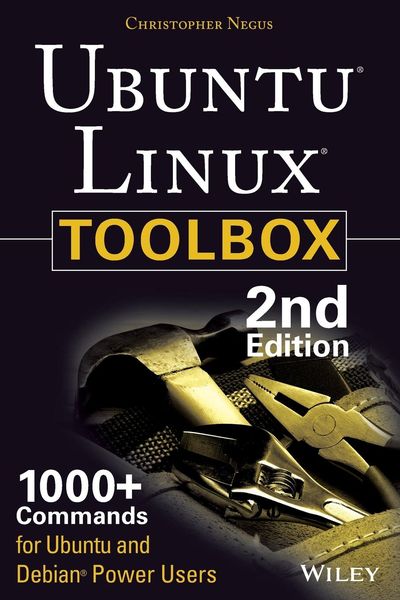
Produktbild: Ubuntu Linux Toolbox: 1000+ Commands for Power Users

Ubuntu Linux Toolbox: 1000+ Commands for Power Users 1000+ Commands for Ubuntu and Debian Power Users

28,99 €

inkl. gesetzl. MwSt., Versandkostenfrei

Lieferung nach Hause

Beschreibung

Produktdetails

Einband

Taschenbuch

Erscheinungsdatum

19.08.2013

Verlag

John Wiley & Sons

Seitenzahl

368

Maße (L/B/H)

22,9/15,2/2 cm

Gewicht

533 g

Auflage

2nd edition

Sprache

Englisch

ISBN

978-1-118-18352-6

Beschreibung

Produktdetails

Einband

Taschenbuch

Erscheinungsdatum

19.08.2013

Verlag

John Wiley & Sons

Seitenzahl

368

Maße (L/B/H)

22,9/15,2/2 cm

Gewicht

533 g

Auflage

2nd edition

Sprache

Englisch

ISBN

978-1-118-18352-6

Herstelleradresse

Libri GmbH
Europaallee 1
36244 Bad Hersfeld
DE

Email: gpsr@libri.de

Kundinnen und Kunden meinen

0 Bewertungen

Informationen zu Bewertungen

Zur Abgabe einer Bewertung ist eine Anmeldung im Konto notwendig. Die Authentizität der Bewertungen wird von uns nicht überprüft. Wir behalten uns vor, Bewertungstexte, die unseren Richtlinien widersprechen, entsprechend zu kürzen oder zu löschen.

Die Bewertungen sind nach Format, Anzahl Sterne und Datum sortiert.

Verfassen Sie die erste Bewertung zu diesem Artikel

Helfen Sie anderen Kund*innen durch Ihre Meinung

Kundinnen und Kunden meinen

0 Bewertungen filtern

Die Leseprobe wird geladen.
  • Produktbild: Ubuntu Linux Toolbox: 1000+ Commands for Power Users
  • Introduction xix

    Chapter 1: Starting with Ubuntu Linux 1

    Ubuntu, Debian, and Linux 2

    Understanding Ubuntu Releases 3

    Ubuntu Compared to Other Linux Distributions 3

    Finding Ubuntu Resources 5

    Ubuntu Software 7

    Focusing on Linux Commands 7

    Finding Commands 9

    Reference Information in Ubuntu 11

    Using help Messages 12

    Using man Pages 12

    Using info Documents 15

    Summary 15

    Chapter 2: Installing Ubuntu and Adding Software 17

    Obtaining and Installing Ubuntu 17

    Preparing to Install 18

    Choosing Installation Options 19

    Answering Installation Questions 19

    Working with Debian Software Packages 20

    Working with Software Packages 22

    Enabling More Repositories for apt 23

    Adding Software Collections with tasksel 24

    Managing Software with APT 25

    Finding Packages with APT 27

    Installing Packages with APT 27

    Upgrading Packages with APT 28

    Upgrading a Single Package with APT 28

    Removing Packages with APT 29

    Cleaning Up Packages with APT 29

    Downloading Packages with APT 30

    Managing Software with dpkg 30

    Installing a Package with dpkg 32

    Removing a Package with dpkg 32

    Extracting Files from a .deb File with dpkg 32

    Querying Information about .deb Packages 33

    Managing Software with aptitude 35

    Updating and Upgrading Packages with aptitude 37

    Querying Information about Packages with aptitude 37

    Installing Packages with aptitude 38

    Removing Packages with aptitude 38

    Cleaning Up Packages with aptitude 39

    Useful Combinations of Options with aptitude 39

    Verifying Installed Packages with debsums 41

    Building deb Packages 44

    Summary 47

    Chapter 3: Using the Shell 49

    Terminal Windows and Shell Access 49

    Using Terminal Windows 49

    Using Virtual Consoles 51

    Using the Shell 52

    Using Bash History 53

    Using Command Line Completion 54

    Redirecting stdin and stdout 54

    Using alias 57

    Watching Commands 58

    Watching Files 58

    Acquiring Super User Power 58

    Delegating Power with sudo 59

    Using the su Command 61

    Using Environment Variables 62

    Creating Simple Shell Scripts 64

    Editing and Running a Script 64

    Adding Content to Your Script 65

    Summary 68

    Chapter 4: Working with Files 69

    Understanding File Types 69

    Using Regular Files 69

    Using Directories 71

    Using Symbolic and Hard Links 71

    Using Device Files 72

    Using Named Pipes and Sockets 73

    Setting File/Directory Permissions 73

    Changing Permissions with chmod 74

    Setting the umask 76

    Changing Ownership 76

    Traversing the Filesystem 77

    Copying Files 79

    Changing File Attributes 80

    Searching for Files 82

    Finding Files with locate 82

    Locating Files with find 83

    Using Other Commands to Find Files 85

    Finding Out More about Files 86

    Listing Files 86

    Verifying Files 86

    Summary 88

    Chapter 5: Manipulating Text 89

    Matching Text with Regular Expressions 89

    Editing Text Files 90

    Using the JOE Editor 91

    Using the Pico and nano Editors 92

    Graphical Text Editors 94

    Listing, Sorting, and Changing Text 94

    Listing Text Files 94

    Paging through Text 95

    Paginating Text Files with pr 96

    Searching for Text with grep 97

    Replacing Text with sed 99

    Translating or Removing Characters with tr 101

    Checking Differences between Two Files with diff 101

    Using awk and cut to Process Columns 104

    Converting Text Files to Different Formats 105

    Summary 105

    Chapter 6: Playing with Multimedia 107

    Working with Audio 107

    Playing Music 107

    Adjusting Audio Levels 109

    Ripping CD Music 110

    Encoding Music 111

    Streaming Music 114

    Converting Audio Files 116

    Transforming Images 117

    Getting Information about Images 117

    Converting Images 118

    Converting Images in Batches 119

    Playing with Video 121

    Playing Video Files 121

    Summary 123

    Chapter 7: Administering Filesystems 125

    Understanding Filesystem Basics 125

    Creating and Managing Filesystems 127

    Partitioning Hard Disks 127

    Working with Filesystem Labels 131

    Formatting a Filesystem 132

    Viewing and Changing Filesystem Attributes 133

    Creating and Using Swap Partitions 135

    Mounting and Unmounting Filesystems 136

    Mounting Filesystems from the fstab File 136

    Mounting Filesystems with the mount Command 138

    Unmounting Filesystems with umount 140

    Checking Filesystems 141

    Creating Encrypted Filesystems 143

    Checking RAID Disks 146

    Finding Out about Filesystem Use 147

    Logical Volume Manager 149

    Creating LVM Volumes 149

    Using LVM Volumes 151

    Growing the LVM Volume 152

    Shrinking an LVM Volume 153

    Removing LVM Logical Volumes and Groups 153

    Summary 154

    Chapter 8: Backups and Removable Media 155

    Backing Up Data to Compressed Archives 155

    Creating Backup Archives with tar 155

    Using Compression Tools 157

    Listing, Joining, and Adding Files to tar Archives 160

    Deleting Files from tar Archives 160

    Backing Up over Networks 161

    Backing Up tar Archives over ssh 161

    Backing Up Files with rsync 162

    Backing Up with unison 164

    Backing Up to Removable Media 165

    Creating Backup Images with mkisofs 165

    Burning Backup Images with cdrecord 168

    Making and Burning DVDs with growisofs 170

    Summary 170

    Chapter 9: Checking and Managing Running Processes 171

    Listing Active Processes 172

    Viewing Active Processes with ps 172

    Watching Active Processes with top 177

    Finding and Controlling Processes 179

    Using pgrep to Find Processes 179

    Using fuser to Find Processes 180

    Changing Running Processes 181

    Scheduling Realtime Processes 188

    Summary 189

    Chapter 10: Managing the System 191

    Monitoring Resources 191

    Monitoring Memory Use 192

    Monitoring CPU Usage 196

    Monitoring Storage Devices 198

    Mastering Time 201

    Changing Time/Date with Graphical Tools 201

    Displaying and Setting Your System Clock 202

    Displaying and Setting Your Hardware Clock 203

    Using Network Time Protocol to

    Set Date/Time 204

    Managing the Boot Process 205

    Understanding the GRUB Boot Loader 205

    Modifying the GRUB Boot Loader 206

    Controlling Startup and Run Levels 207

    Straight to the Kernel 209

    Poking at the Hardware 211

    Summary 213

    Chapter 11: Managing Network Connections 215

    Configuring Networks from the GUI 215

    Managing Network Interface Cards 216

    Managing Network Connections 221

    Starting and Stopping Ethernet Connections 221

    Viewing Ethernet Connection Information 223

    Using Wireless Connections 225

    Checking Name Resolution 226

    Troubleshooting Network Problems 228

    Checking Connectivity to a Host 228

    Checking Address Resolution Protocol 229

    Tracing Routes to Hosts 231

    Displaying netstat Connections and Statistics 233

    Other Useful Network Tools 234

    Summary 235

    Chapter 12: Accessing Network Resources 237

    Running Commands to Browse the Web 237

    Transferring Files 239

    Downloading Files with wget 239

    Transferring Files with cURL 241

    Transferring Files with FTP Commands 241

    Using SSH Tools to Transfer Files 243

    Using Windows File Transfer Tools 246

    Sharing Remote Directories 246

    Sharing Remote Directories with NFS 246

    Sharing Remote Directories with Samba 248

    Sharing Remote Directories with SSHFS 251

    Chatting with Friends in IRC 252

    Using Text-Based E-mail Clients 253

    Managing E-mail with mail 254

    Managing E-mail with mutt 256

    Summary 257

    Chapter 13: Doing Remote System Administration 259

    Doing Remote Login and Tunneling with SSH 259

    Using Legacy Communications Tools 260

    Configuring SSH 261

    Logging in Remotely with ssh 262

    Using byobu and screen for Remote Shells 267

    Managing Remote Shells with Screen 268

    Using byobu to Manage Remote Shells 270

    Using a Remote Windows Desktop 272

    Connecting to a Windows Desktop with Remmina 272

    Connecting to a Windows Desktop with rdesktop 274

    Using Remote Linux Desktop and Applications 274

    Sharing Desktops Using VNC 275

    Setting Up the VNC Server 276

    Starting Up the VNC Client 277

    Using VNC on Untrusted Networks with SSH 277

    Summary 278

    Chapter 14: Locking Down Security 279

    Working with Users and Groups 279

    Managing Users the GUI Way 280

    Adding User Accounts 280

    Changing useradd Defaults 281

    Modifying User Accounts 282

    Deleting User Accounts 283

    Managing Passwords 283

    Adding Groups 286

    Checking on Users 286

    Configuring the Built-In Firewall 288

    Understanding iptables Firewalls 289

    Listing iptables Rules 291

    Setting Other Firewall Rules 292

    Saving and Reloading Firewall Rules 294

    Using Advanced Security Features 294

    Summary 295

    Chapter 15: Setting Up a Virtualization Host and Virtual Machines 297

    Can Your Computer Support Virtualization? 298

    Checking for CPU Virtualization Support 298

    Enabling Virtualization Support in the BIOS 299

    Is the Host Computer 32- or 64-Bit? 300

    Checking Available RAM and Disk Space 300

    Adding Virtualization Software 301

    Adding Your User Account to libvirtd 302

    Managing Virtual Machines with virt-manager 302

    Creating a Virtual Machine in virt-manager 304

    Starting and Stopping Virtual Machines with virt-manager 305

    Managing Virtual Machines with Commands 306

    Creating a Virtual Machine with virt-install 306

    Starting and Stopping Virtual Machines with virsh 308

    Summary 309

    Appendix A: Using vi or Vim Editors 311

    Starting and Quitting the vi Editor 311

    Moving Around in vi 313

    Changing and Deleting Text in vi 314

    Using Miscellaneous Commands 314

    Modifying Commands with Numbers 315

    Using ex Commands 315

    Working in Visual Mode 316

    Appendix B: Shell Special Characters and Variables 317

    Using Special Shell Characters 317

    Using Shell Variables 318

    Appendix C: Getting Information from /proc 321

    Viewing /proc Information 321

    Changing /proc Information 325

    Index 327