Gutscheinbedingungen

**Gültig vom 20.07.2026 bis 22.07.2026 | Gültig für nicht preisgebundene fremdsprachige Bücher | Einzelne Artikel können ausgeschlossen sein | Nicht kombinierbar mit anderen Gutscheinen oder Preisaktionen | Nur einmal pro Einkauf einlösbar | Gutschein wird auf max. 500€ Bestellwert angerechnet | Keine Barauszahlung | Nicht gültig für Versandkosten und Services

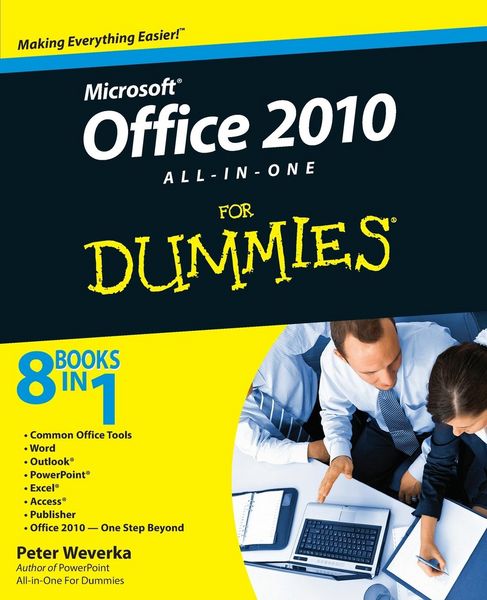
Produktbild: Office 2010 All-in-One For Dummies

Office 2010 All-in-One For Dummies

32,99 €

inkl. gesetzl. MwSt., Versandkostenfrei

Lieferung nach Hause

Beschreibung

Produktdetails

Einband

Taschenbuch

Erscheinungsdatum

10.05.2010

Verlag

John Wiley & Sons Inc

Seitenzahl

816

Maße (L/B/H)

23,5/19,1/4,3 cm

Gewicht

1089 g

Auflage

1. Auflage

Sprache

Englisch

ISBN

978-0-470-49748-7

Beschreibung

Produktdetails

Einband

Taschenbuch

Erscheinungsdatum

10.05.2010

Verlag

John Wiley & Sons Inc

Seitenzahl

816

Maße (L/B/H)

23,5/19,1/4,3 cm

Gewicht

1089 g

Auflage

1. Auflage

Sprache

Englisch

ISBN

978-0-470-49748-7

Herstelleradresse

Libri GmbH
Europaallee 1
36244 Bad Hersfeld
DE

Email: gpsr@libri.de

Noch keine Bewertungen vorhanden

Verfassen Sie die erste Bewertung zu diesem Artikel

Helfen Sie anderen Kundinnen und Kunden durch Ihre Meinung.

Kundinnen und Kunden meinen

Bewertungen (0)

Die Leseprobe wird geladen.
  • Produktbild: Office 2010 All-in-One For Dummies
  • Introduction.
     
    Book I: Common Office Tools.
     
    Chapter 1: Offi ce Nuts and Bolts.
     
    Chapter 2: Wrestling with the Text.
     
    Chapter 3: Speed Techniques Worth Knowing About.
     
    Chapter 4: Taking Advantage of the Proofi ng Tools.
     
    Chapter 5: Creating a Table.
     
    Chapter 6: Creating a Chart.
     
    Chapter 7: Making a SmartArt Diagram.
     
    Chapter 8: Drawing and Manipulating Lines, Shapes, and Other Objects.
     
    Book II: Word.
     
    Chapter 1: Speed Techniques for Using Word.
     
    Chapter 2: Laying Out Text and Pages.
     
    Chapter 3: Word Styles.
     
    Chapter 4: Desktop Publishing with Word.
     
    Chapter 5: Getting Word's Help with Offi ce Chores.
     
    Chapter 6: Tools for Reports and Scholarly Papers.
     
    Book III: Outlook.
     
    Chapter 1: Getting Acquainted with Outlook.
     
    Chapter 2: Maintaining the Contacts Folder.
     
    Chapter 3: Handling Your E-Mail.
     
    Chapter 4: Managing Your Time and Schedule.
     
    Chapter 5: Tasks, Reminders, and Notes.
     
    Book IV: PowerPoint.
     
    Chapter 1: Getting Started in PowerPoint.
     
    Chapter 2: Fashioning a Look for Your Presentation.
     
    Chapter 3: Entering the Text.
     
    Chapter 4: Making Your Presentations Livelier.
     
    Chapter 5: Delivering a Presentation.
     
    Book V: Excel.
     
    Chapter 1: Up and Running with Excel.
     
    Chapter 2: Refi ning Your Worksheet.
     
    Chapter 3: Formulas and Functions for Crunching Numbers.
     
    Chapter 4: Making a Worksheet Easier to Read and Understand.
     
    Chapter 5: Analyzing Data.
     
    Book VI: Access.
     
    Chapter 1: Introducing Access.
     
    Chapter 2: Building Your Database Tables.
     
    Chapter 3: Entering the Data.
     
    Chapter 4: Sorting, Querying, and Filtering for Data.
     
    Chapter 5: Presenting Data in a Report.
     
    Book VII: Publisher.
     
    Chapter 1: Introducing Publisher.
     
    Chapter 2: Refi ning a Publication.
     
    Chapter 3: Putting on the Finishing Touches.
     
    Book VIII: Office 2010: One Step Beyond.
     
    Chapter 1: Customizing an Offi ce Program.
     
    Chapter 2: Ways of Distributing Your Work.
     
    Chapter 3: Handling Graphics.
     
    Chapter 4: Decorating Files with Clip Art.
     
    Chapter 5: Note Taking with OneNote.
     
    Chapter 6: Automating Tasks with Macros.
     
    Chapter 7: Linking and Embedding in Compound Files.
     
    Chapter 8: Offi ce Web Apps.
     
    Index.