Beschreibung
Produktdetails
Einband
Taschenbuch
Erscheinungsdatum
10.05.2010
Verlag
John Wiley & SonsSeitenzahl
800
Maße (L/B/H)
23,5/19,1/4,2 cm
Gewicht
1453 g
Auflage
1. Auflage
Sprache
Englisch
ISBN
978-0-470-48959-8
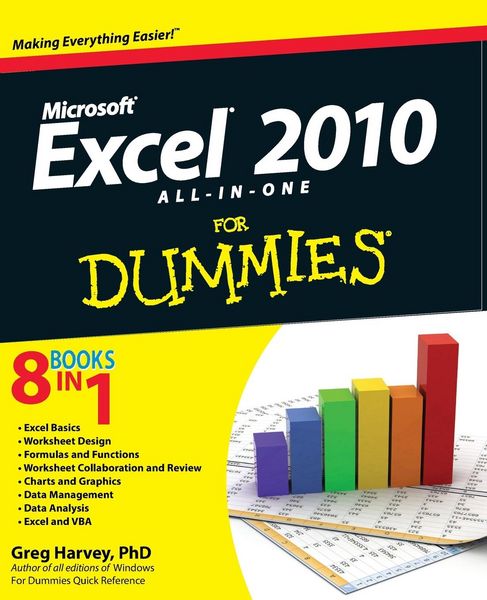
Excel is the standard for spreadsheet applications and is used worldwide, but it's not always user-friendly. That makes it a perfect For Dummies topic, and this handy all-in-one guide covers all the essentials, the new features, how to analyze data with Excel, and much more.
Eight minibooks address Excel basics, worksheet design, formulas and functions, worksheet collaboration and review, charts and graphics, data management, data analysis, and Excel and VBA.
- Excel is the leading spreadsheet/data analysis software and is used throughout the world; the newest revision includes upgraded tools and a redesigned interface
- For Dummies books are the bestselling guides to Excel, with more than three million copies sold
- Excel 2010 All-in-One For Dummies covers the changes in the newest version as well as familiar tasks, such as creating and editing worksheets, setting up formulas, and performing statistical functions
- Eight self-contained minibooks cover the basics, worksheet design, formulas and functions, worksheet collaboration, presenting data in charts and graphics, data management, data analysis, and creating macros with VBA.
Newcomers to Excel as well as veterans who just want to learn the latest version will find Excel 2010 All-in-One For Dummies has everything they need to know.
Noch keine Bewertungen vorhanden
Verfassen Sie die erste Bewertung zu diesem Artikel
Helfen Sie anderen Kundinnen und Kunden durch Ihre Meinung.
Kurze Frage zu unserer Seite
Vielen Dank für dein Feedback
Wir nutzen dein Feedback, um unsere Produktseiten zu verbessern. Bitte habe Verständnis, dass wir dir keine Rückmeldung geben können. Falls du Kontakt mit uns aufnehmen möchtest, kannst du dich aber gerne an unseren Kund*innenservice wenden.
zum Kundenservice