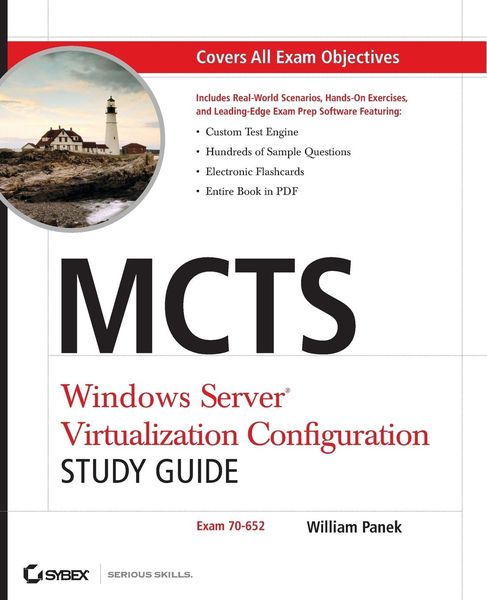
Produktbild: McTs Windows Server Virtualization Configuration Study Guide

McTs Windows Server Virtualization Configuration Study Guide (Exam 70-652)

52,99 €

inkl. gesetzl. MwSt., Versandkostenfrei

Lieferung nach Hause

Beschreibung

Produktdetails

Einband

Taschenbuch

Erscheinungsdatum

01.06.2009

Verlag

John Wiley & Sons Inc

Seitenzahl

432

Maße (L/B/H)

23,5/19,1/2,3 cm

Gewicht

644 g

Auflage

1. Auflage

Sprache

Englisch

ISBN

978-0-470-44930-1

Beschreibung

Produktdetails

Einband

Taschenbuch

Erscheinungsdatum

01.06.2009

Verlag

John Wiley & Sons Inc

Seitenzahl

432

Maße (L/B/H)

23,5/19,1/2,3 cm

Gewicht

644 g

Auflage

1. Auflage

Sprache

Englisch

ISBN

978-0-470-44930-1

Noch keine Bewertungen vorhanden

Verfassen Sie die erste Bewertung zu diesem Artikel

Helfen Sie anderen Kundinnen und Kunden durch Ihre Meinung.

Kundinnen und Kunden meinen

Bewertungen (0)

  • Produktbild: McTs Windows Server Virtualization Configuration Study Guide
  • Introduction xxi

    Assessment Exam xxxiii

    Chapter 1 Hyper-V Overview 1

    Introducing Hyper-V 2

    Hyper-V Benefits 3

    Hyper-V Features 4

    Microsoft Networking Models 5

    Windows Peer-to-Peer Network 5

    Windows Server 2008 Active Directory Network 7

    Microsoft Networking Terms and Roles 9

    Understanding Windows Server 2008 11

    New Features of Windows Server 2008 11

    Requirements for Windows Server 2008 Installation 15

    Activating and Installing Windows Server 2008 16

    Summary 21

    Exam Essentials 21

    Review Questions 23

    Answers to Review Questions 27

    Chapter 2 Installing Hyper-V 29

    Evaluating Your Network 30

    Microsoft Assessment and Planning Tool 31

    Installing Hyper-V 41

    Hyper-V Hardware Requirements 42

    Installing Hyper-V on a Windows Server 2008 Full Installation 43

    Installing Hyper-V on a Windows Server 2008 Server Core 49

    Hyper-V with Virtual Machine Manager 56

    Summary 57

    Exam Essentials 58

    Review Questions 59

    Answers to Review Questions 64

    Chapter 3 Configuring Hyper-V 67

    Understanding the Configuration Tools and Techniques 68

    Understanding Virtual Hard Disks 69

    Using Pass-Through Disk Access 72

    Configuring Virtual Machine Snapshots 73

    Configuring Hyper-V Server Settings 76

    Using Authorization Manager 82

    Introducing System Center Virtual Machine Manager 89

    Configuring Virtual Networking 98

    Configuring Remote Administration 102

    Summary 105

    Exam Essentials 106

    Review Questions 108

    Answers to Review Questions 113

    Chapter 4 Creating Virtual Machines 115

    Creating Virtual Disks 116

    Creating Virtual Machines 123

    System Preparation (Sysprep) Tool 129

    Windows Deployment Service (WDS) 132

    Configuring the System Center Virtual Machine

    Manager (SCVMM) 2008 136

    Summary 151

    Exam Essentials 152

    Review Questions 153

    Answers to Review Questions 158

    Chapter 5 Migrating and Converting Virtual Machines 161

    Using Physical-to-Virtual (P2V) Conversion 162

    P2V Conversions Using SCVMM 163

    Using Virtual-to-Virtual (V2V) Conversion 171

    Converting Virtual Machines from Virtual Server and Virtual PC 177

    Understanding Integration Services 178

    Understanding Virtual PC 187

    Migrating Microsoft Virtual Server 190

    Microsoft Assessment and Planning Toolkit 193

    Summary 194

    Exam Essentials 194

    Review Questions 196

    Answers to Review Questions 201

    Chapter 6 Managing Virtual Machines 203

    Managing Virtual Machine Settings 204

    Configuring Virtual Machines with SCVMM 205

    Configuring Virtual Machine Properties 207

    Configuring Hyper-V Host Properties 220

    HyperCall Adapter 227

    Managing Templates, Profiles, and the Image Library 227

    Creating and Managing Templates 228

    Creating Image Libraries 231

    Summary 237

    Exam Essentials 238

    Review Questions 239

    Answers to Review Questions 244

    Chapter 7 Configuring Hyper-V for High Availability 247

    Configuring Hyper-V to Be Highly Available 248

    Understanding RAID 250

    Disk Storage Types 251

    Understanding the Disk Management MMC 253

    Configuring Failover Clustering 260

    Failover Cluster Management 261

    Configuring Quorums 269

    Understanding Quick Migration 273

    Summary 276

    Exam Essentials 277

    Review Questions 278

    Answers to Review Questions 283

    Chapter 8 Backing Up and Restoring VMs 285

    Monitoring and Optimizing Virtual Machines 286

    Reliability and Performance Monitor 286

    Understanding Backups and Recoverability 296

    Configuring Backup Types 297

    Using Windows Server 2008 Backup 301

    Understanding the Data Protection Manager 312

    Summary 318

    Exam Essentials 319

    Review Questions 320

    Answers to Review Questions 325

    Appendix A Extra Labs and Exam Questions 327

    Setting Up a Virtual Network 328

    Extra Review Questions 354

    Answers to Extra Review Questions 357

    Appendix B About the Companion CD 359

    What You'll Find on the CD 360

    Sybex Test Engine 360

    PDF of Glossary of Terms 360

    Adobe Reader 360

    Electronic Flashcards 361

    System Requirements 361

    Using the CD 361

    Troubleshooting 361

    Customer Care 362

    Glossary 363

    Index 369