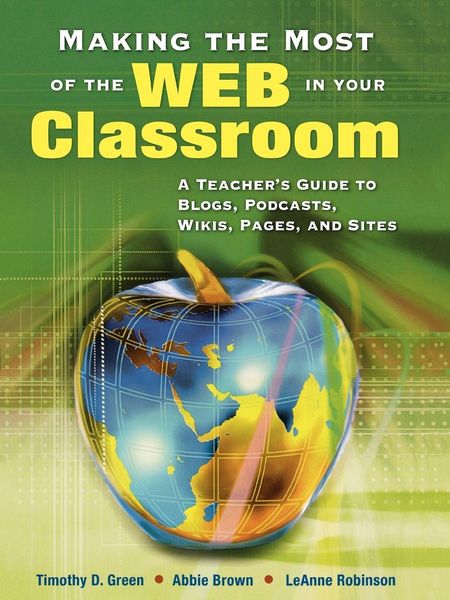
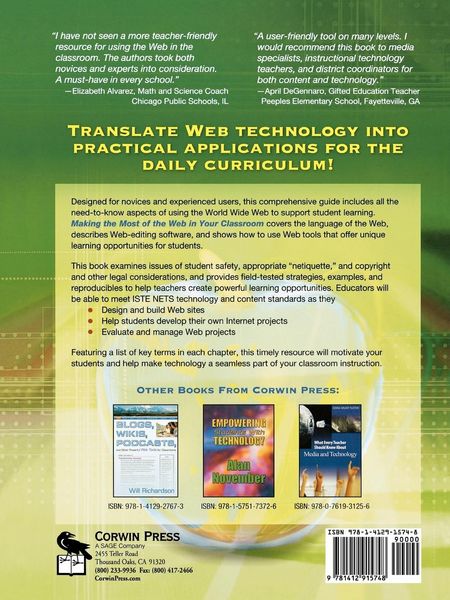
• Produktbild: Making the Most of the Web in Your Classroom
  • Produktbild: Making the Most of the Web in Your Classroom

Making the Most of the Web in Your Classroom A Teacher's Guide to Blogs, Podcasts, Wikis, Pages, and Sites

42,99 €

inkl. gesetzl. MwSt., Versandkostenfrei

Lieferung nach Hause

Beschreibung

Produktdetails

Einband

Taschenbuch

Erscheinungsdatum

01.11.2007

Herausgeber

Timothy D. Green + weitere

Verlag

Sage Publications

Seitenzahl

168

Maße (L/B/H)

28/21/0,9 cm

Gewicht

340 g

Sprache

Englisch

ISBN

978-1-4129-1574-8

Beschreibung

Produktdetails

Einband

Taschenbuch

Erscheinungsdatum

01.11.2007

Herausgeber

Verlag

Sage Publications

Seitenzahl

168

Maße (L/B/H)

28/21/0,9 cm

Gewicht

340 g

Sprache

Englisch

ISBN

978-1-4129-1574-8

Herstelleradresse

Libri GmbH
Europaallee 1
36244 Bad Hersfeld
DE

Email: gpsr@libri.de

Noch keine Bewertungen vorhanden

Verfassen Sie die erste Bewertung zu diesem Artikel

Helfen Sie anderen Kundinnen und Kunden durch Ihre Meinung.

Kundinnen und Kunden meinen

Bewertungen (0)

Weitere Artikel findest du in

  • Produktbild: Making the Most of the Web in Your Classroom
  • Produktbild: Making the Most of the Web in Your Classroom
  • Dedication
    Preface & Acknowledgments
    1. The Wide World of the Web: Fitting It Into the Curriculum
    Guiding Questions
    Key Terms
    Overview
    The Web and Digital Natives
    Why Use the Web in the Classroom
    Connecting Web Projects to National Standards
    Understanding the Teaching and Learning Cycle
    Enhancing Learning for All: Universal Design for Learning
    Interactive Qualities of Digital Media
    Flexibility for Demonstrating Learning: Multiple Pathways for Expression
    Curriculum Integration Idea: Individual Web Projects
    Curriculum Integration Idea: Electronic Portfolios
    Engaging Students¿ Interest and Motivation
    Developing Critical-Thinking and Information-Gathering Skills
    Curriculum Integration Idea: WebQuests
    Support for Cooperative Work
    How Does the Use of Cooperative Learning Impact Student Achievement?
    Web Tools to Enhance Students Learning
    Blogs
    Curriculum Integration Ideas for Blogs
    Course Management/Learning Management Systems
    Curriculum Integration Ideas for CMS/LMS
    Instant Messaging
    Curriculum Integration Ideas for Instant Messaging
    Podcasts
    Curriculum Integration Idea: Podcasts
    RSS
    Curriculum Integration Idea: RSS
    Special Spaces
    Wikis
    Curriculum Integration Idea: Wikis
    Summary
    Going Beyond the Chapter
    2. Using and Evaluating Web Activities and Projects in the Classroom
    Guiding Questions
    Key Terms
    Overview
    Integrating the Web Into the Curriculum: Surfing the Web (Research)
    Using the Web to Send and Receive Messages
    Classroom Integration Idea: Examples of Blogs by Students and Teachers
    Classroom Integration Idea: Telementors
    Classroom Integration Idea: Ask an Expert
    Safety and Netiquette
    Searching the Web: Engines and Indexes
    Evaluating Web Sites
    Teaching Students to Critically Evaluate Web Sites: Is the Information Valid and Reliable
    Curriculum Resource: Rubric--Web Site Content Critique Form
    Additional Methods for Evaluating Web Sites
    Examples of Using the Web for Research in the Classroom
    Curriculum Resource: Lesson Plan-- Using the Web for Research in the Elementary Classroom
    Curriculum Resource: Lesson Plan-- Using the Web for Research in the Secondary Classroom
    Curriculum Resource: Web Sites
    Integrating the Web Into the Curriculum: Spinning the Web (Production)
    The Web as a Multimedia Project: Managing Multimedia Projects in the Classroom
    Curriculum Resource: Guidelines for Managing Classroom Multimedia Projects
    Student-Generated Project Example Ideas
    Curriculum Resource:
    Lesson Plan-- Student-Generated
    Web Project-- Elementary School
    Curriculum Resourse:
    Lesson Plan-- Student Generated
    Web Project-- High School
    Curriculum Integration Idea: Another Exampe of Student-Generated Web Projects
    Integrating the Web Into the Curriculum: Cooperative Learning Activities
    Curriculum Resource:
    Lesson Plan-- High School
    Using Cooperative Learning and the Web
    Curriculum Resource:
    Lesson Plan-- Elementary School
    Using Cooperative Learning and the Web
    Integrating the Web Into the Curriculum: Problem-Based Learning Activities
    Curriculum Integration Idea: Web Quest
    Curriculum Integration Idea: Monarch Butterfly Project
    Evaluating Student-Generated Web Projects
    Our Approach: Content, Product, Process
    Curriculum Resource:
    Rubric--Evaluation Protocols
    Web Project Evalutation Rubric Examples
    Curriculum Resource:
    Rubric-- Web Research Project: Traditional Rubric Example
    Curriculum Resource:
    Rubric-- Web Project Evaluation Protocol: Student Checklist
    Additional Web Resources: Taking Small Steps
    Summary
    Going Beyond the Chapter
    3. Solving the Mystery of Designing and Creating Web Sites
    Guiding Questions
    Key Terms
    Overview
    HTML: The Language of the Web
    Source Code
    What Exactly is a Browser?
    Making a Web Page
    Naming Files
    The Essential Formatting of a Web Page
    Try Spinning a Web Page!
    More Tags
    Aligning the Elements of a Page
    Formattig Text
    Making Links to Other Web Pages
    Adding Graphics to Web Pages
    Changing the Color of the Background
    The HR Tag
    Putting It All Together
    Web Editing Software
    Viewing Web Pages: HTTP
    Default Pages
    Viewing Web Pages Locally
    Sharing Your Web Site With the World
    Sending Files to a Web Server: FTP
    Finding Server Space
    Commercial Server Spaces
    Designing and Developing a Web Site
    Step 1: Decide What the Web Site Will Do
    Step 2: Decide What the Web Site Will Look Like
    Step 3: Produce the Web Site
    Designing With the Web¿s Unique Characteristics in Mind
    Everybody Sees the Web a Little Differently
    Choosing the Right Font
    Scrolling
    Links
    Navigation
    Layout
    Summary
    Going Beyond the Chapter
    4. Reading Between the Lines: The Legalities and Liabilities of Using the Web in the Classroom
    Guiding Questions
    Key Terms
    Overview
    Issues of Equity
    Ethnicity and Socioeconomic Issues
    Gender
    Disabilities
    Accessing the World Wide Web
    Creating Accessible Multimedia Projects
    Curriculum Integration Idea: Web Accessibility Web Sites
    Student Safety
    Protecting Students from Inappropriate Content
    Filtering Software Examples
    Protecting Students from Strangers
    E-mail
    Instant Messaging
    Chat Rooms
    Groups
    Message Boards/Discussion Boards
    Blogs
    Personal Web Pages and Classroom Web Pages
    Establishing Ground Rules for Your Classroom
    Netiquette
    Being a Responsible User of the Web
    Guidelines
    Emoticons
    Acronyms
    Flaming
    Additional Guidelines
    Fair Use Guidelines
    Copyright
    Guidelines
    Commercial Content
    Summary
    Going Beyond the Chapter
    Resource A: The Basics of the Internet and the Web: A Refresher
    Resource B: Try Spinning a Web Page! Blackline Master
    References
    Index