• Produktbild: Database Modeling with Microsoft(r) VISIO for Enterprise Architects
  • Produktbild: Database Modeling with Microsoft(r) VISIO for Enterprise Architects

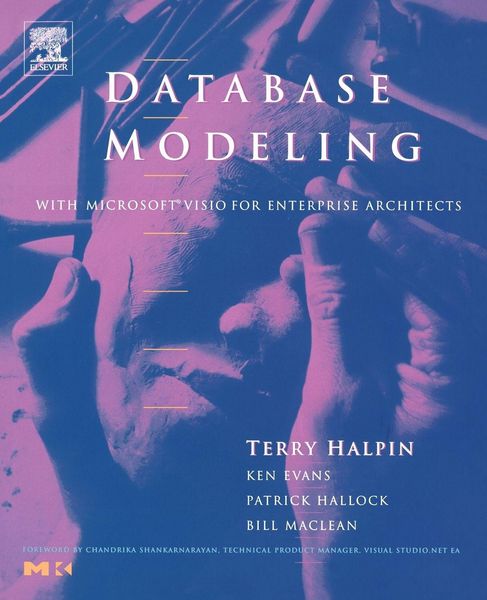
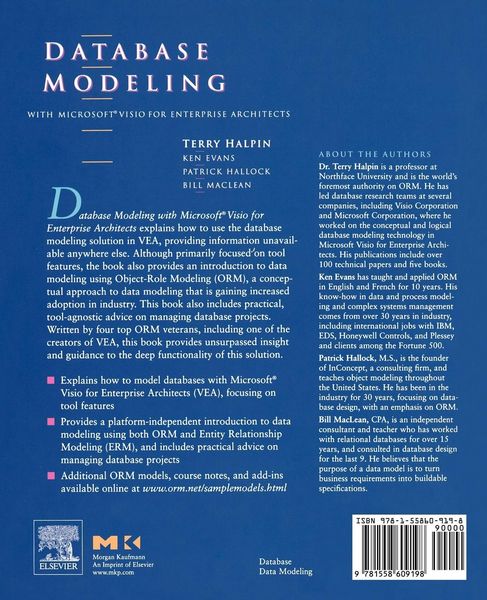
Database Modeling with Microsoft(r) VISIO for Enterprise Architects

94,99 €

inkl. gesetzl. MwSt., Versandkostenfrei

Lieferung nach Hause

Beschreibung

Produktdetails

Einband

Taschenbuch

Erscheinungsdatum

01.08.2003

Verlag

Morgan Kaufmann

Seitenzahl

425

Maße (L/B/H)

23,3/18,6/2 cm

Gewicht

739 g

Sprache

Englisch

ISBN

978-1-55860-919-8

Beschreibung

Produktdetails

Einband

Taschenbuch

Erscheinungsdatum

01.08.2003

Verlag

Morgan Kaufmann

Seitenzahl

425

Maße (L/B/H)

23,3/18,6/2 cm

Gewicht

739 g

Sprache

Englisch

ISBN

978-1-55860-919-8

Herstelleradresse

Libri GmbH
Europaallee 1
36244 Bad Hersfeld
DE

Email: gpsr@libri.de

Kundinnen und Kunden meinen

0 Bewertungen

Informationen zu Bewertungen

Zur Abgabe einer Bewertung ist eine Anmeldung im Konto notwendig. Die Authentizität der Bewertungen wird von uns nicht überprüft. Wir behalten uns vor, Bewertungstexte, die unseren Richtlinien widersprechen, entsprechend zu kürzen oder zu löschen.

Die Bewertungen sind nach Format, Anzahl Sterne und Datum sortiert.

Verfassen Sie die erste Bewertung zu diesem Artikel

Helfen Sie anderen Kund*innen durch Ihre Meinung

Kundinnen und Kunden meinen

0 Bewertungen filtern

  • Produktbild: Database Modeling with Microsoft(r) VISIO for Enterprise Architects
  • Produktbild: Database Modeling with Microsoft(r) VISIO for Enterprise Architects
  • Foreword

    Preface

    Part 1 Overview of Database Modeling and the Database Modeling Tool

    1 Introduction

    1.1 Why Read This Book?

    1.2 What Can You Do with Visio for Enterprise Architects?

    1.3 What Can You Do with the Database Modeling Solution?

    1.4 How Can You Best Use This Book?

    1.5 Format Conventions

    2 Database Modeling

    2.1 Four Information Levels

    2.2 Designing Databases at the Logical level

    2.3 Designing Databases at the Conceptual Level

    2.4 The Database Life Cycle

    3 Getting Started

    3.1 Product Editions and Versions

    3.2 Installation

    3.3 The Visio Interface

    3.4 Using Help

    3.5 Pagination and Layers

    3.6 Simple Examples of Forward Engineering

    Part 2 The Conceptual Modeling Solution (ORM)

    4 Object Types, Predicates, and Basic Constraints

    4.1 Object Types

    4.2 Fact Types

    4.3 Adding Basic Constraints in the Fact Editor

    4.4 Populating Fact Types with Examples

    4.5 Saving a Model

    4.6 Verbalization and Hyphenation

    4.7 Objectifying an Association (Nesting)

    4.8 Model Error Checks

    4.9 Derived Fact Types

    4.10 Data Types

    5 ORM Constraints

    5.1 Value Constraints

    5.2 Internal and External Uniqueness Constraints

    5.3 Simple and Disjunctive Mandatory Constraints

    5.4 Constraint Editing and Deletion

    5.5 Set-Comparison Constraints

    5.6 Subtyping

    5.7 Frequency Constraints

    5.8 Ring Constraints

    5.9 Indexes

    5.10 Constraint Layers

    6 Configuring, Manipulating, and Reusing ORM Models

    6.1 Configuring ORM Preferences

    6.2 Showing Relationships for Object Types

    6.3 Redisplaying Model Elements

    6.4 Cloning Model Elements

    6.5 Cutting and Pasting Model Elements

    6.6 Referencing Model Elements

    7 Mapping ORM Models to Logical Database Models

    7.1 Forward Engineering ORM Source Models

    7.2 Refining the Logical Model

    7.3 Migrating Changes back to ORM Source Models

    7.4 Controlling Logical Name Generation

    7.5 Constraint Code

    7.6 Subtype Mapping

    8 Reverse Engineering and Importing to ORM

    8.1 Reverse Engineering to ORM

    8.2 Displaying the ORM Model Graphically

    8.3 Refining the ORM Schema

    8.4 Importing VisioModeler and ERX Files

    9 Conceptual Model Reports

    9.1 Conceptual Model Reports-Overview

    9.2 Object Type Reports

    9.3 Constraint Type Reports

    9.4 Fact Type Reports

    9.5 Supertype Reports

    9.6 Copying Diagrams and Text

    Part 3 The Logical Modeling Solution (ER and Relational)

    10 Creating a Basic Logical Database Model

    10.1 The Database Model Diagram Solution

    10.2 Notation Options

    10.3 Creating a Database Model Diagram

    10.4 Adding Attributes to an Entity

    10.5 Adding Basic Constraints

    10.6 Basic Model Housekeeping

    10.7 Projects and ER Source Models

    11 Generating a Physical Database Schema

    11.1 Physical Schemas and Database Drivers

    11.2 Creating a Basic DDL Script

    11.3 Database Driver Options

    11.4 Generating Schemas via an ODBC Connection

    11.5 The ODBC Driver Setup Pane

    12 Editing Logical Models: Intermediate Aspects

    12.1 The Database Properties Dialog

    12.2 Table Properties

    12.3 Column Properties

    12.4 Foreign Key Relationships

    12.5 Category Relationships

    12.6 Show Related Tables

    12.7 Views

    12.8 Pagination

    12.9 Verbalization

    12.10 Model Error Check

    12.11 Driver, Document, and Modeling Options

    13 Editing Logical Models: Advanced Aspects

    13.1 Copying Model Elements

    13.2 Cloning Model Elements

    13.3 Database Properties: Definition and Notes

    13.4 Check Clauses

    13.5 Indexes

    13.6 Triggers

    13.7 Stored Procedures

    13.8 Raw DDL

    13.9 User Defined Functions

    13.10 User Defined Types

    13.11 Extended Properties

    13.12 The Object-Relational Stencil

    14 Reverse Engineering Physical Schemas to Logical Models

    14.1 Using the Reverse Engineer Wizard

    14.2 Reviewing the Result

    14.3 Handling Errors and Warnings

    14.4 Other Reverse Engineering Options

    15 Logical Database Model Reports

    15.1 New Report Wizard

    15.2 Statistical Report

    15.3 Table Report

    15.4 Data Types Report

    Part 4 Managing Database Projects

    16 Change Propagation and Round-Trip Engineering

    16.1 Overview of Change Propagation

    16.2 Mapping ORM Changes to Logical Models

    16.3 Migrating Logical Model Changes to ORM Models

    16.4 Updating Physical Schemas with Logical Model Changes

    16.5 Refreshing Logical Models with Physical Schema Changes

    16.6 Three-Way Synchronization

    16.7 Code Synchronization and Transfer

    16.8 Data Migration

    16.9 DDL Script vs. Automated Update

    17 Other Features and Best Practices

    17.1 Model Reviews and Presentations

    17.2 Librarianship

    17.3 Distributing Your Database Models

    Glossary and ORM Notation

    Further Resources

    Index