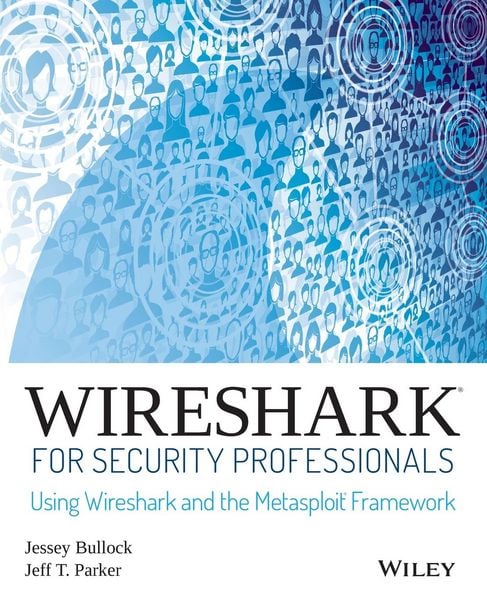
Wireshark for Security Professionals Using Wireshark and the Metasploit Framework
-
- Taschenbuch ausgewählt
- eBook
-
Sprache:Englisch
51,99 €
inkl. gesetzl. MwSt.,
Lieferung nach Hause
Beschreibung
Produktdetails
Einband
Taschenbuch
Erscheinungsdatum
20.03.2017
Verlag
John Wiley & SonsSeitenzahl
288
Maße (L/B/H)
23,5/19,1/1,6 cm
Gewicht
546 g
Auflage
1. Auflage
Sprache
Englisch
ISBN
978-1-118-91821-0
Master Wireshark to solve real-world security problems
If you don't already use Wireshark for a wide range of information security tasks, you will after this book. Mature and powerful, Wireshark is commonly used to find root cause of challenging network issues. This book extends that power to information security professionals, complete with a downloadable, virtual lab environment.
Wireshark for Security Professionals covers both offensive and defensive concepts that can be applied to essentially any InfoSec role. Whether into network security, malware analysis, intrusion detection, or penetration testing, this book demonstrates Wireshark through relevant and useful examples.
Master Wireshark through both lab scenarios and exercises. Early in the book, a virtual lab environment is provided for the purpose of getting hands-on experience with Wireshark. Wireshark is combined with two popular platforms: Kali, the security-focused Linux distribution, and the Metasploit Framework, the open-source framework for security testing. Lab-based virtual systems generate network traffic for analysis, investigation and demonstration. In addition to following along with the labs you will be challenged with end-of-chapter exercises to expand on covered material.
Lastly, this book explores Wireshark with Lua, the light-weight programming language. Lua allows you to extend and customize Wireshark's features for your needs as a security professional. Lua source code is available both in the book and online. Lua code and lab source code are available online through GitHub, which the book also introduces. The book's final two chapters greatly draw on Lua and TShark, the command-line interface of Wireshark.
By the end of the book you will gain the following:
* Master the basics of Wireshark
* Explore the virtual w4sp-lab environment that mimics a real-world network
* Gain experience using the Debian-based Kali OS among other systems
* Understand the technical details behind network attacks
* Execute exploitation and grasp offensive and defensive activities, exploring them through Wireshark
* Employ Lua to extend Wireshark features and create useful scripts
To sum up, the book content, labs and online material, coupled with many referenced sources of PCAP traces, together present a dynamic and robust manual for information security professionals seeking to leverage Wireshark.
If you don't already use Wireshark for a wide range of information security tasks, you will after this book. Mature and powerful, Wireshark is commonly used to find root cause of challenging network issues. This book extends that power to information security professionals, complete with a downloadable, virtual lab environment.
Wireshark for Security Professionals covers both offensive and defensive concepts that can be applied to essentially any InfoSec role. Whether into network security, malware analysis, intrusion detection, or penetration testing, this book demonstrates Wireshark through relevant and useful examples.
Master Wireshark through both lab scenarios and exercises. Early in the book, a virtual lab environment is provided for the purpose of getting hands-on experience with Wireshark. Wireshark is combined with two popular platforms: Kali, the security-focused Linux distribution, and the Metasploit Framework, the open-source framework for security testing. Lab-based virtual systems generate network traffic for analysis, investigation and demonstration. In addition to following along with the labs you will be challenged with end-of-chapter exercises to expand on covered material.
Lastly, this book explores Wireshark with Lua, the light-weight programming language. Lua allows you to extend and customize Wireshark's features for your needs as a security professional. Lua source code is available both in the book and online. Lua code and lab source code are available online through GitHub, which the book also introduces. The book's final two chapters greatly draw on Lua and TShark, the command-line interface of Wireshark.
By the end of the book you will gain the following:
* Master the basics of Wireshark
* Explore the virtual w4sp-lab environment that mimics a real-world network
* Gain experience using the Debian-based Kali OS among other systems
* Understand the technical details behind network attacks
* Execute exploitation and grasp offensive and defensive activities, exploring them through Wireshark
* Employ Lua to extend Wireshark features and create useful scripts
To sum up, the book content, labs and online material, coupled with many referenced sources of PCAP traces, together present a dynamic and robust manual for information security professionals seeking to leverage Wireshark.
Kundinnen und Kunden meinen
Verfassen Sie die erste Bewertung zu diesem Artikel
Helfen Sie anderen Kund*innen durch Ihre Meinung
Kurze Frage zu unserer Seite
Vielen Dank für dein Feedback
Wir nutzen dein Feedback, um unsere Produktseiten zu verbessern. Bitte habe Verständnis, dass wir dir keine Rückmeldung geben können. Falls du Kontakt mit uns aufnehmen möchtest, kannst du dich aber gerne an unseren Kund*innenservice wenden.
zum Kundenservice