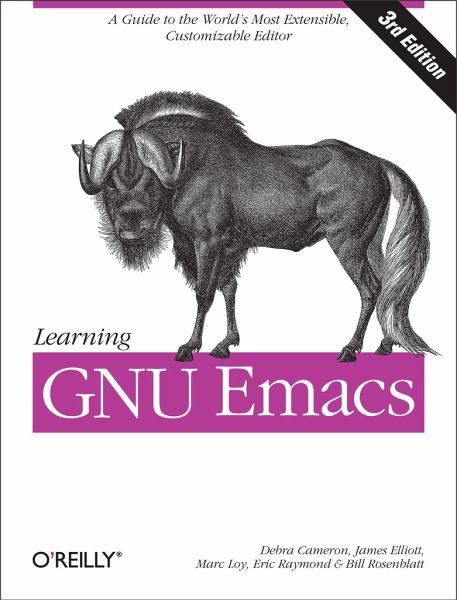
GNU Emacs is the most popular and widespread of the Emacs family of editors. It is also the most powerful and flexible. Unlike all other text editors, GNU Emacs is a complete working environment--you can stay within Emacs all day without leaving. Learning GNU Emacs, 3rd Edition tells readers how to get started with the GNU Emacs editor. It is a thorough guide that will also "grow" with you: as you become more proficient, this book will help you learn how to use Emacs more effectively. It takes you from basic Emacs usage (simple text editing) to moderately complicated customization and…mehr
GNU Emacs is the most popular and widespread of the Emacs family of editors. It is also the most powerful and flexible. Unlike all other text editors, GNU Emacs is a complete working environment--you can stay within Emacs all day without leaving. Learning GNU Emacs, 3rd Edition tells readers how to get started with the GNU Emacs editor. It is a thorough guide that will also "grow" with you: as you become more proficient, this book will help you learn how to use Emacs more effectively. It takes you from basic Emacs usage (simple text editing) to moderately complicated customization and programming.The third edition of Learning GNU Emacs describes Emacs 21.3 from the ground up, including new user interface features such as an icon-based toolbar and an interactive interface to Emacs customization. A new chapter details how to install and run Emacs on Mac OS X, Windows, and Linux, including tips for using Emacs effectively on those platforms.Learning GNU Emacs, third edition, covers: How to edit files with Emacs Using the operating system shell through Emacs How to use multiple buffers, windows, and frames Customizing Emacs interactively and through startup files Writing macros to circumvent repetitious tasks Emacs as a programming environment for Java, C++, and Perl, among others Using Emacs as an integrated development environment (IDE) Integrating Emacs with CVS, Subversion and other change control systems for projects with multiple developers Writing HTML, XHTML, and XML with Emacs The basics of Emacs Lisp The book is aimed at new Emacs users, whether or not they are programmers. Also useful for readers switching from other Emacs implementations to GNU Emacs.
Debra Cameron is president of Cameron Consulting. In addition to her love for Emacs, Deb researches and writes about emerging technologies and their applications. Her latest book, Optical Networking: A Wiley Tech Brief, published in 2002 by John Wiley & Sons, covers the practical applications of optical networking and was written in the hope that true broadband will be more widely deployed. Deb also edits OReilly titles, including DNS and Bind, DNS on Windows 2000, TCP/IP Network Administration, HTML and XHTML: The Definitive Guide, Java Security, Java Swing, Learning Java, and Java Performance Tuning. She has presented numerous videos for WatchIT.com, covering security and networking as well as e-business topics. She has moderated roundtables on PlanetIT on advanced networking and intranet design. Deb resides in Gaithersburg, Maryland with her husband Jim and their three children, Meg, David, and Bethany. James Elliott is a senior software engineer at Singlewire Software, with two decades of professional experience as a systems developer. He started designing with objects well before work environments made it convenient, and has a passion for building high-quality Java tools and frameworks to simplify the tasks of other developers. Marc Loy is a trainer and media specialist in Cincinnati, OH. When he's not working with digital video and DVDs, he's programming in Java-land. (In the interest of full disclosure, he does vacation in Ruby-world.) He can still be found teaching the odd Perl and Java course out in Corporate America, but even on the road he'll have his MacBook Pro and a video project with him. Eric Raymond is an Open Source evangelist and author of the highly influential paper "The Cathedral and the Bazaar". Bill Rosenblatt is president of GiantSteps/Media Technology Strategies, a consulting firm in New York City. Before founding GiantSteps, Bill was CTO of Fathom, an online content and education company associated with Columbia University and other scholarly institutions. He has been a technology executive at McGraw-Hill and Times Mirror, and head of strategic marketing for media and publishing at Sun Microsystems. Bill was also one of the architects of the Digital Object Identifier (DOI), a standard for online content identification and DRM.
Inhaltsangabe
Preface Why Read This Book? Which Emacs Is Which? What's New in This Edition? GNU Emacs and the Free Software Foundation An Approach to Learning Emacs What We Haven't Included The Meta Key Conventions Used in This Book How to Contact Us Acknowledgments Chapter 1: Emacs Basics 1.1 Introducing Emacs! 1.2 Understanding Files and Buffers 1.3 A Word About Modes 1.4 Starting Emacs 1.5 About the Emacs Display 1.6 Emacs Commands 1.7 Opening a File 1.8 Saving Files 1.9 Leaving Emacs 1.10 Getting Help 1.11 Summary Chapter 2: Editing 2.1 Moving the Cursor 2.2 Deleting Text 2.3 Marking Text to Delete, Move, or Copy 2.4 Emacs and the Clipboard 2.5 Editing Tricks and Shortcuts 2.6 Canceling Commands and Undoing Changes 2.7 Making Emacs Work the Way You Want Chapter 3: Search and Replace 3.1 Different Kinds of Searches 3.2 Search and Replace 3.3 Checking Spelling Using Ispell 3.4 Word Abbreviations Chapter 4: Using Buffers, Windows, and Frames 4.1 Understanding Buffers, Windows, and Frames 4.2 Working with Multiple Buffers 4.3 Working with Windows 4.4 Working with Frames 4.5 More About Buffers 4.6 More About Windows 4.7 Holding Your Place with Bookmarks Chapter 5: Emacs as a Work Environment 5.1 Executing Commands in Shell Buffers 5.2 Using Dired, the Directory Editor 5.3 Printing from Emacs 5.4 Reading Manpages in Emacs 5.5 Using Time Management Tools Chapter 6: Writing Macros 6.1 Defining a Macro 6.2 Tips for Creating Good Macros 6.3 A More Complicated Macro Example 6.4 Editing a Macro 6.5 The Macro Ring 6.6 Binding Your Macro to a Key 6.7 Naming, Saving, and Executing Your Macros 6.8 Building More Complicated Macros 6.9 Executing Macros on a Region 6.10 Beyond Macros Chapter 7: Simple Text Formatting and Specialized Editing 7.1 Using Tabs 7.2 Indenting Text 7.3 Centering Text 7.4 Using Outline Mode 7.5 Rectangle Editing 7.6 Making Simple Drawings Chapter 8: Markup Language Support 8.1 Comments 8.2 Font-Lock Mode 8.3 Writing HTML 8.4 Writing XML 8.5 Marking up Text for TEX and LATEX Chapter 9: Computer Language Support 9.1 Emacs as an IDE 9.2 Writing Code 9.3 C and C++ Support 9.4 Java Support 9.5 The Java Development Environment for Emacs (JDEE) 9.6 Perl Support 9.7 SQL Support 9.8 The Lisp Modes Chapter 10: Customizing Emacs 10.1 Using Custom 10.2 Modifying the .emacs File Directly 10.3 Modifying Fonts and Colors 10.4 Customizing Your Key Bindings 10.5 Setting Emacs Variables 10.6 Finding Emacs Lisp Packages 10.7 Starting Modes via Auto-Mode Customization 10.8 Making Emacs Work the Way You Think It Should Chapter 11: Emacs Lisp Programming 11.1 Introduction to Lisp 11.2 Lisp Primitive Functions 11.3 Useful Built-in Emacs Functions 11.4 Building an Automatic Template System 11.5 Programming a Major Mode 11.6 Customizing Existing Modes 11.7 Building Your Own Lisp Library Chapter 12: Version Control 12.1 The Uses of Version Control 12.2 Version Control Concepts 12.3 How VC Helps with Basic Operations 12.4 Editing Comment Buffers 12.5 VC Command Summary 12.6 VC Mode Indicators 12.7 Which Version Control System? 12.8 Individual VC Commands 12.9 Customizing VC 12.10 Extending VC 12.11 What VC Is Not 12.12 Using VC Effectively 12.13 Comparing with Ediff Chapter 13: Platform-Specific Considerations 13.1 Emacs and Unix 13.2 Emacs and Mac OS X 13.3 Emacs and Windows Chapter 14: The Help System 14.1 Using the Tutorial 14.2 Help Commands 14.3 Help with Complex Emacs Commands 14.4 Navigating Emacs Documentation 14.5 Completion Appendix A: Emacs Variables Appendix B: Emacs Lisp Packages Appendix C: Bugs and Bug Fixes Appendix D: Online Resources Appendix E: Quick Reference Colophon
Preface Why Read This Book? Which Emacs Is Which? What's New in This Edition? GNU Emacs and the Free Software Foundation An Approach to Learning Emacs What We Haven't Included The Meta Key Conventions Used in This Book How to Contact Us Acknowledgments Chapter 1: Emacs Basics 1.1 Introducing Emacs! 1.2 Understanding Files and Buffers 1.3 A Word About Modes 1.4 Starting Emacs 1.5 About the Emacs Display 1.6 Emacs Commands 1.7 Opening a File 1.8 Saving Files 1.9 Leaving Emacs 1.10 Getting Help 1.11 Summary Chapter 2: Editing 2.1 Moving the Cursor 2.2 Deleting Text 2.3 Marking Text to Delete, Move, or Copy 2.4 Emacs and the Clipboard 2.5 Editing Tricks and Shortcuts 2.6 Canceling Commands and Undoing Changes 2.7 Making Emacs Work the Way You Want Chapter 3: Search and Replace 3.1 Different Kinds of Searches 3.2 Search and Replace 3.3 Checking Spelling Using Ispell 3.4 Word Abbreviations Chapter 4: Using Buffers, Windows, and Frames 4.1 Understanding Buffers, Windows, and Frames 4.2 Working with Multiple Buffers 4.3 Working with Windows 4.4 Working with Frames 4.5 More About Buffers 4.6 More About Windows 4.7 Holding Your Place with Bookmarks Chapter 5: Emacs as a Work Environment 5.1 Executing Commands in Shell Buffers 5.2 Using Dired, the Directory Editor 5.3 Printing from Emacs 5.4 Reading Manpages in Emacs 5.5 Using Time Management Tools Chapter 6: Writing Macros 6.1 Defining a Macro 6.2 Tips for Creating Good Macros 6.3 A More Complicated Macro Example 6.4 Editing a Macro 6.5 The Macro Ring 6.6 Binding Your Macro to a Key 6.7 Naming, Saving, and Executing Your Macros 6.8 Building More Complicated Macros 6.9 Executing Macros on a Region 6.10 Beyond Macros Chapter 7: Simple Text Formatting and Specialized Editing 7.1 Using Tabs 7.2 Indenting Text 7.3 Centering Text 7.4 Using Outline Mode 7.5 Rectangle Editing 7.6 Making Simple Drawings Chapter 8: Markup Language Support 8.1 Comments 8.2 Font-Lock Mode 8.3 Writing HTML 8.4 Writing XML 8.5 Marking up Text for TEX and LATEX Chapter 9: Computer Language Support 9.1 Emacs as an IDE 9.2 Writing Code 9.3 C and C++ Support 9.4 Java Support 9.5 The Java Development Environment for Emacs (JDEE) 9.6 Perl Support 9.7 SQL Support 9.8 The Lisp Modes Chapter 10: Customizing Emacs 10.1 Using Custom 10.2 Modifying the .emacs File Directly 10.3 Modifying Fonts and Colors 10.4 Customizing Your Key Bindings 10.5 Setting Emacs Variables 10.6 Finding Emacs Lisp Packages 10.7 Starting Modes via Auto-Mode Customization 10.8 Making Emacs Work the Way You Think It Should Chapter 11: Emacs Lisp Programming 11.1 Introduction to Lisp 11.2 Lisp Primitive Functions 11.3 Useful Built-in Emacs Functions 11.4 Building an Automatic Template System 11.5 Programming a Major Mode 11.6 Customizing Existing Modes 11.7 Building Your Own Lisp Library Chapter 12: Version Control 12.1 The Uses of Version Control 12.2 Version Control Concepts 12.3 How VC Helps with Basic Operations 12.4 Editing Comment Buffers 12.5 VC Command Summary 12.6 VC Mode Indicators 12.7 Which Version Control System? 12.8 Individual VC Commands 12.9 Customizing VC 12.10 Extending VC 12.11 What VC Is Not 12.12 Using VC Effectively 12.13 Comparing with Ediff Chapter 13: Platform-Specific Considerations 13.1 Emacs and Unix 13.2 Emacs and Mac OS X 13.3 Emacs and Windows Chapter 14: The Help System 14.1 Using the Tutorial 14.2 Help Commands 14.3 Help with Complex Emacs Commands 14.4 Navigating Emacs Documentation 14.5 Completion Appendix A: Emacs Variables Appendix B: Emacs Lisp Packages Appendix C: Bugs and Bug Fixes Appendix D: Online Resources Appendix E: Quick Reference Colophon
Rezensionen
"In meinen Augen ist es ein sehr empfehlenswertes Buch für Anfänger, das wegen seiner guten Gliederung und seiner übersichtlichen Darstellung auch zum konsultierenden Lesen und als Nachschlagewerk für routinierte Anwender geeignet ist." - Uwe Siart, TeX-Stammtisch München
Es gelten unsere Allgemeinen Geschäftsbedingungen: www.buecher.de/agb
Impressum
www.buecher.de ist ein Shop der buecher.de GmbH & Co. KG Bürgermeister-Wegele-Str. 12, 86167 Augsburg Amtsgericht Augsburg HRA 13309